
ZStack Cloud 4.5.0
Overview of new features in ZStack Cloud 4.5.0
- ZStack Cloud Supports Single Sign On (SSO) Protocol
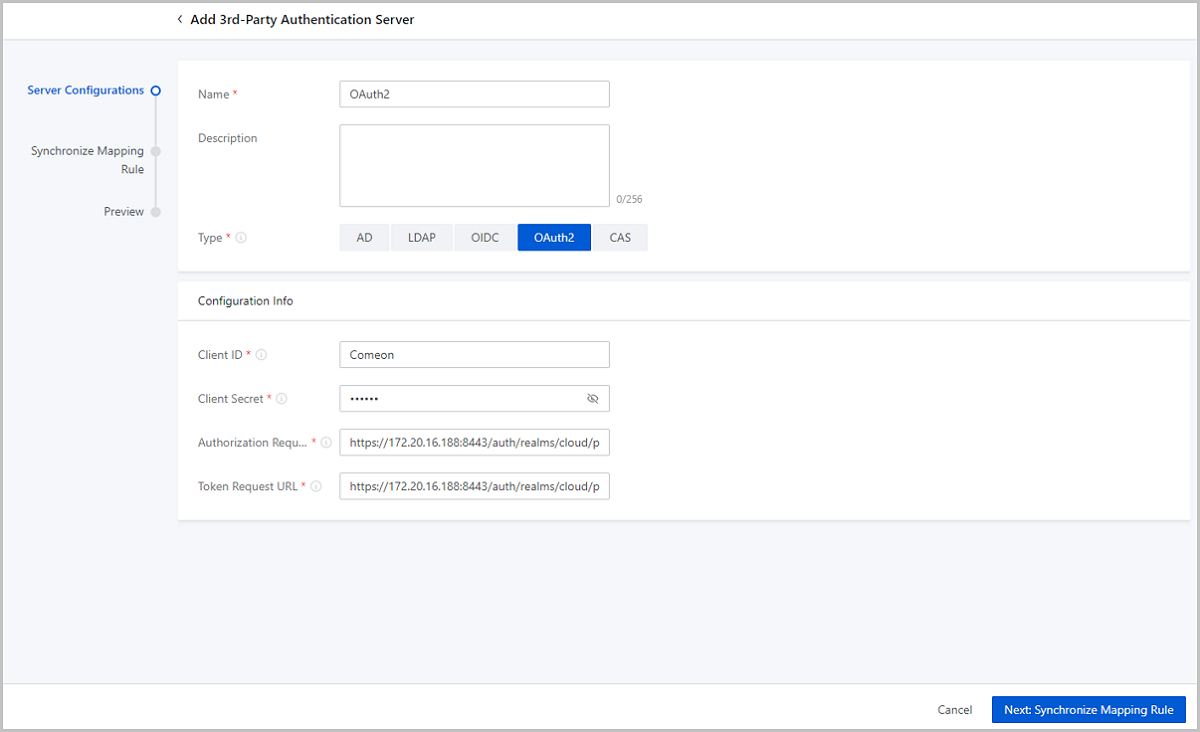
- More 3rd-party authentication types are supported in Enterprise Management, including OIDC, OAuth2, and CAS.
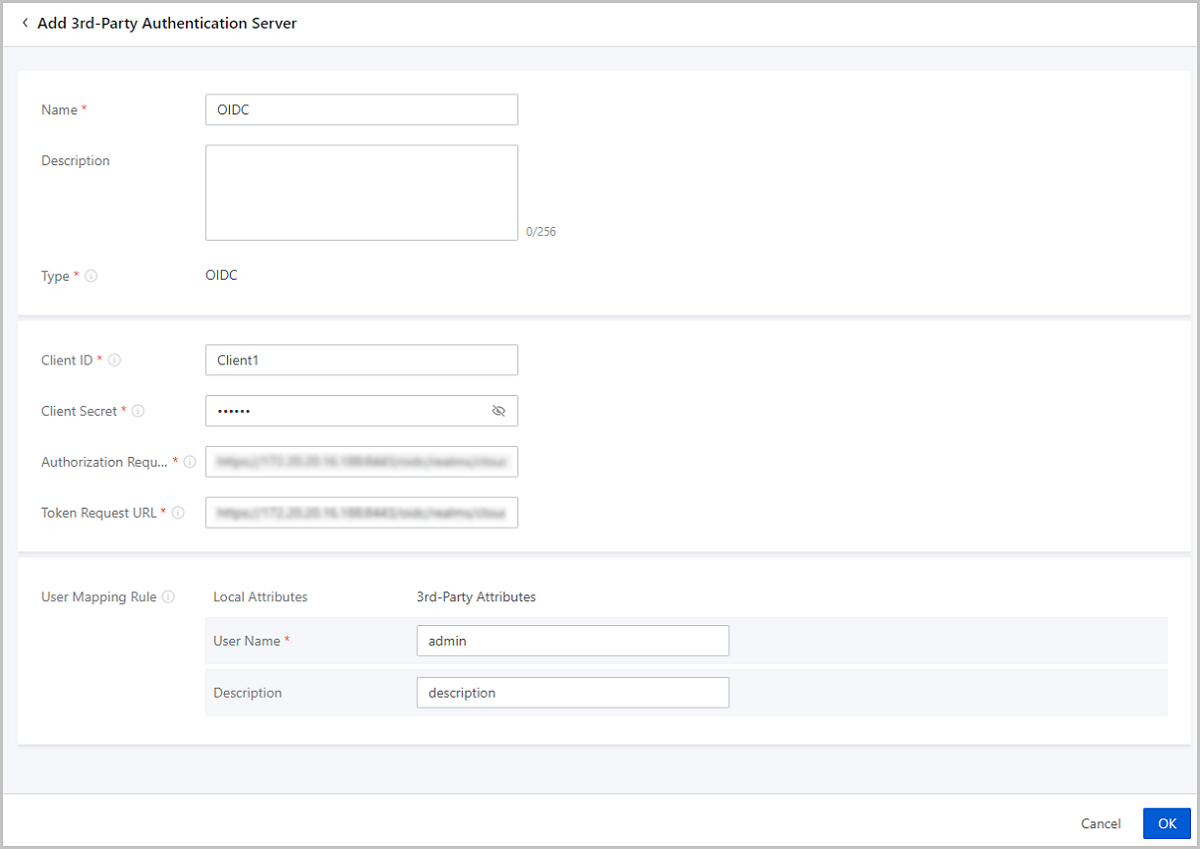
- Sub-Account Setting begins to support 3rd-party authentication.
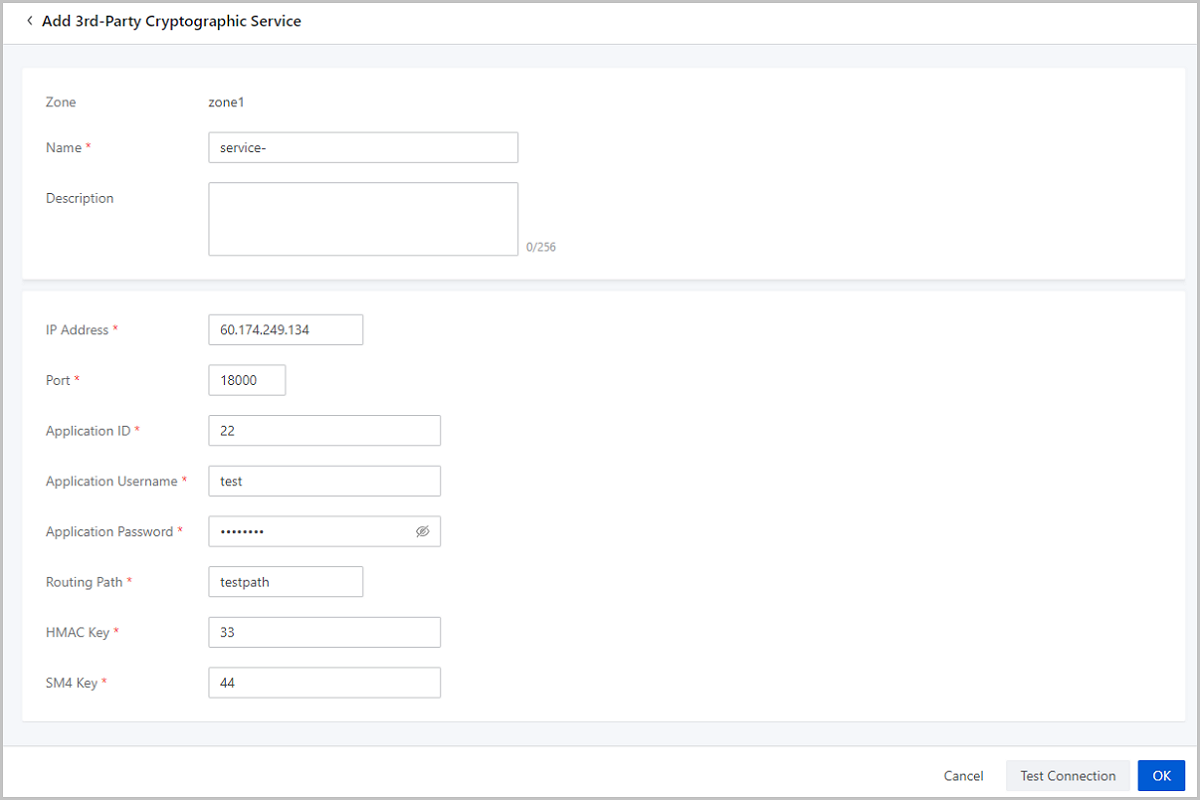
- Enhancement of Cryptography Security Compliance
- Provides 3rd-party cryptographic service and alarms.
- Enhancement of V2V Migration Service
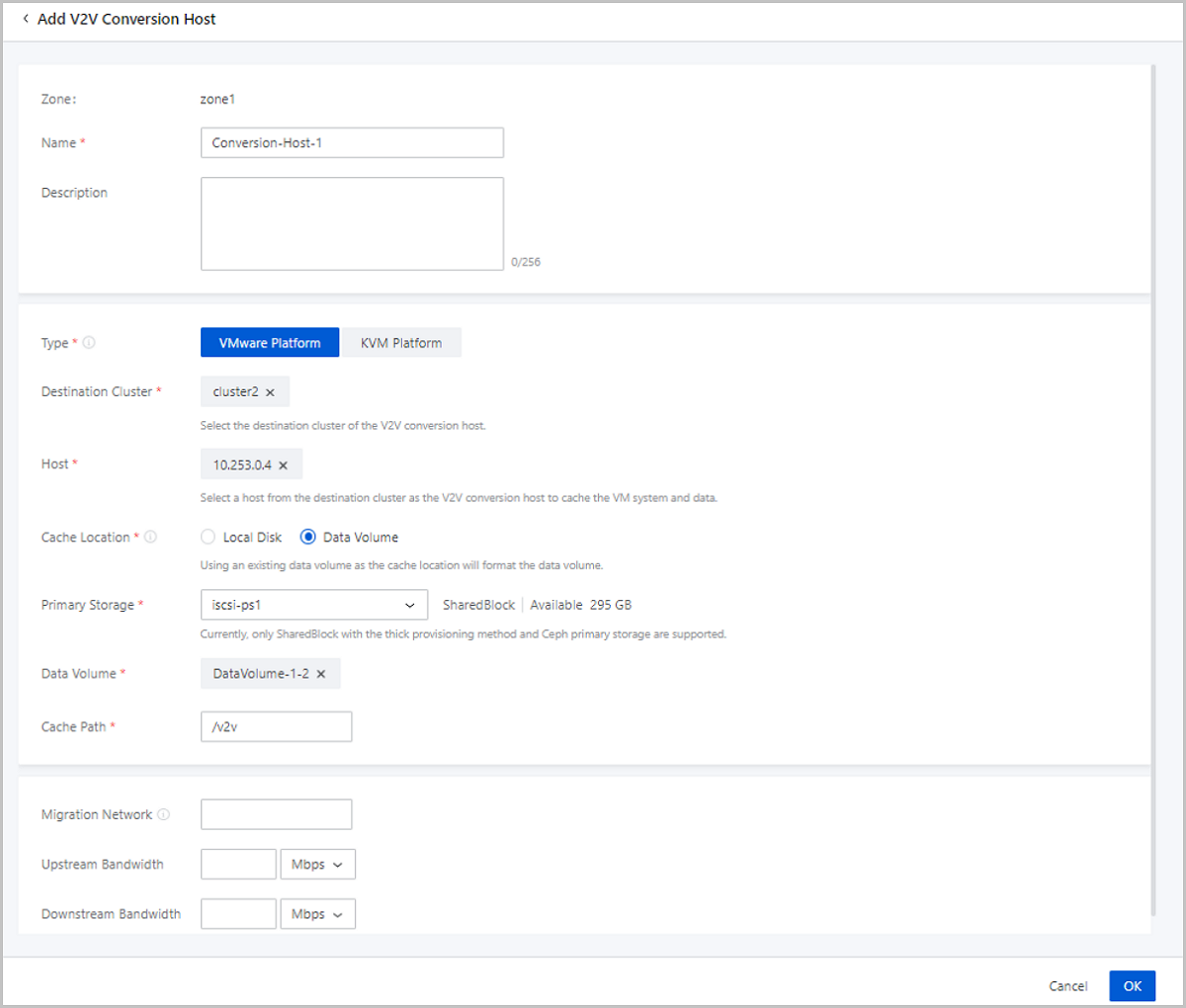
- Data volumes can be attached to V2V conversion hosts to store cached data.
- Optimization of IPsec
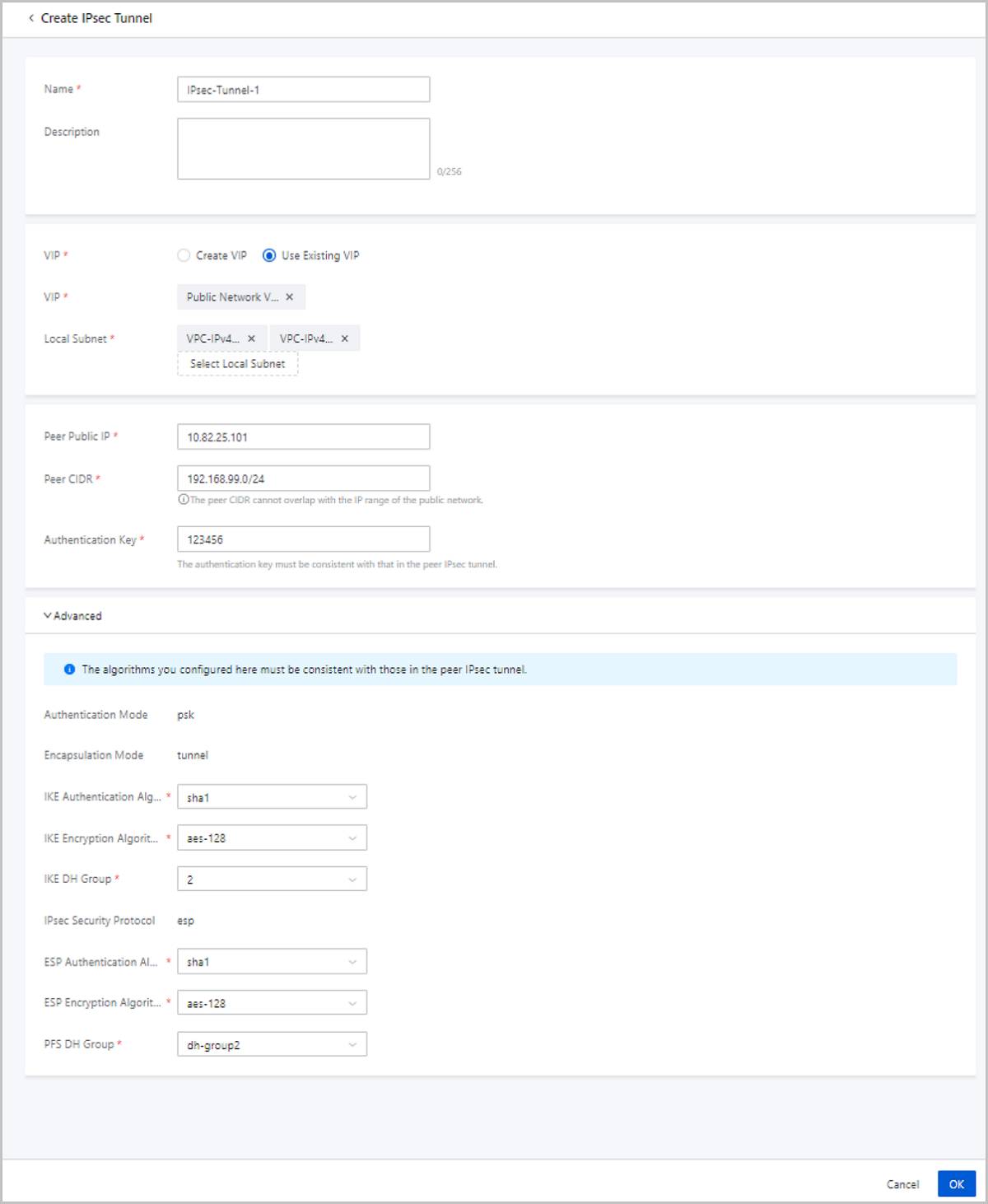
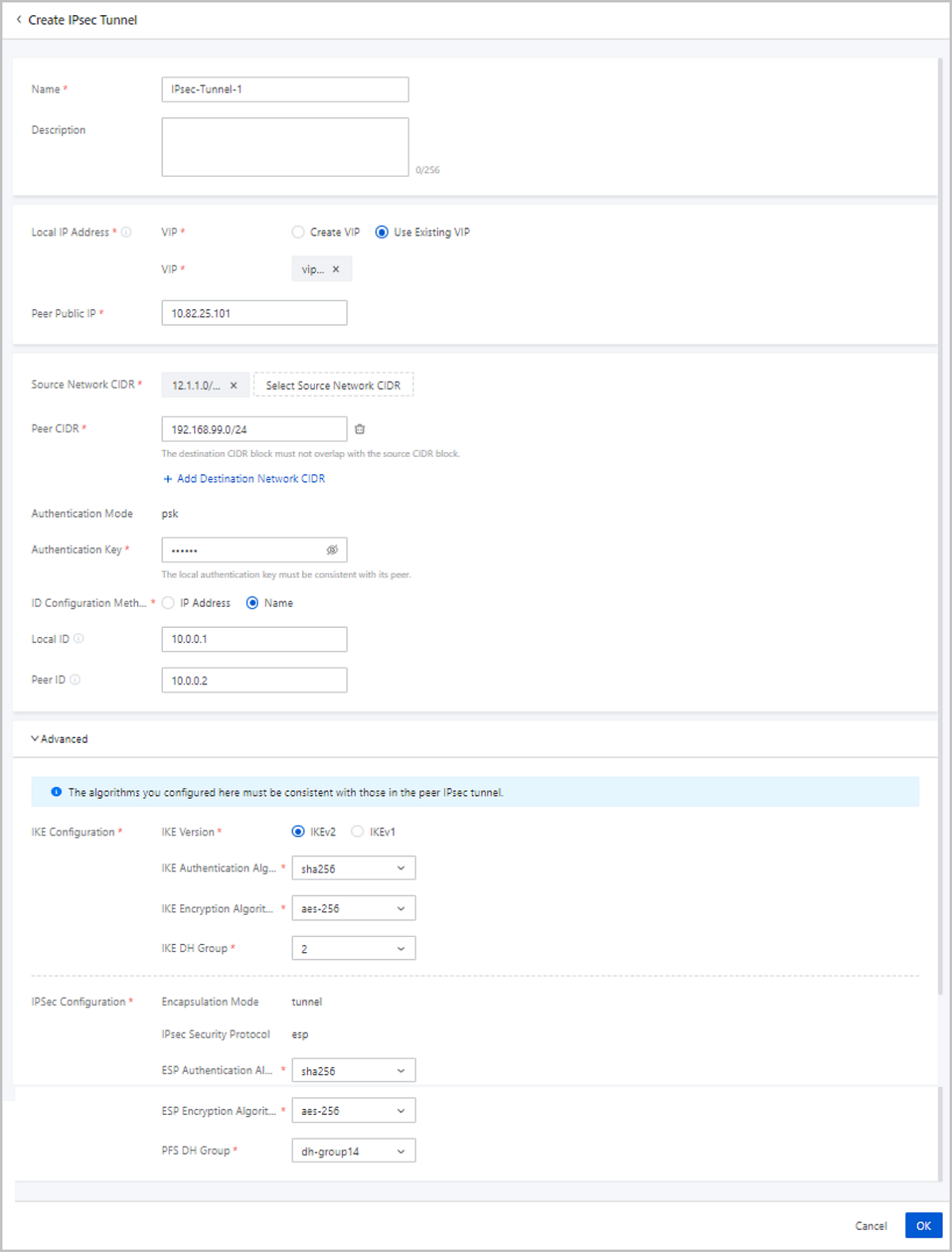
- Adds more parameters and changes some original parameters on the Create IPsec Tunnel page.
- Supports manual IPsec reconnection and automatic recovery.
- Optimizes the IPsec status monitoring.
- Improves the user experience of the IPsec upgrading.
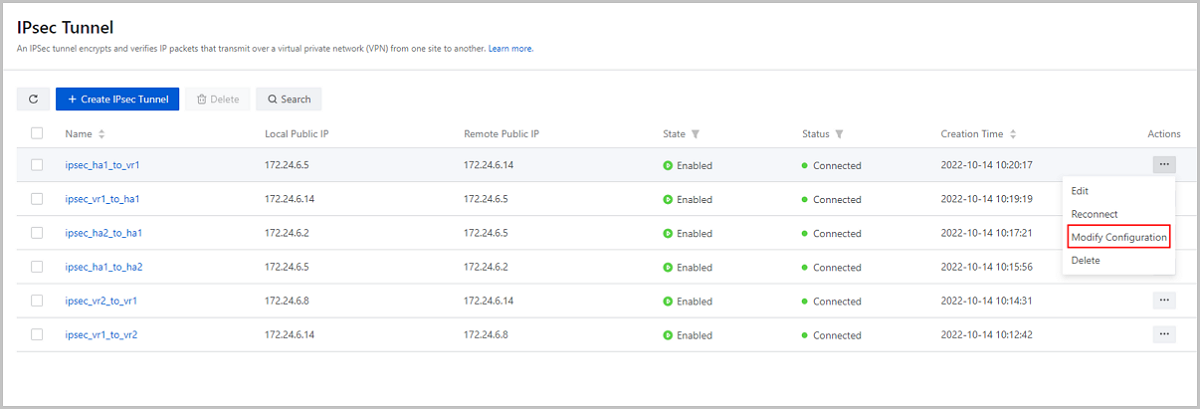
- Allows flexible IPsec configuration modifications.
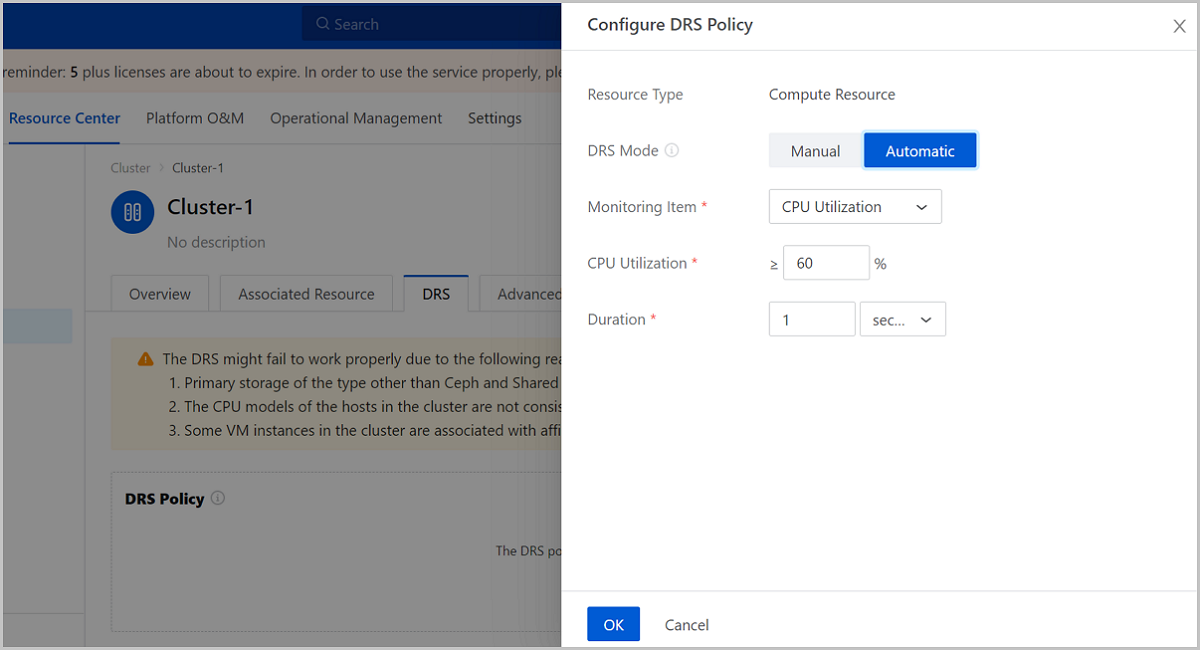
- DRS Supports an Auto Mode.
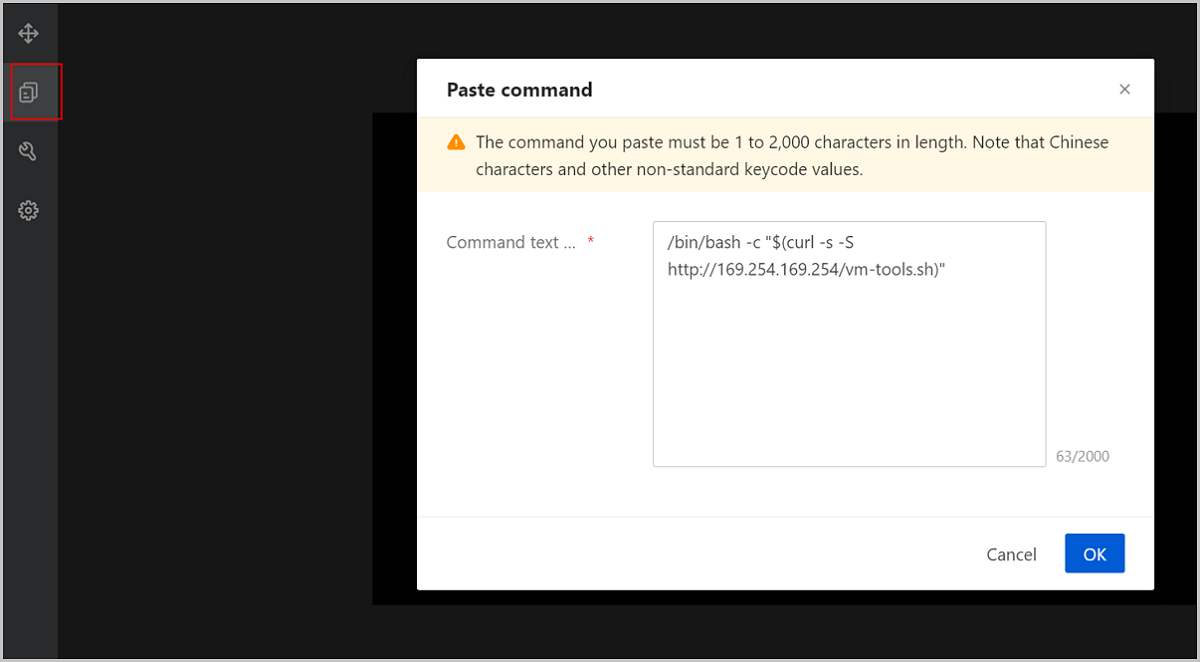
- VM VNC Consoles Support Text Pasting.
- Enhancement of VM Storage Migration
- Allows entire VM hot migration across SharedBlock and Ceph primary storage.
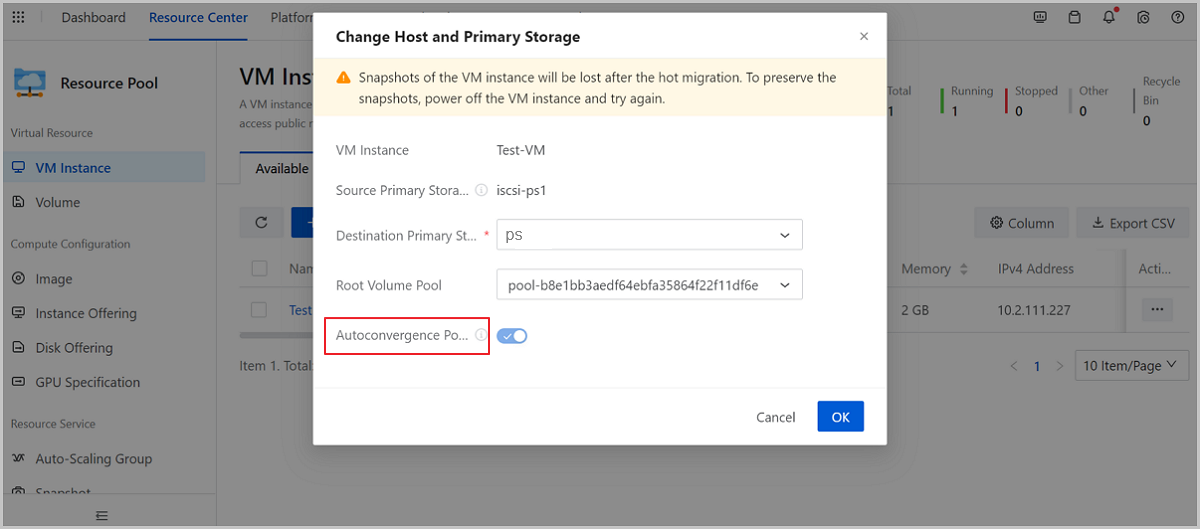
- Change Host and Primary Storage supports autoconvergence.
- Optimization of Ceph Storage Pool
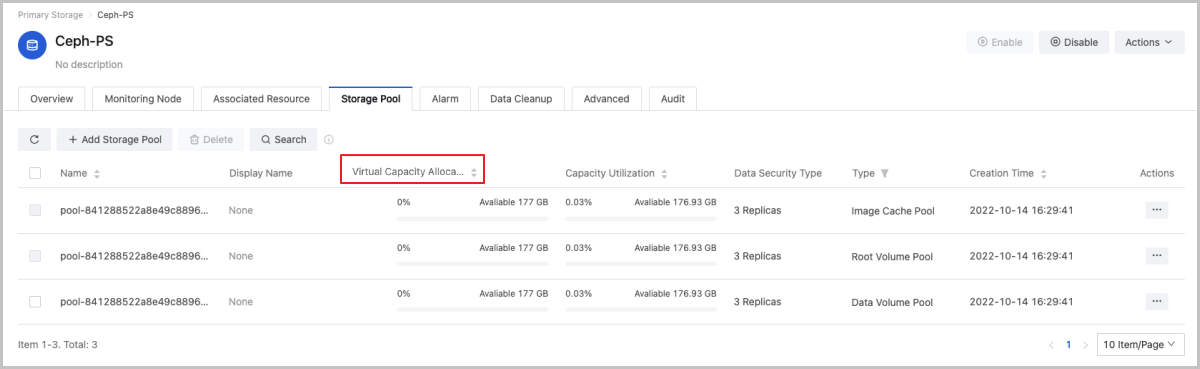
- Adds a column Virtual Capacity Allocation Rate to the Storage Pool tab page.
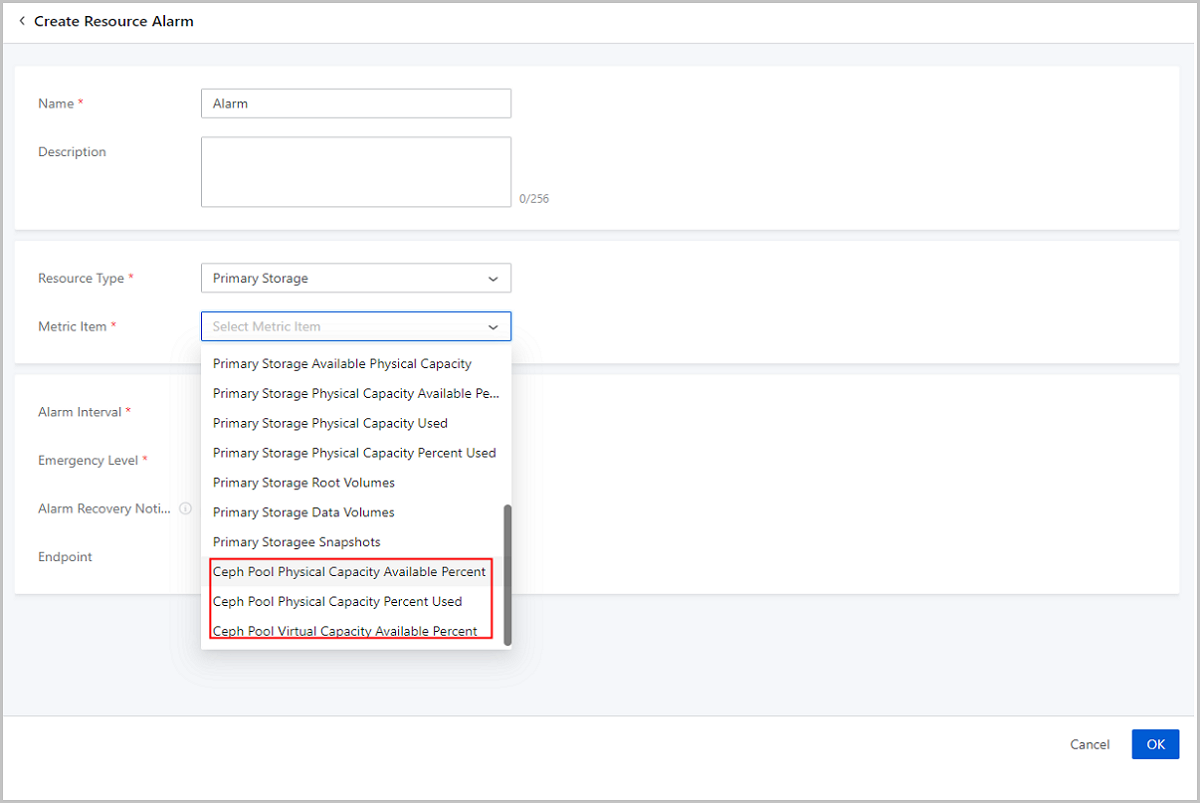
- Adds more alarm metrics for Ceph storage pools and improves some original alarm metrics.
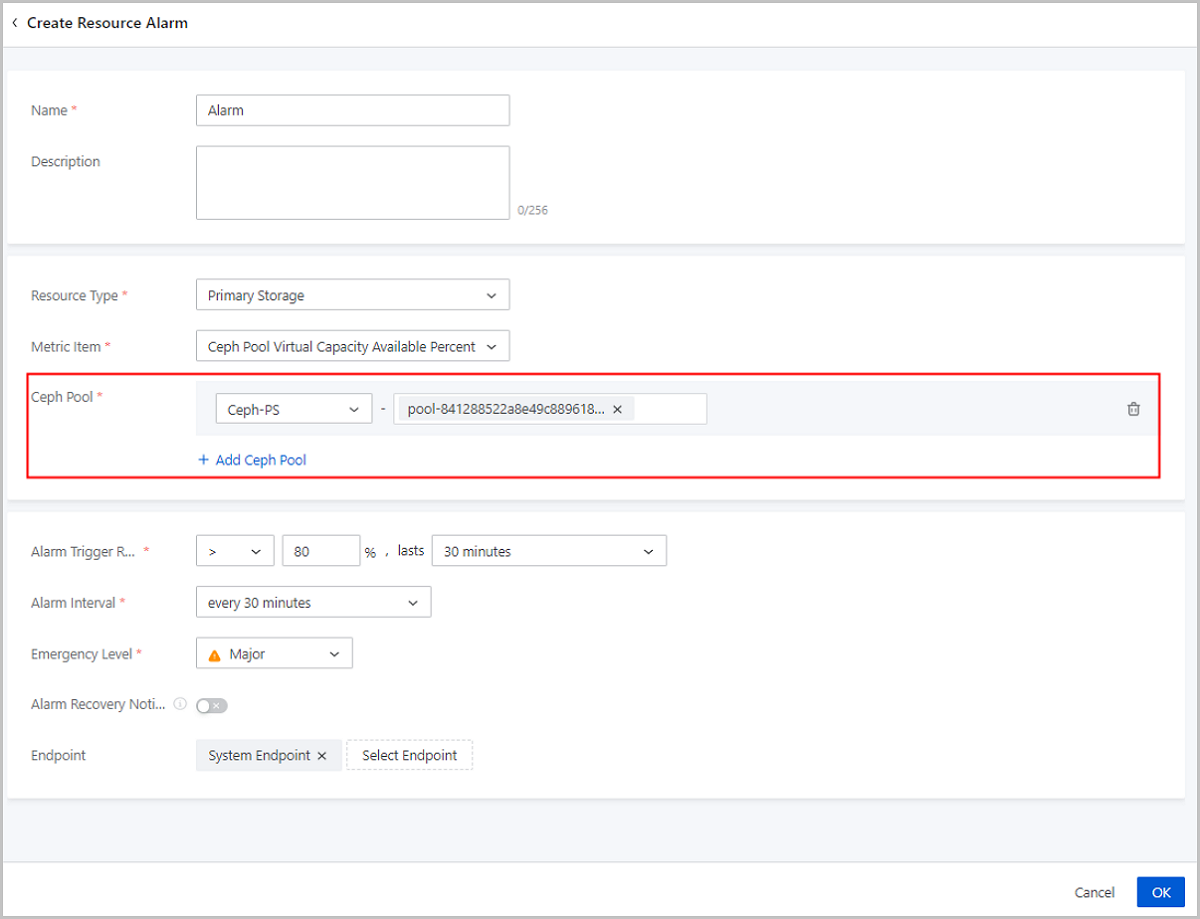
- Allows to specify a Ceph storage pool for the Ceph storage pool alarm.
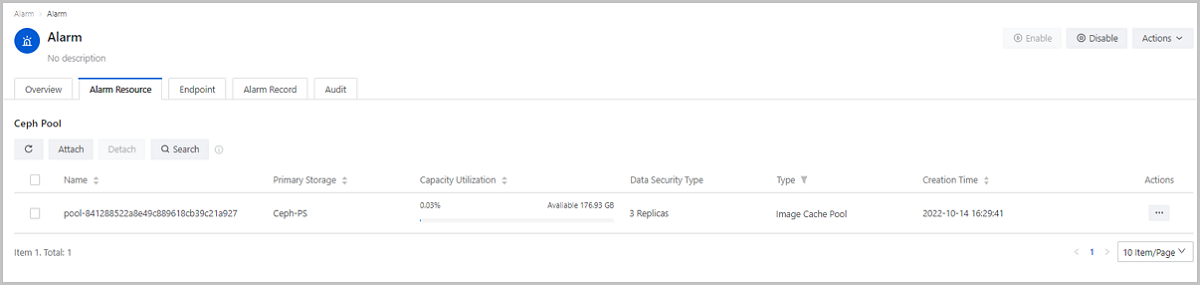
- Optimizes the Alarm Resource tab page on the details page of an alarm on Ceph storage pools.
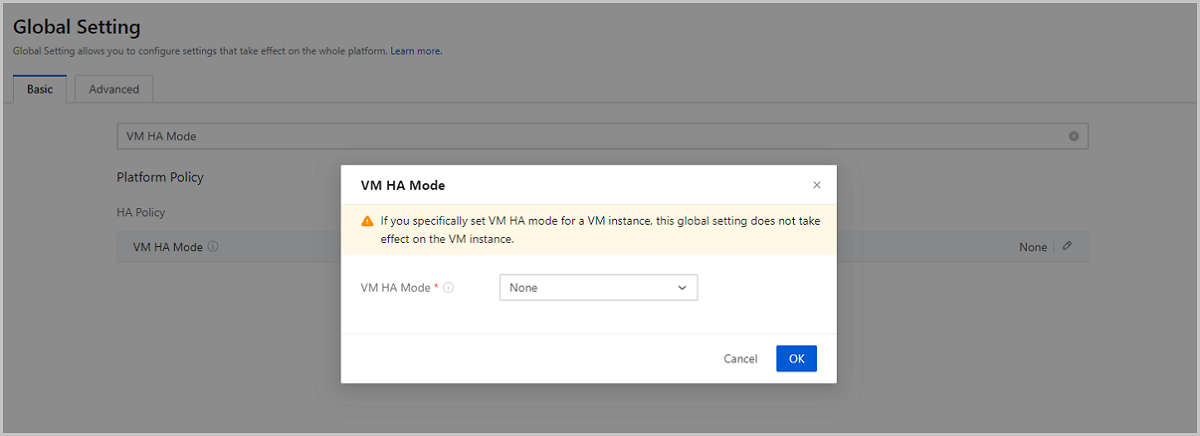
- Optimization of VM Instance HA Setting (Adding a Global Setting Effective on All the VMs on the Cloud)
- Other Features and Improvements
ZStack Cloud Supports Single Sign On (SSO) Protocol
From 4.5.0 version, ZStack Cloud begins to support standard Single Sing On (SSO) protocol. You can access 3rd-party authentication systems through Enterprise Management and Sub-Account Setting, allowing 3rd-party users to single-sign on the Cloud via the authentication system and perform actions on the cloud resources.
More 3rd-party authentication types are supported in Enterprise Management, including OIDC, OAuth2, and CAS
Enterprise Management has supported AD and LDAP 3rd-party authentication protocols in the earlier versions. From ZStack Cloud 4.5.0, more authentication protocols can be used in Enterprise Management, including OIDC, OAuth2, and CAS. After adding a 3rd-party authentication server and configuring mapping rules, you can synchronize the 3rd-party user information to the Cloud and generate password-free login URLs for 3rd-party users to log in to the Cloud without passwords.
Sub-Account Setting begins to support 3rd-party authentication
Enhancement of Cryptography Security Compliance
ZStack Cloud 4.5.0 provides 3rd-party cryptographic service and alarms.
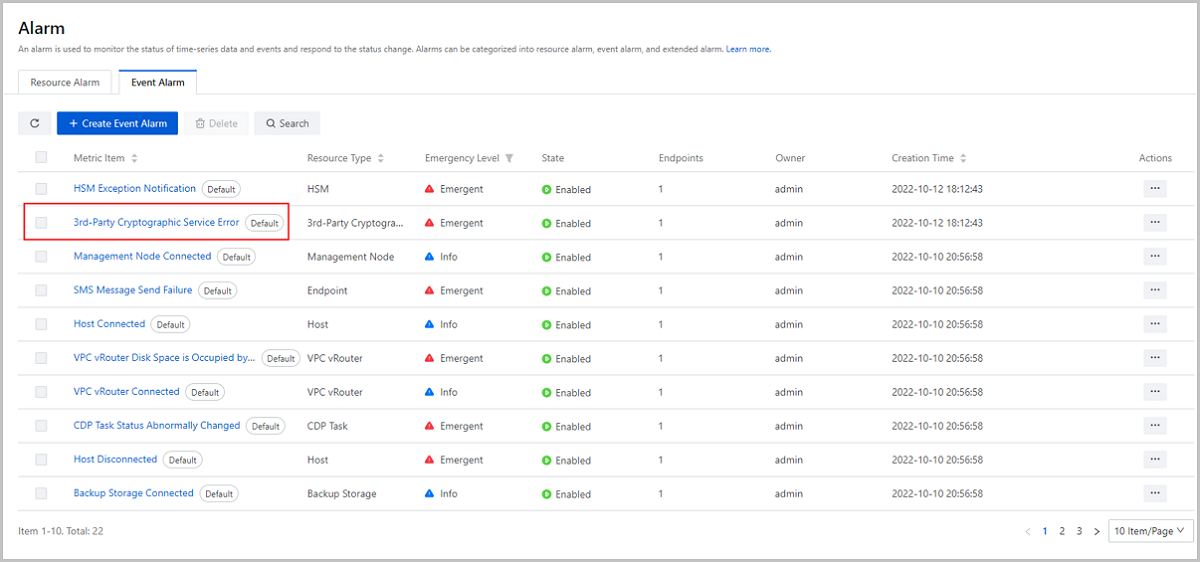
Meanwhile, ZStack Cloud 4.5.0 begins to provide a default event alarm, 3rd-Party Cryptographic Service Error, to monitor the health states of 3rd-party cryptography services in real time, helping O&M personnel make response in time to protect the platform resources.
Enhancement of V2V Migration Service
In the earlier ZStack Cloud versions, the VM systems and data are cached on the local disks of hosts during V2V migration by default.
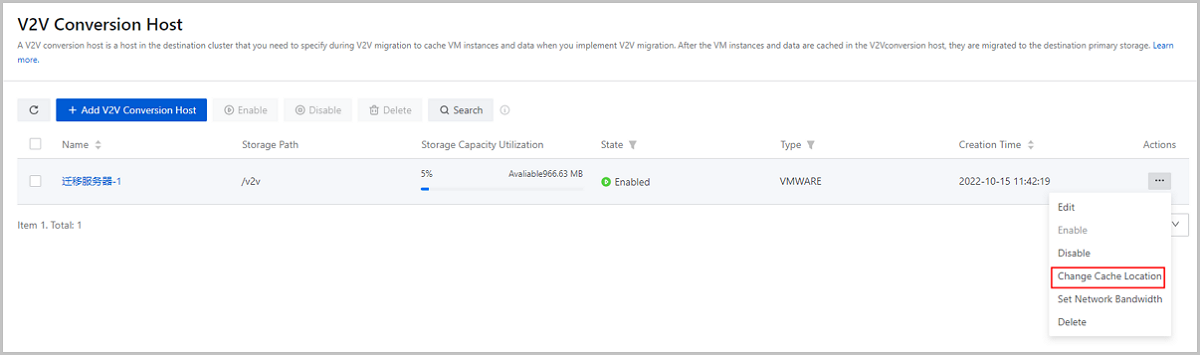
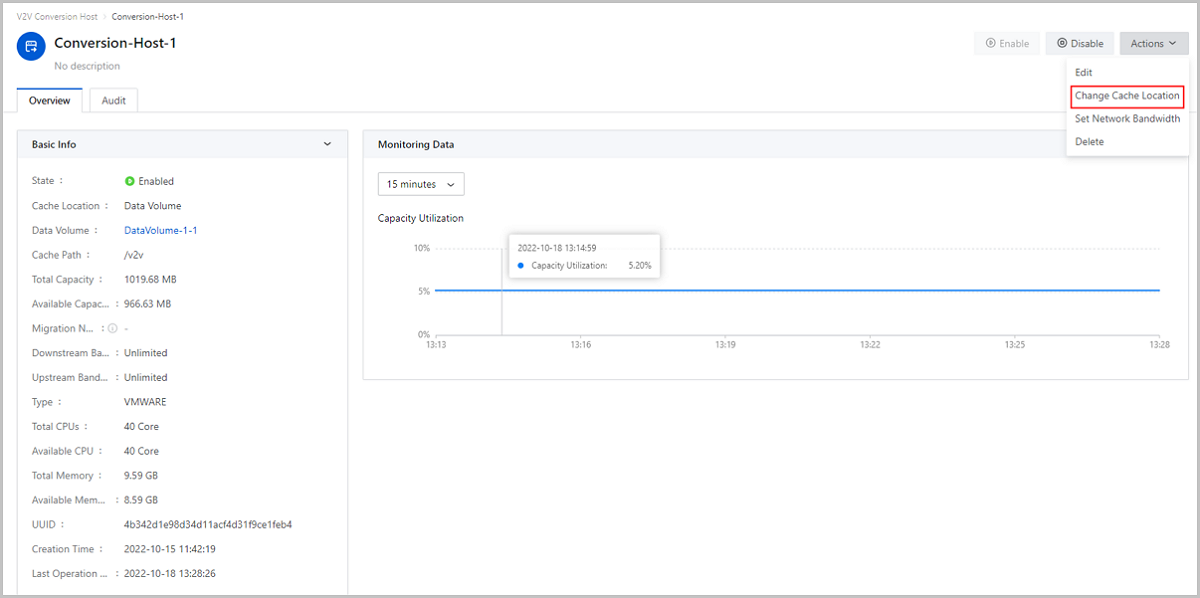
ZStack Cloud 4.5.0 and later versions allow you to attach data volumes to conversion hosts to store cached data. You can flexibly choose local disks or data volumes to cache the migrated data according to your business requirements. You can set the cache location on 3 pages, including the Add V2V Conversion Host page, the V2V Conversion Host page, and details page of the conversion host.
Optimization of IPsec
ZStack Cloud 4.5.0 makes optimizations on the IPsec feature.
Adds more parameters and changes some original parameters on the Create IPsec Tunnel page
- Adds a new parameter Local IP Address to form a couple of symmetric configuration with the parameter Peer Public IP, which is changed from the original Peer Public IP. Meanwhile, the original Local Subnet and Peer CIDR are respectively changed as Source Network CIDR and Destination Network CIDR and form a couple of symmetric configuration.
- Supports a new ID configuration method, allowing you to configure IDs of local and remote devices by IP addresses or names for device authentication.
- Reorganizes the advanced configurations in the earlier versions and splits them into IKE Configuration and IPsec Configuration.
- Adds IKEv2 configurations and change the default values of most of the advanced configuration items, making them apply to the mainstream business scenarios better.
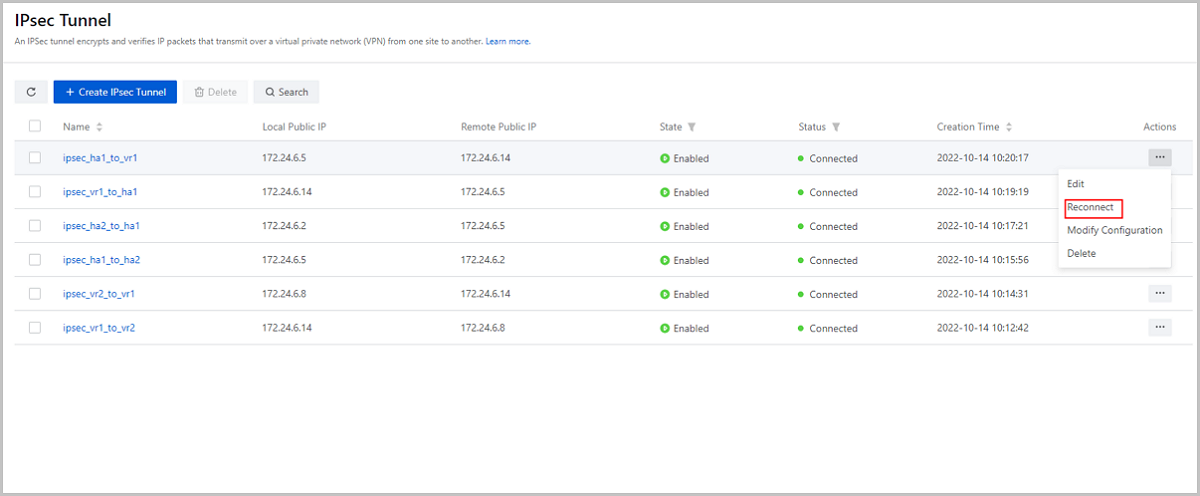
Supports manual IPsec reconnection and automatic recovery
ZStack Cloud 4.5.0 supports manual IPsec reconnection and automatic IPsec recovery. If an IPsec is disconnected, you can manually reconnect it or wait the system to reconnect it automatically.
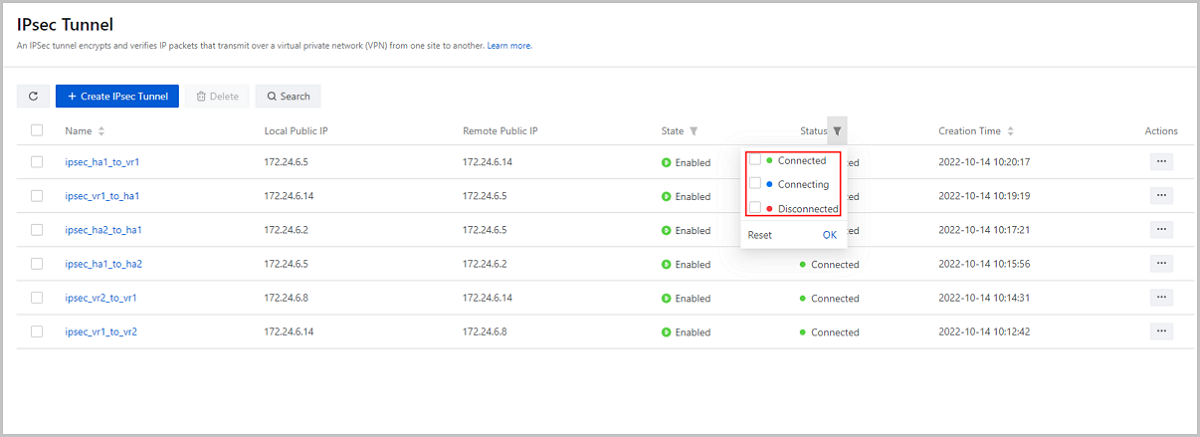
Optimizes the IPsec status monitoring
ZStack Cloud 4.5.0 adds two IPsec status, Connecting and Disconnected, and the original status Ready is changed to Connected. The cloud realizes a completed monitoring on IPsec connection status.
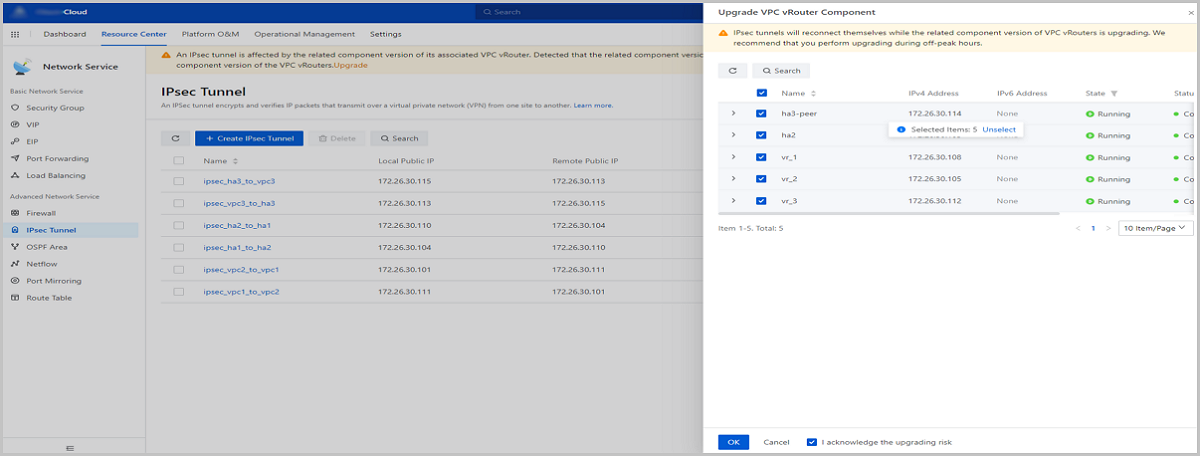
Improves the user experience of the IPsec upgrading
The Cloud displays an eye-catching alert when your IPsec-related widget is of a lower version. You can upgrade IPsec tunnels in batch conveniently.
Allows flexible IPsec configuration modifications
ZStack Cloud 4.5.0 and later versions support IPsec configuration modifications, allowing you to flexibly modify IPsec configurations according to your business changes.
DRS Supports an Auto Mode
Earlier ZStack Cloud versions support only manual DRS. On this basis, ZStack Cloud 4.5.0 and later versions support auto DRS. Currently, both manual and automatic DRS apply to Ceph and SharedBlock storage scenarios.
When the host CPU utilization or memory utilization in a cluster achieves a specified threshold, you can choose either manual DRS or auto DRS to balance the workloads running on hosts of the cluster and ensure the platform stability. If you choose the manual mode, you need to manually schedule resources according to scheduling recommendations. If you choose the auto mode, the system automatically schedules resources according to the scheduling algorithm.
VM VNC Consoles Support Text Pasting
ZStack Cloud 4.5.0 and later versions allow you to paste text to the VNC consoles of VM instances, VPC vRouters, LB instances, and elastic baremetal instances. Click Local Command Paster, and then the Paste command window is displayed. Paste the command you copied and click OK, and the command is pasted to the console command line page. This further improves the console action efficiency.
Enhancement of VM Storage Migration
ZStack Cloud 4.5.0 makes optimizations on the VM storage migration feature.
Allows entire VM hot migration across SharedBlock and Ceph primary storage
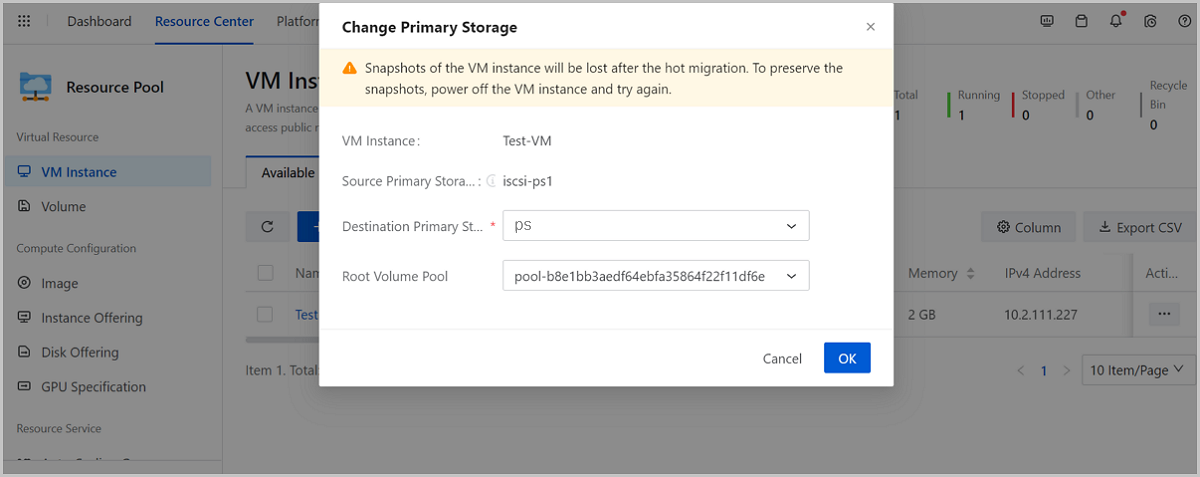
In the earlier ZStack Cloud versions, you can click Change Primary Storage on the VM action list to realize an entire VM hot or cold migration across SharedBlock primary storage. On this basis, ZStack Cloud 4.5.0 and later versions begin to support entire VM hot migration across SharedBlock and Ceph Primary Storage.
If you migrate a VM instance from a SharedBlock primary storage to a Ceph primary storage, you can specify a root volume storage pool and data volume storage pool for the VM volumes, thus making the VM migration more fine-grained and improving the business stability.
Change Host and Primary Storage supports autoconvergence
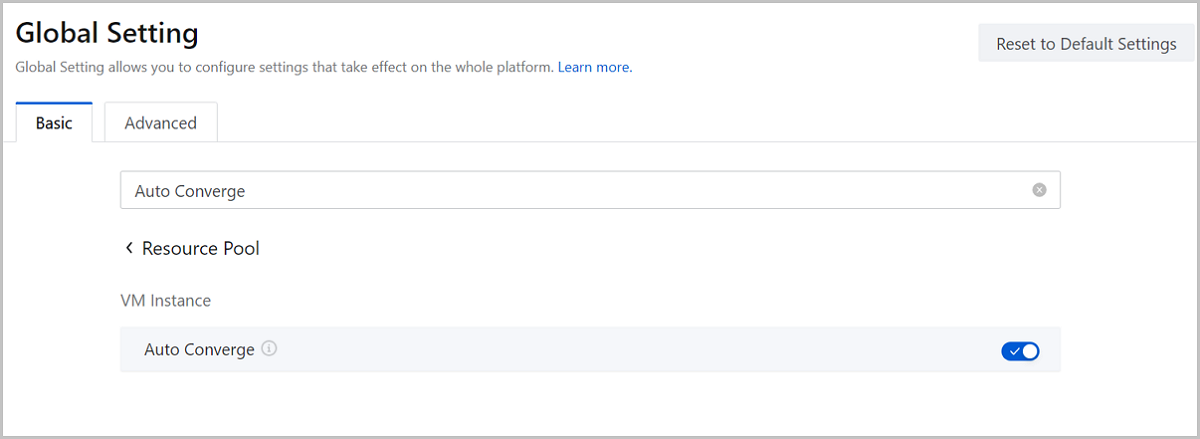
Earlier ZStack Cloud versions provide an Auto Converge switch in Global Setting to enable or disable the autoconvergence policy for all VM instances on the Cloud. ZStack Cloud 4.5.0 and later versions allow you to enable or disable the autoconvergence policy for the VM instance when you change its host and primary storage, and the global setting no longer takes effect on this VM instance.
This feature applies to scenarios with high workloads. If your business VM instance is in a high-workload state for a long time, you can enable the autoconvergence policy when change the VM host and primary storage to improve the migration success rate.
Optimization of Ceph Storage Pool
ZStack Cloud 4.5.0 makes optimizations on Ceph storage pools.
Adds a column Virtual Capacity Allocation Rate to the Storage Pool tab page
ZStack Cloud 4.5.0 and later versions add a column Virtual Capacity Allocation Rate on the Storage Pool tab page, displaying the capacity usage of storage pools in a same Ceph primary storage. This usage information helps you better arrange your storage resource.
Adds more alarm metrics for Ceph storage pools and improves some original alarm metrics
Earlier ZStack Cloud versions provide two alarm metrics for Ceph storage pools, including Ceph Storage Pool Capacity Available Percent and Ceph Storage Pool Capacity Percent Used.
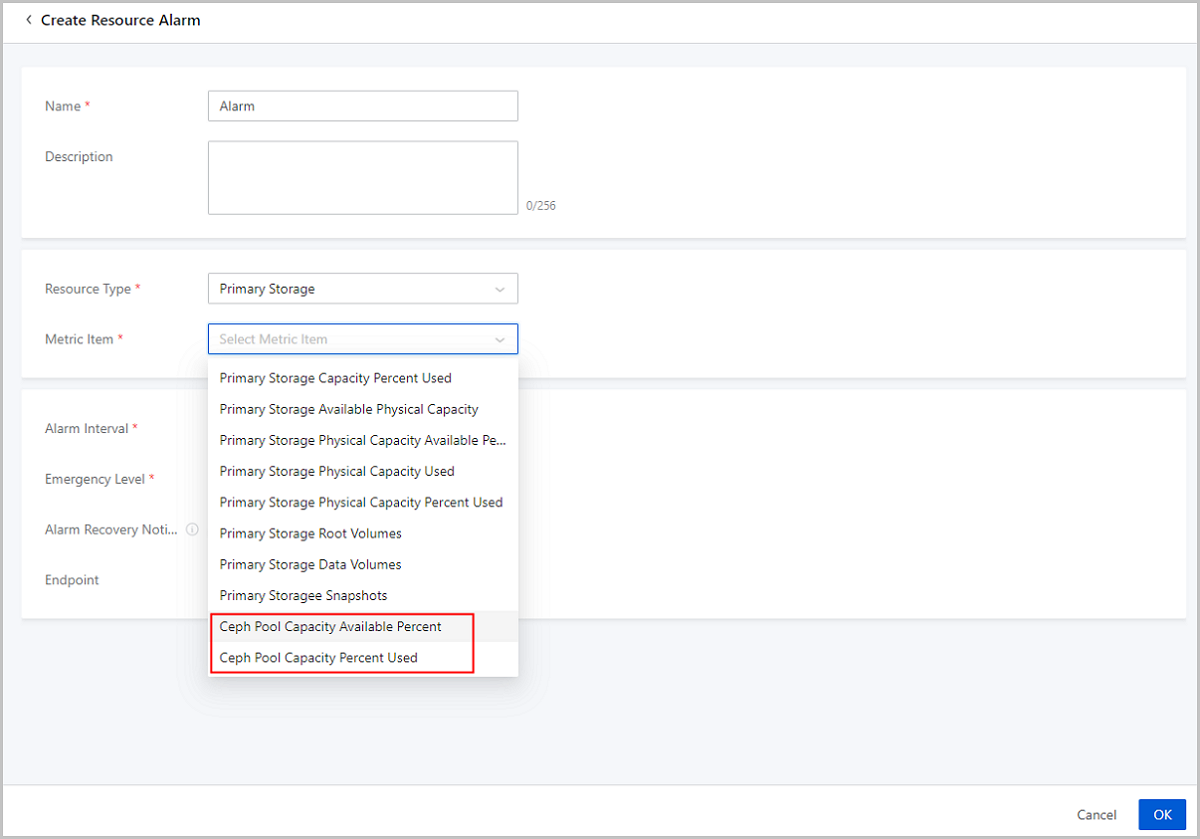
ZStack Cloud 4.5.0 and later versions add a new alarm metric Ceph Pool Virtual Capacity Available Percent, and change the original Ceph Storage Pool Capacity Available Percent and Ceph Storage Pool Capacity Percent Used respectively to Ceph Storage Pool Physical Capacity Available Percent and Ceph Storage Pool Physical Capacity Percent Used.
Allows to specify a Ceph storage pool for the Ceph storage pool alarm
ZStack Cloud and later versions allows you to specify a Ceph storage pool for a Ceph storage pool alarm. This meet the requirement of fine-grained monitoring on different storage pools.
Optimizes the Alarm Resource tab page on the details page of an alarm on Ceph storage pools
ZStack Cloud 4.5.0 and later versions can display the alarm resources of Ceph storage pool alarms according to the storage pools they belong to. Meanwhile, a column Primary Storage is added to the Alarm Resource tab page. You can view all the storage pools and primary storage associated with the alarm and improve the O&M efficiency.
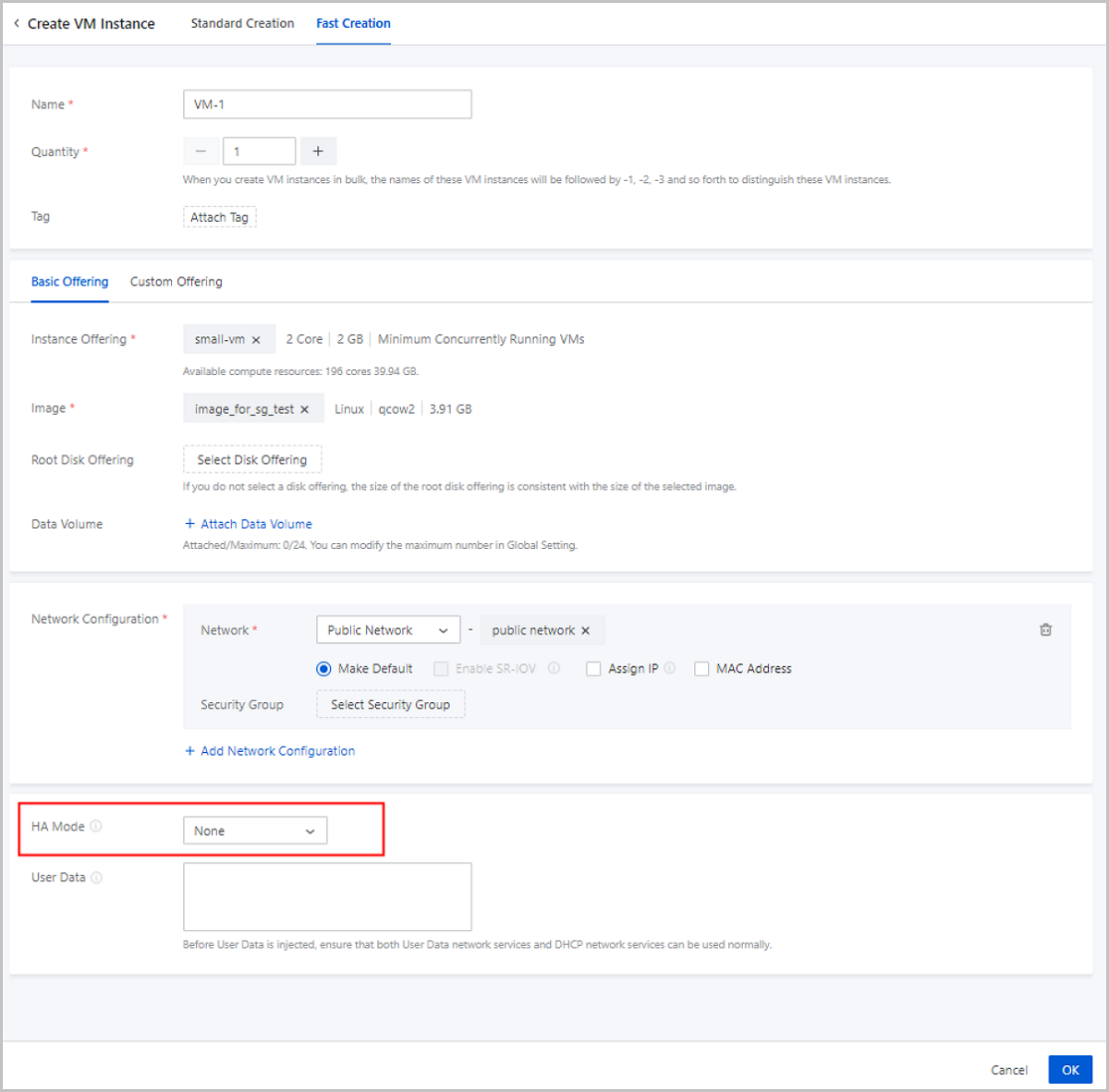
Optimization of VM HA Setting (Adding a Global Setting Effective on All the VMs on the Cloud)
- Global setting: sets the HA mode for all the VM instances on the Cloud. Valid values: None (default) and NeverStop.
- Setting on individual VM instance: sets the HA mode for one VM instance
individually.
 Note: By default, the HA mode is consistent with the global
setting for a newly created VM instance. If you have set the HA mode for one
VM instance individually, the global setting does not take effect on this VM
instance.
Note: By default, the HA mode is consistent with the global
setting for a newly created VM instance. If you have set the HA mode for one
VM instance individually, the global setting does not take effect on this VM
instance.
- VM HA: Chooses whether to make all the VM instances on the Cloud support the HA feature. Valid values: true (default) and false.
- VM High Availability Policy: Sets the HA trigger policy for all the VM instances on the Cloud. Valid values: Permissive (default) and Force.
- VM HA Mode: Sets the HA mode for all the VM instances on the Cloud. Valid values: None (default) and NeverStop.

Other Features and Optimizations
- Optimizes the calculation logic of the VM root volume capacity, covering LocalStorage, NFS, SMP, Ceph, and SharedBlock primary storage.
- The limit of the number of reserved VM snapshots only takes effect on automatic snapshots (created by scheduled jobs), and the number of the manual snapshots (created manually) is not influenced by the limit.
- A column named Authorization Method is added to the Licensing Record tab page.
- New parameters, SN and IPMI Address, are added to details pages of hosts.
- L3 network IPs can be sorted by their IPv4 addresses on the IP Statistic tab page.
- Allows you to filter untagged resources.
- Allows you to jump to corresponding resource pages by clicking Resource Utilization Trend and Resource Usage Statistics modules on the dashboard.
- More resource lists can be exported in the CSV format, including the alarm message lists, EIP lists, Port Forwarding lists, VPC vRouter lists, and ingress and egress rule lists of security groups.
- VM Custom Column Item includes a new option "Host", allowing you to add a list displaying the names of the hosts where VM instances are running on the VM Instance page.
- Optimizes risk reminders triggered by turning on or turning off the VirIO switch on the VM instance details page.
- Optimizes the One-Click Inspection feature. After the CPU Utilization of VM Instance and Storage Usage of VM system Volume inspections, only abnormal results, including failed, fault, and warning, are displayed.
- The exported VM and image URLs contain the corresponding file names for you to identify the URLs more quickly and conveniently.
- A new item Voice Card Type on Boot is added to Global Setting.