ZStack Cloud 5.1.8
Highlights
- Enhanced GPU O&M:
- Provides a new page called GPU Device to help you in GPU centralized management.
- Supports GPU real-time monitoring and prompt alarms.
- Enhanced L3 Network O&M: Supports for modifying DHCP service configurations and reserving IP ranges for L3 networks.
- Supports Host Hardware Monitoring: Monitors and displays host hardware status. Sends alarm messages once hardware abnormalities are detected.
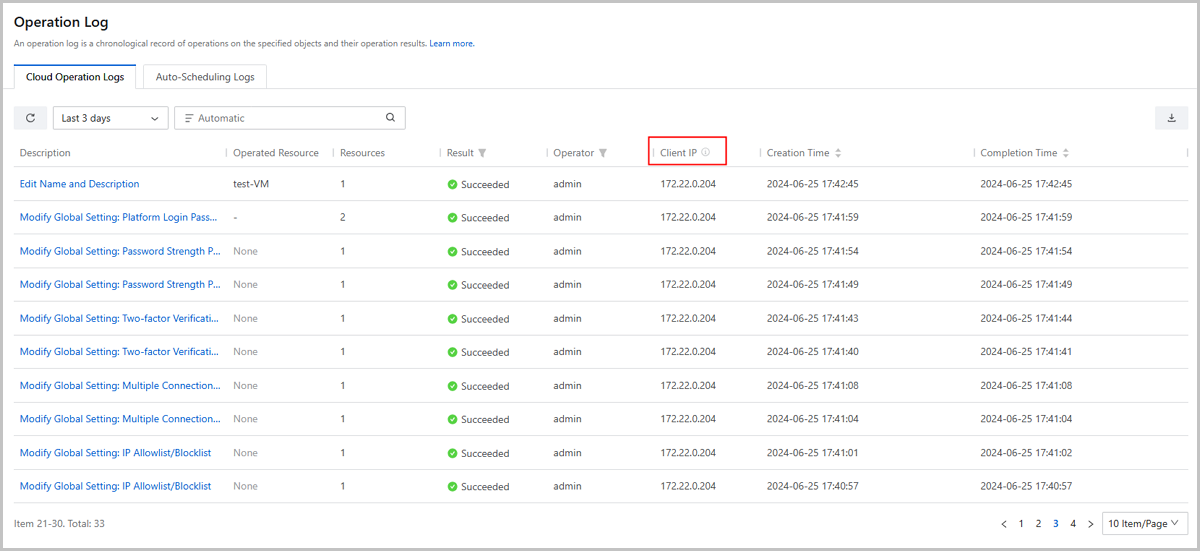
- Optimized Message Log: Supports for viewing real client IP in operation log and audit.
Overview
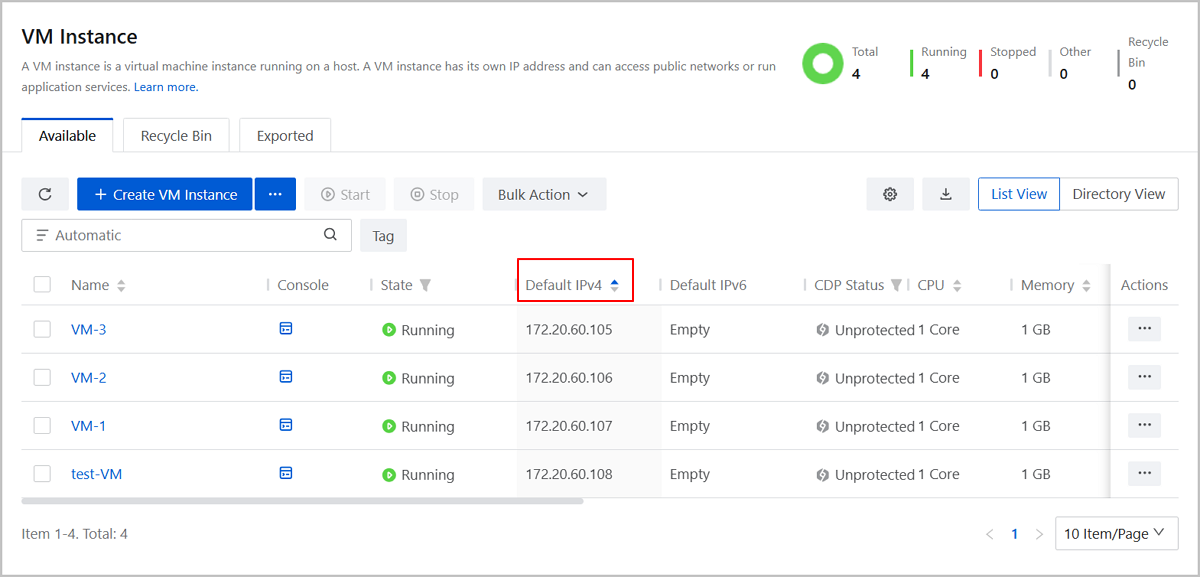
- Supports for sorting VMs by IP address.
- Enhances the VM GuestTools compatibility with more GuestOS.
- Enhanced L3 network O&M.
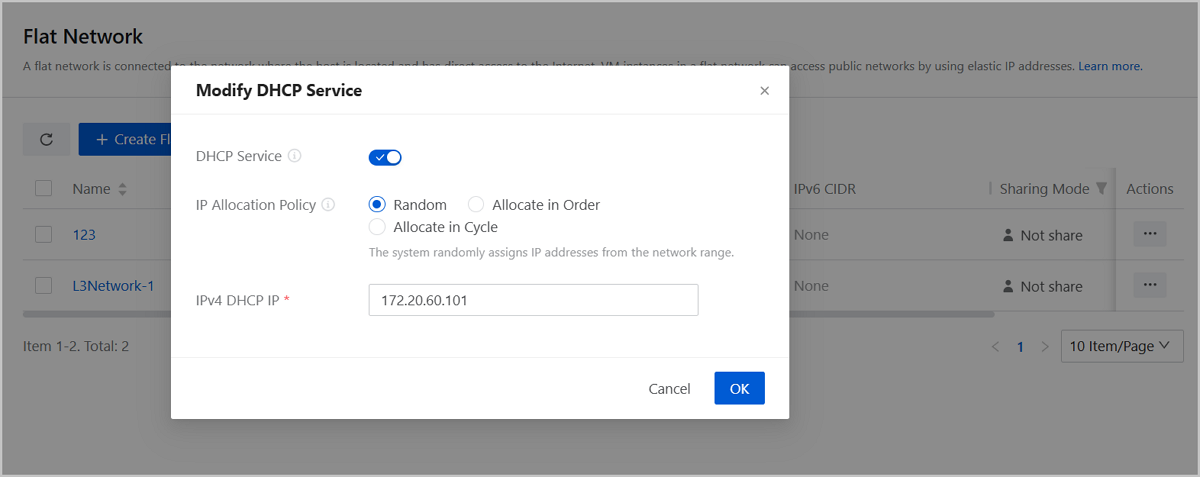
- Supports for modifying DHCP service configuration.
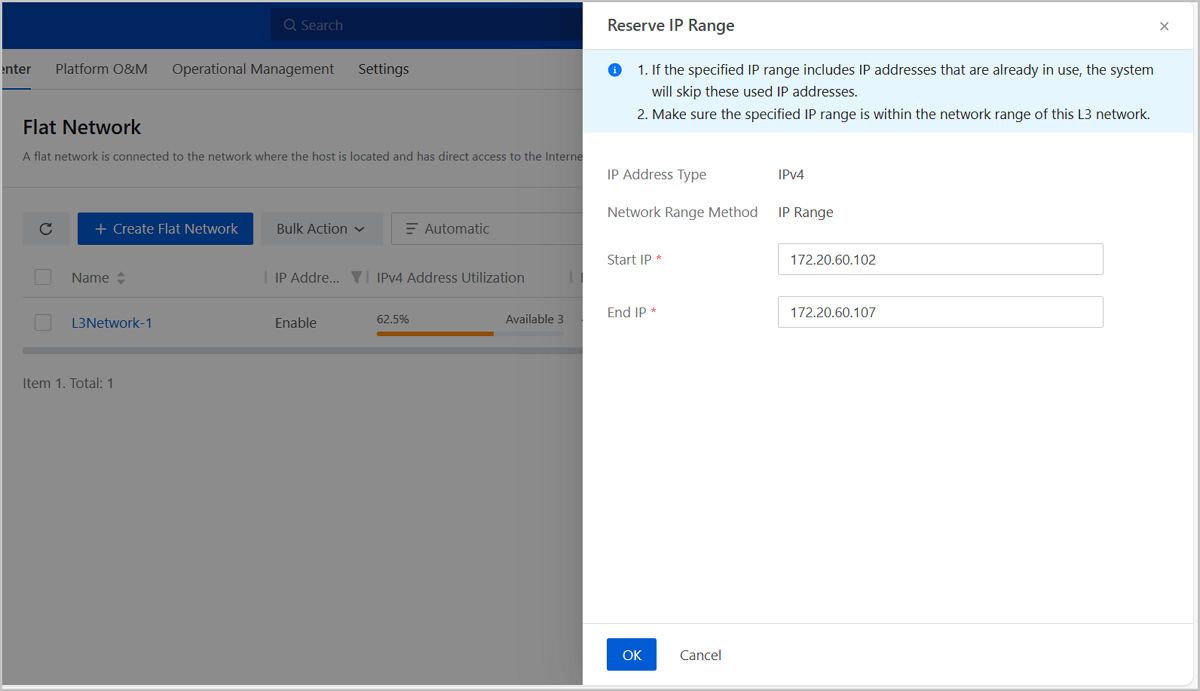
- Supports for reserving IP range for L3 network.
- Supports IP conflict detection.
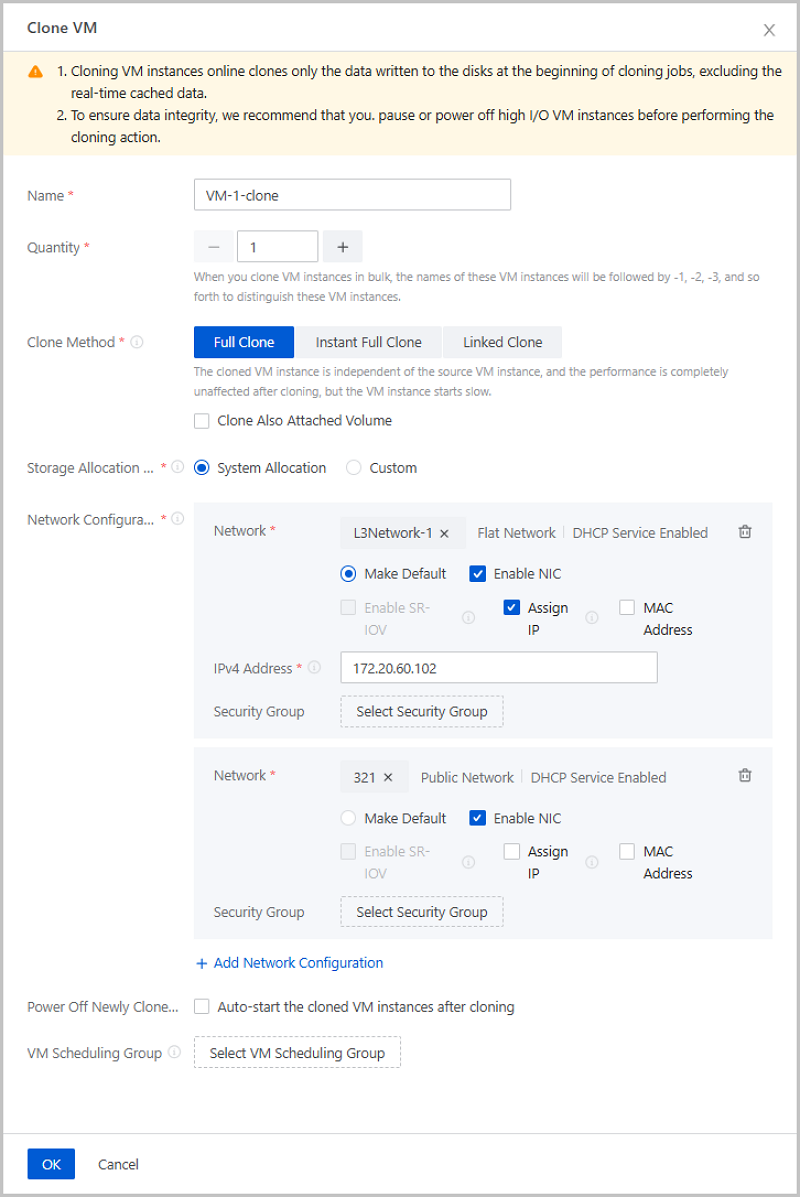
- Customize network configurations for cloned VMs: assigning IPs, managing NICs, and more.
- Enhanced GPU O&M.
- A new page called GPU Device that helps you in centralized GPU managements.
- Detailed information on the GPU Device page.
- Real-time GPU monitoring and prompt alarms.
- A new sub-page called Physical GPU Device on elastic baremetal details page.
- Host hardware monitoring.
- Monitors and displays host hardware device status.
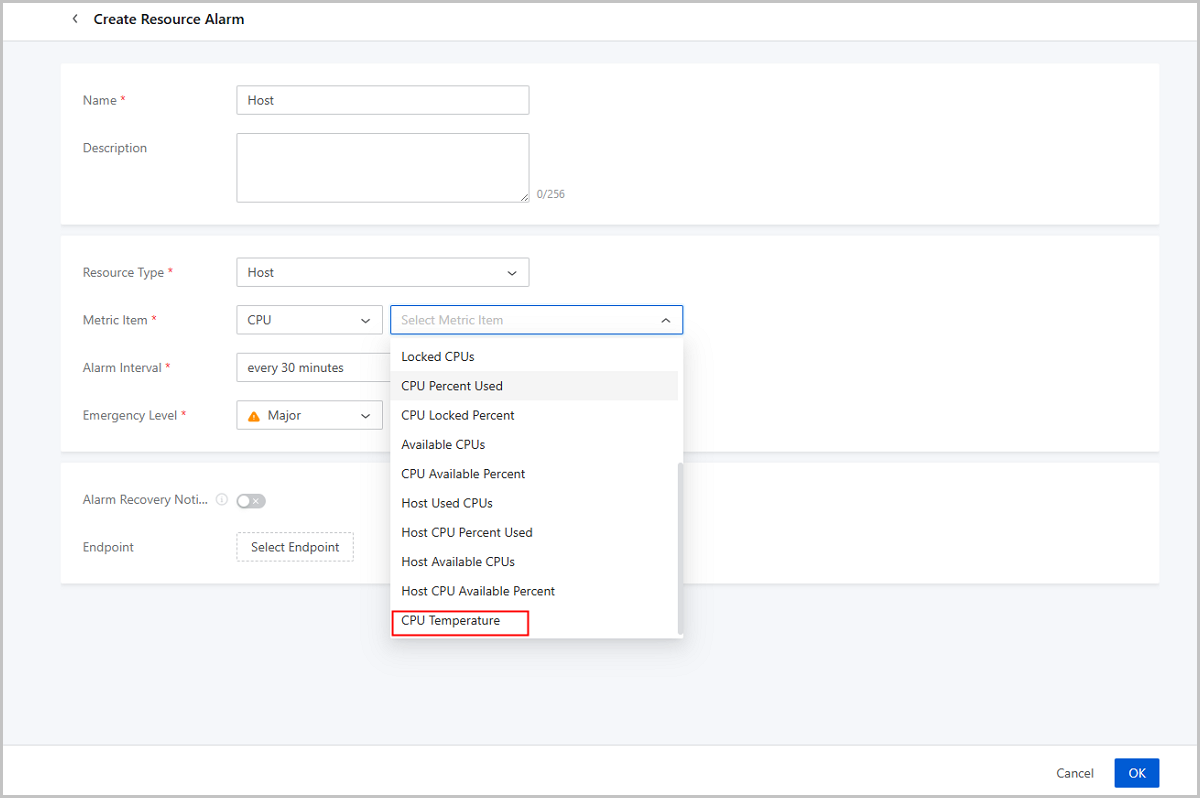
- Supports more host hardware alarm metrics, sending alarm messages promptly when abnormalities occur.
- Optimized message log.
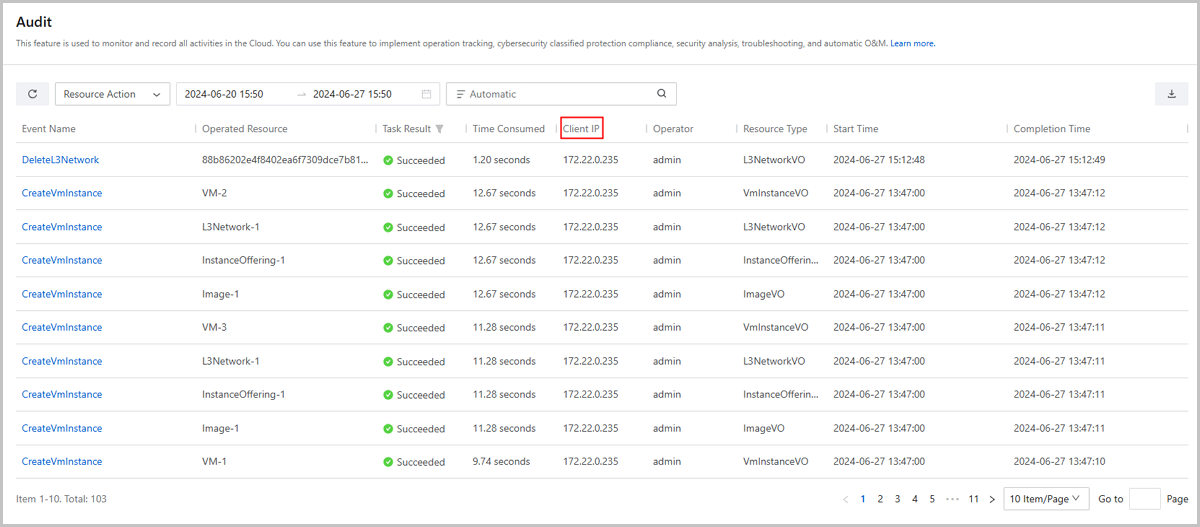
- Provides real client IP information in operation logs and audit logs.
- Removes limit on the number of displayed audit logs on the UI.
- Optimizes the log severity level setting for log servers.
- Enhanced monitoring and alarm.
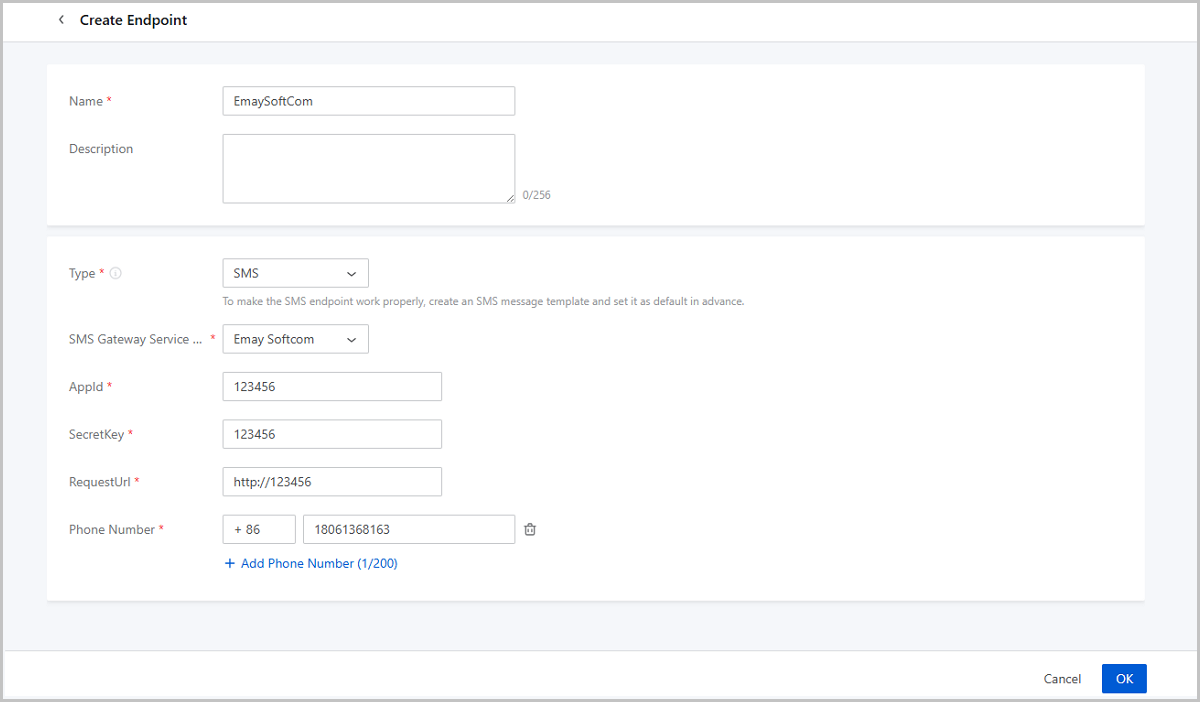
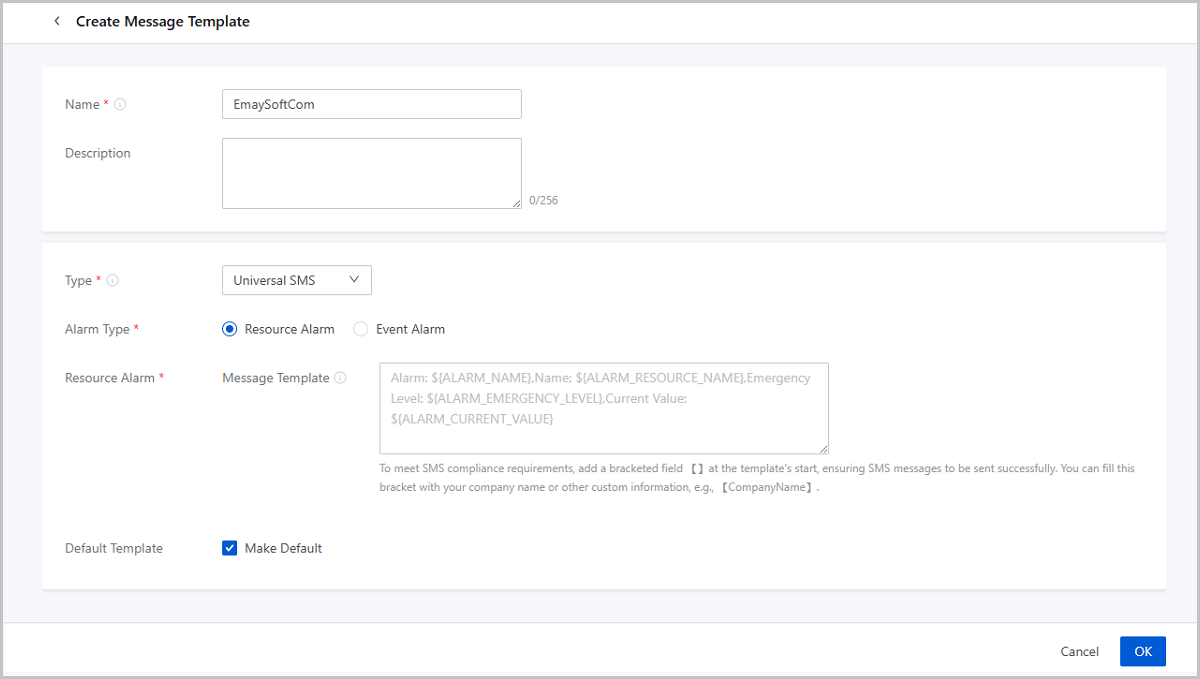
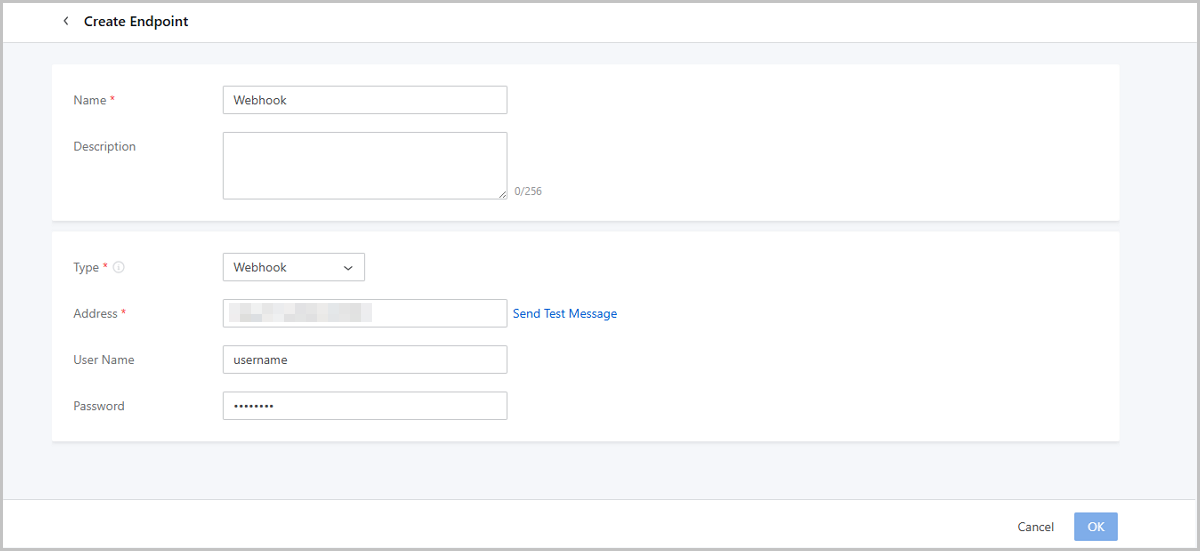
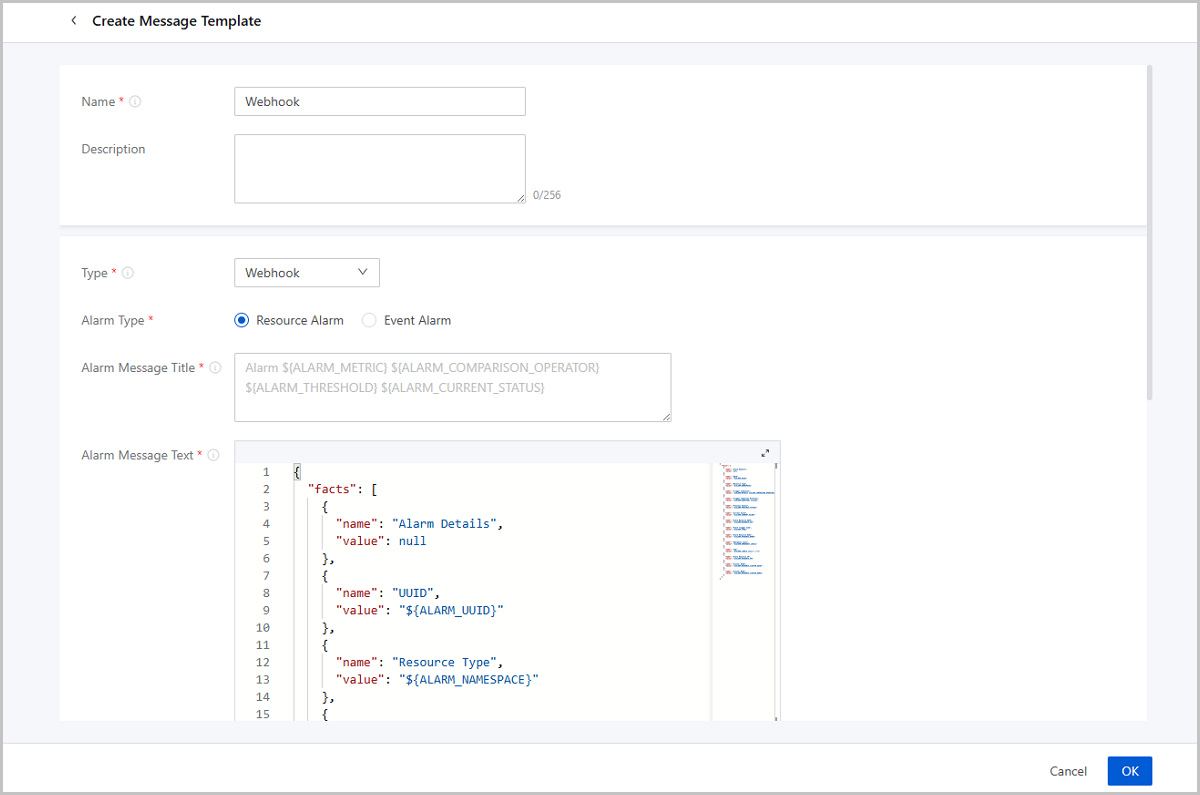
- SMS endpoint supports Emay Softcom gateway; HTTP Application endpoint is renamed to Webhook.
- Enhances availability checking for endpoints.
- Supports for modifying more configurations of endpoints.
- Single Sign-On enhancements.
- SSO rename.
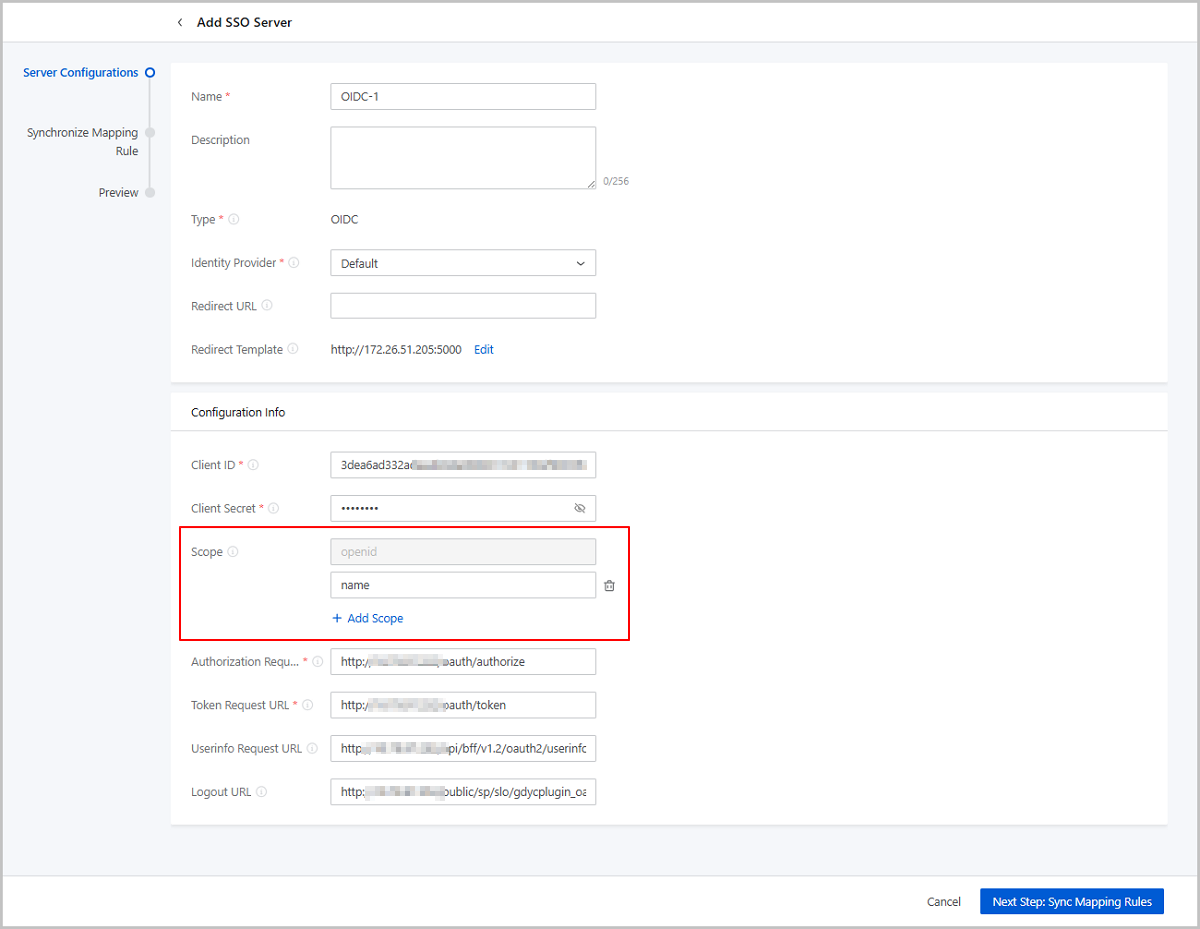
- Supports specifying scope for OIDC or OAuth2 servers.
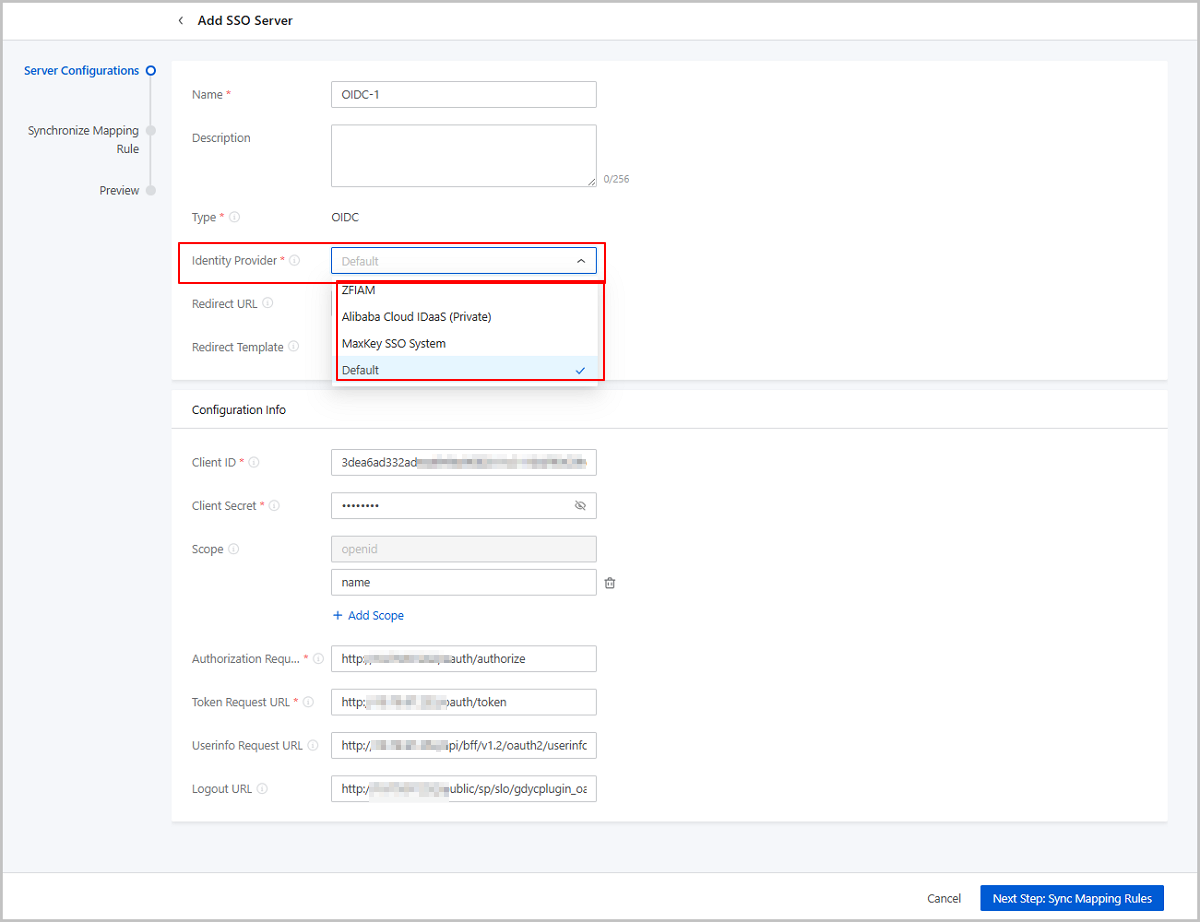
- Supports integrating with ZFIAM, Alibaba Cloud IDaaS (Private), MaxKey SSO system.
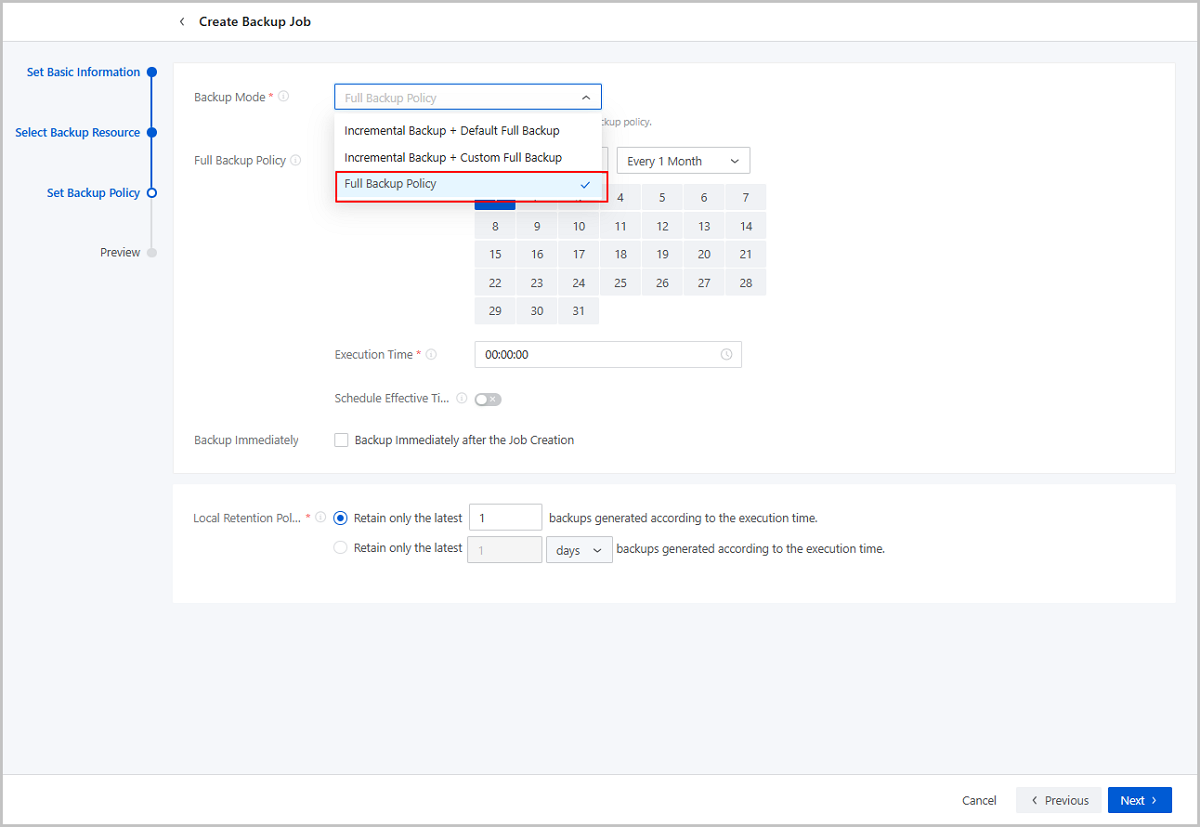
- Supports Full Backup Policy backup mode for backup jobs.
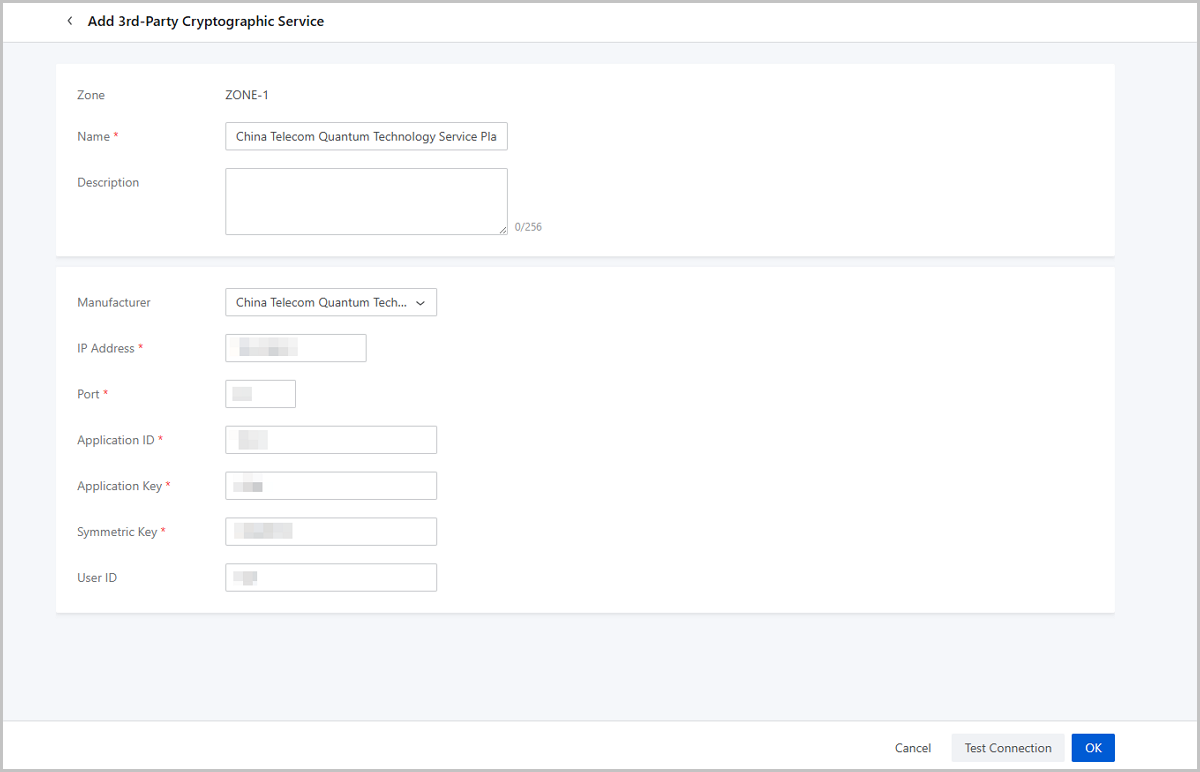
- Supports China Telecom Quantum Technology Service Platform.
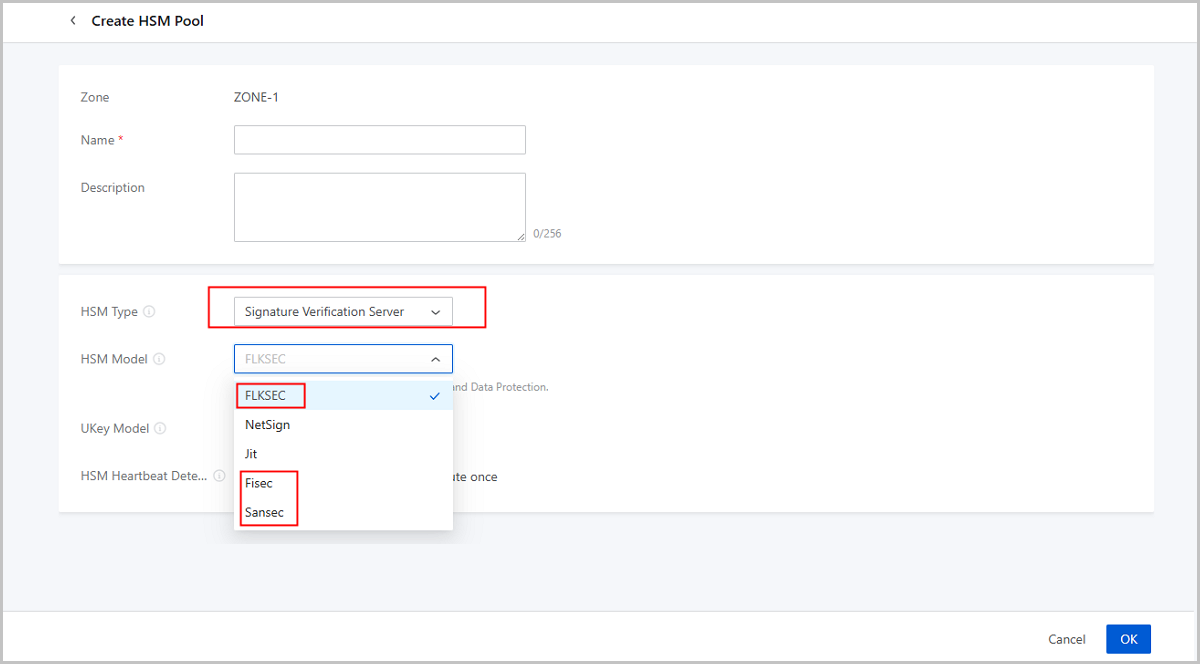
- Supports FiSEC, SanSEC, and FLKSEC signature verification servers.
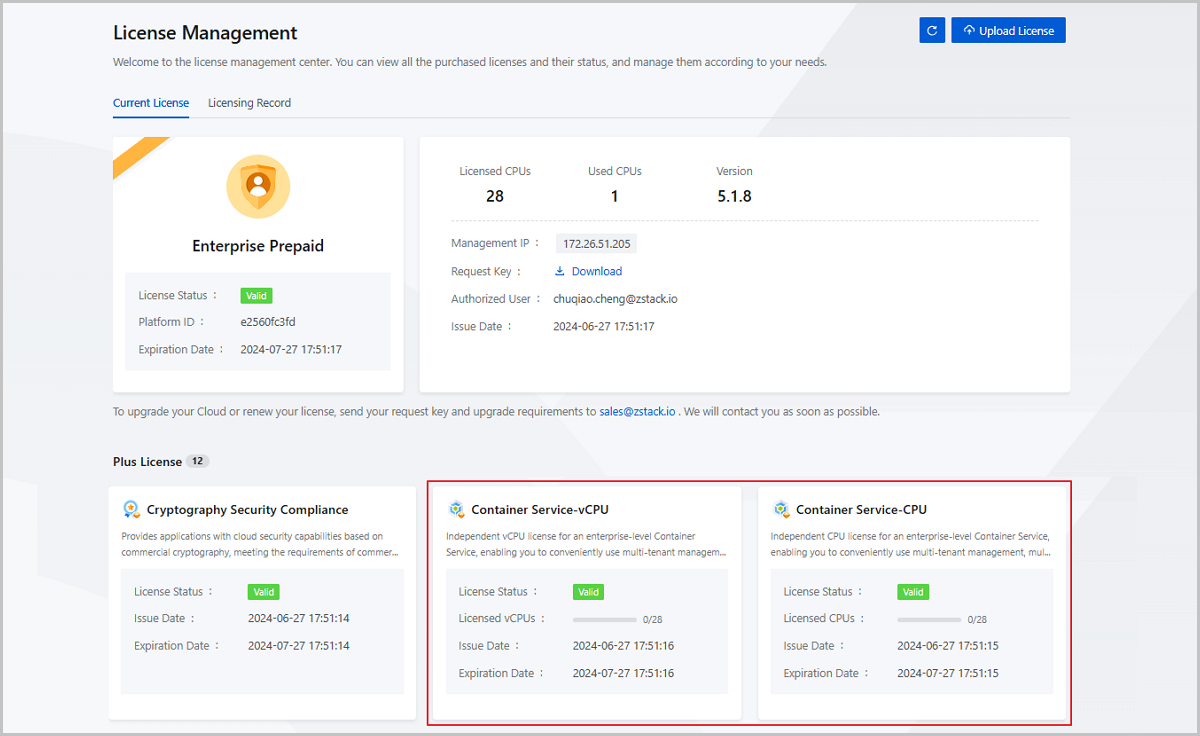
- Support for uploading and managing add-on licenses: Container Service-CPU and Container Service-vCPU.
VM Instance
Supports for Sorting VMs by IP Address
- You can sort VM instances by ascending or descending order.
- VM instances with multiple NICs are sorted according to their default NIC.
- VM instances without IPv4 address are placed last when sorted in ascending order and first when sorted in descending order.
Enhances the VM GuestTools Compatibility with More GuestOS
In previous versions, ZStack Cloud provided a VM GuestTools. This tool consists of various utilities that enhance VM instance performance and expand VM functionalities, such as QGA and internal monitoring agent. Installing the GuestTools makes the VM support extended features, including VM internal monitoring, configuration synchronization, and configuration reading.
| GuestOS Type | GuestOS that is already compatible with GuestTools in previous versions | GuestOS that become compatible with GuestTools in 5.1.8 |
|---|---|---|
| CentOS |
|
|
| RHEL |
|
|
| Fedora |
|
/ |
| Debian |
|
|
| Ubuntu |
|
|
| Kylin |
|
|
| NeoKylin |
|
/ |
| OpenSUSE |
|
/ |
| SLES |
|
|
| UOS |
|
/ |
| oracle linux |
|
/ |
| FreeBSD |
|
/ |
| OpenEuler |
|
/ |
| Windows |
|
/ |
| Rocky | / |
|
| Anolis | / |
|
| Alma Linux | / |
|
Cloud Network
Enhanced L3 Network O&M
Supports Modifying DHCP Service Configuration
Supports Reserving IP Range for L3 Network
Supports IP Conflict Detection
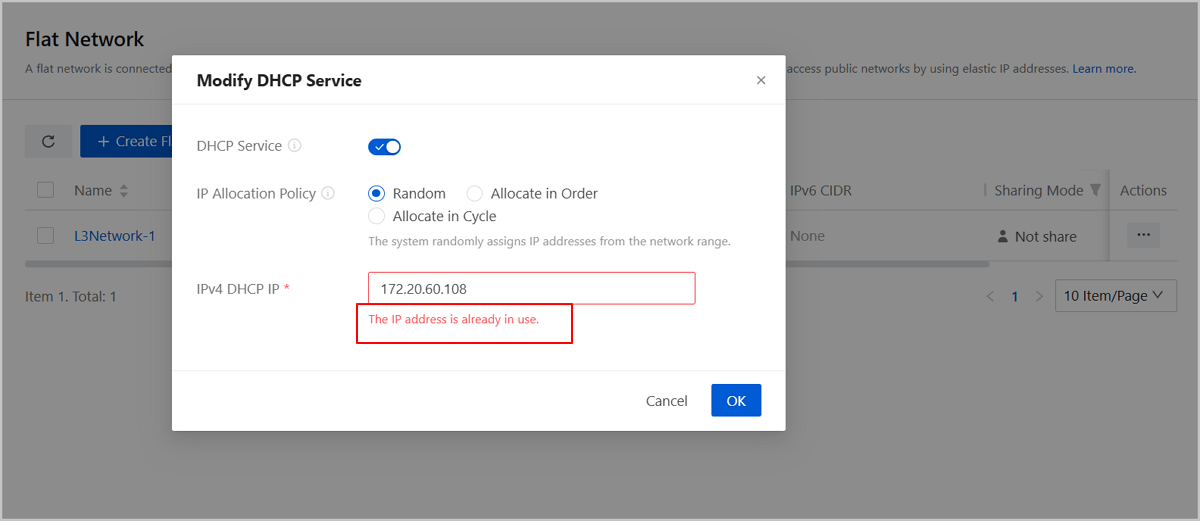
Customizes Network Configurations for Cloned VMs: Assigning IPs, Managing NICs
- You can enable or disable NICs of the cloned VM instances. This allows you to set up the network based on your deployment needs.
- When you clone a single VM instance, you can assign an IP address. The system checks for IP conflict automatically. This makes using DHCP or static IP setups quicker and simpler.
Platform O&M
Enhanced GPU O&M
A New Page Called GPU Device that Helps You in Centralized GPU Managements
Starting from ZStack Cloud 5.1.8, on the menu, a new page called GPU Device is added. This page shows all physical GPUs and vGPUs in the current zone, including those in KVM clusters and elastic baremetal clusters. On the left side of the page, a directory tree is provided, through which you can quickly find GPU devices you need by the clusters, host/baremetal nodes, or instances they reside on. At the top of the page, you can get a summary of status and distribution of GPU devices.
The GPU Device page is an interface for you to manage GPU devices in a centralized way. On this page, you can conveniently perform actions on all GPU devices, such as editing GPU name, enabling/disabling GPU, setting GPU sharing mode, virtualizing GPU, and restoring GPU. You can also customize the information items displayed in the GPU main list and export GPU information as needed. All of these improves your GPU O&M efficiency.
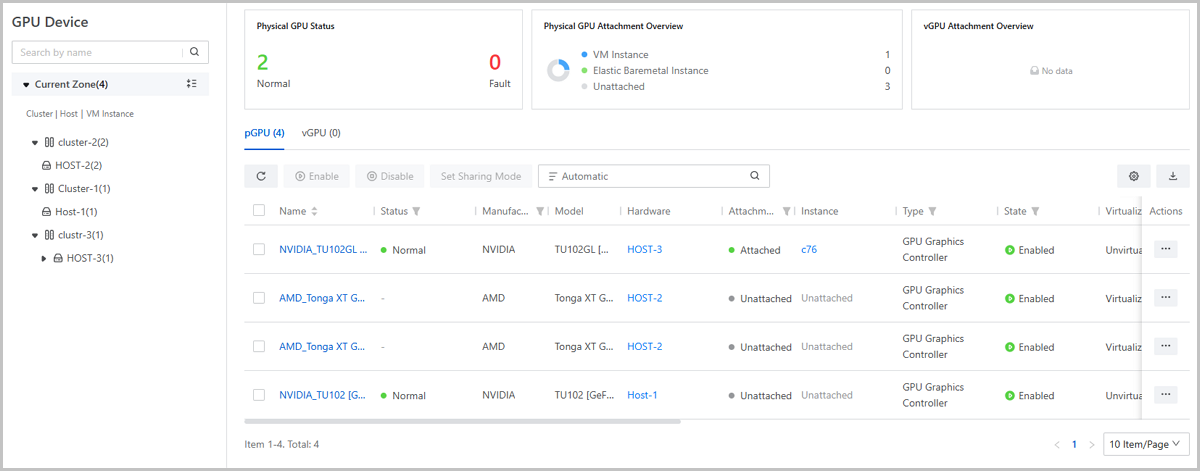
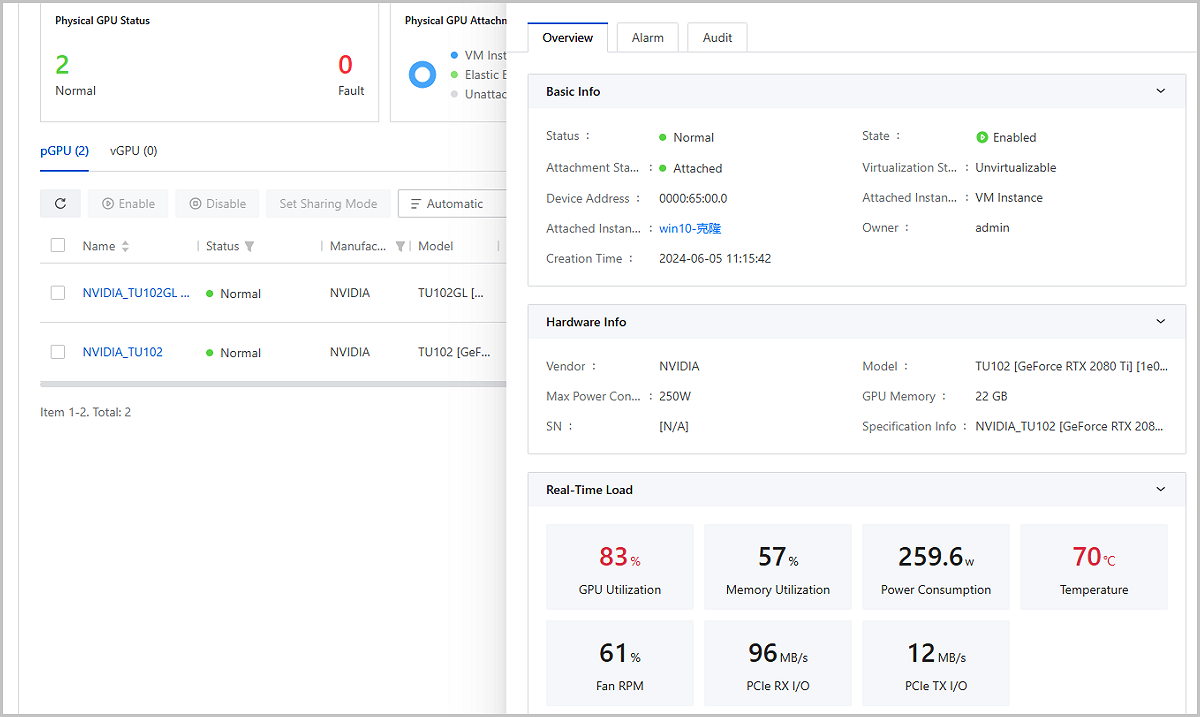
Detailed Information on GPU Device Page
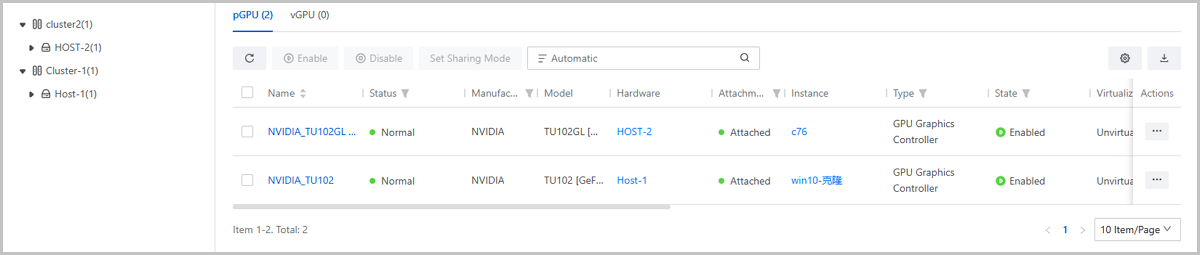
Real-Time GPU Monitoring and Prompt Alarm
ZStack Cloud monitors GPU device status and loads in real-time. On the GPU Device main list or the GPU details page, you can view real-time monitoring data such as GPU temperature, GPU utilization, memory utilization, power consumption, fan RPM, PCIe RX I/O, and PCIe TX I/O.
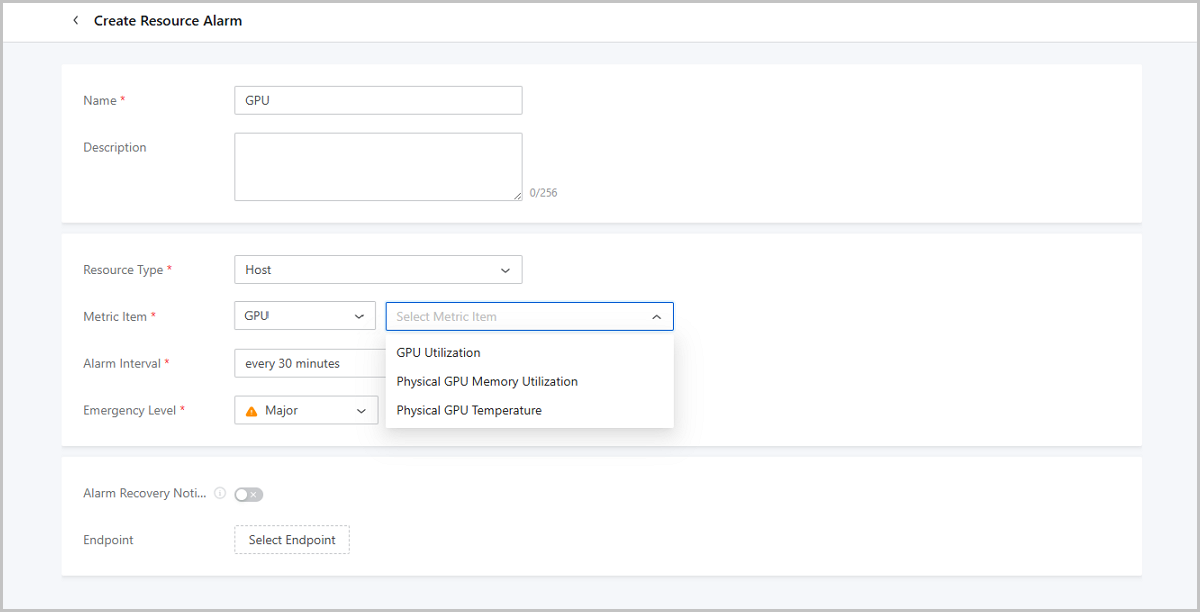
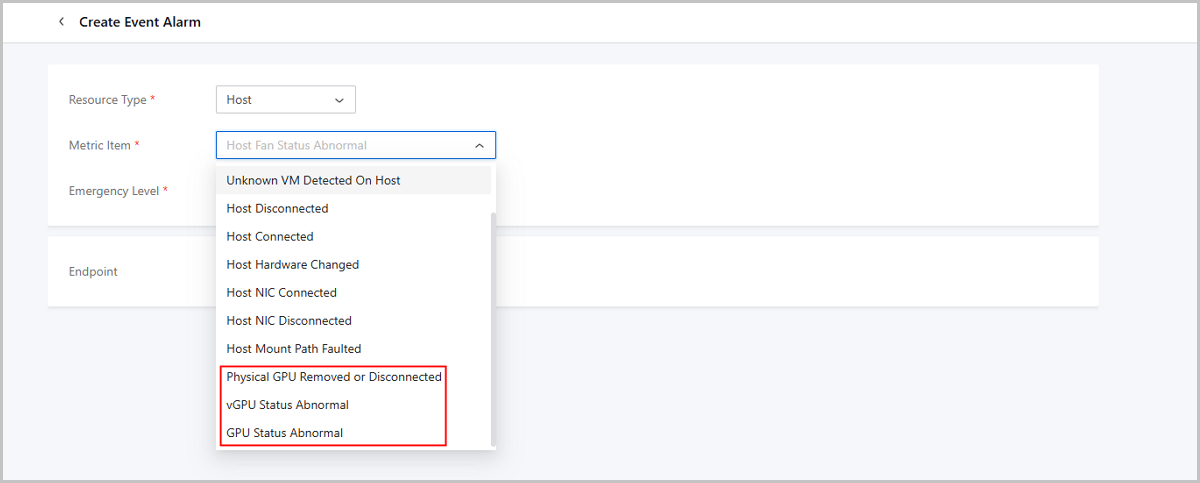
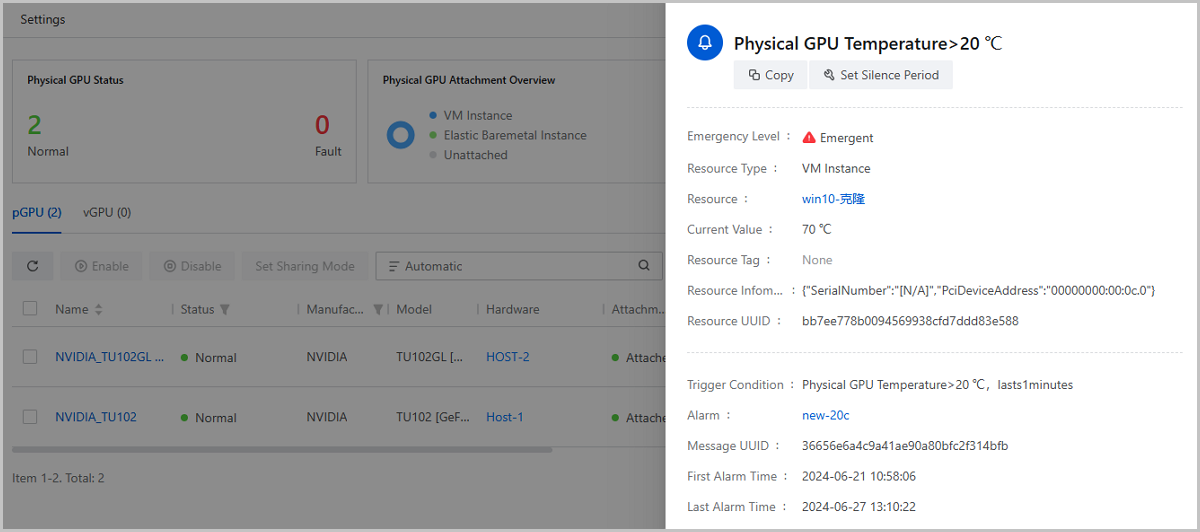
In addition, ZStack Cloud provides GPU alarm metrics that work together with the GPU monitoring. Once an abnormality is detected, such as a high GPU temperature, high GPU utilization, and GPU fault, an alarm message is sent to your endpoint in time, mentioning you to deal with problems that has occurred or may occur to prevent or reduce business risks.
A New Sub-Page Called Physical GPU Device on Elastic Baremetal Details Page
Starting from ZStack Cloud 5.1.8, the details page of elastic baremetal nodes and elastic baremetal instances is added with a physical GPU device list. Unlike the GPU Device page, this entry is used to manage GPU devices on a particular elastic baremetal node or instance. In previous version, hosts have had such an entry for individual GPU managements on their details pages.
Host Hardware Monitoring
Monitors and Displays Host Hardware Device Status
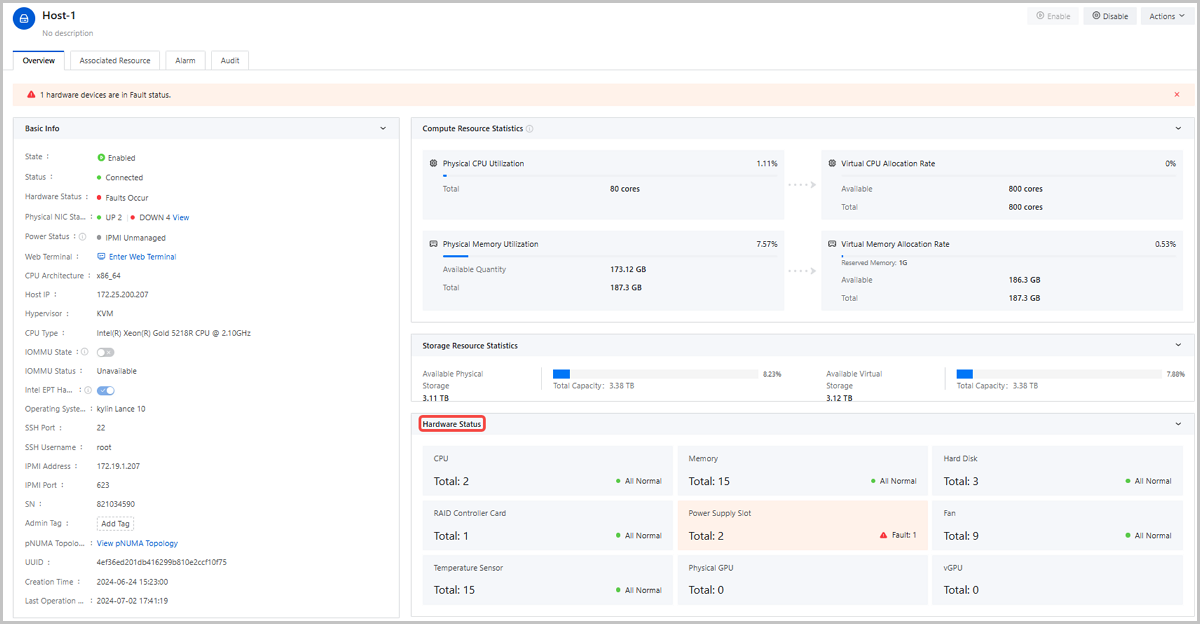
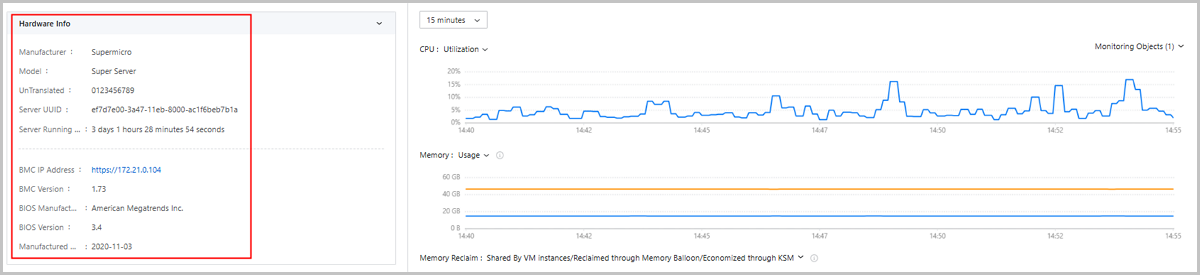
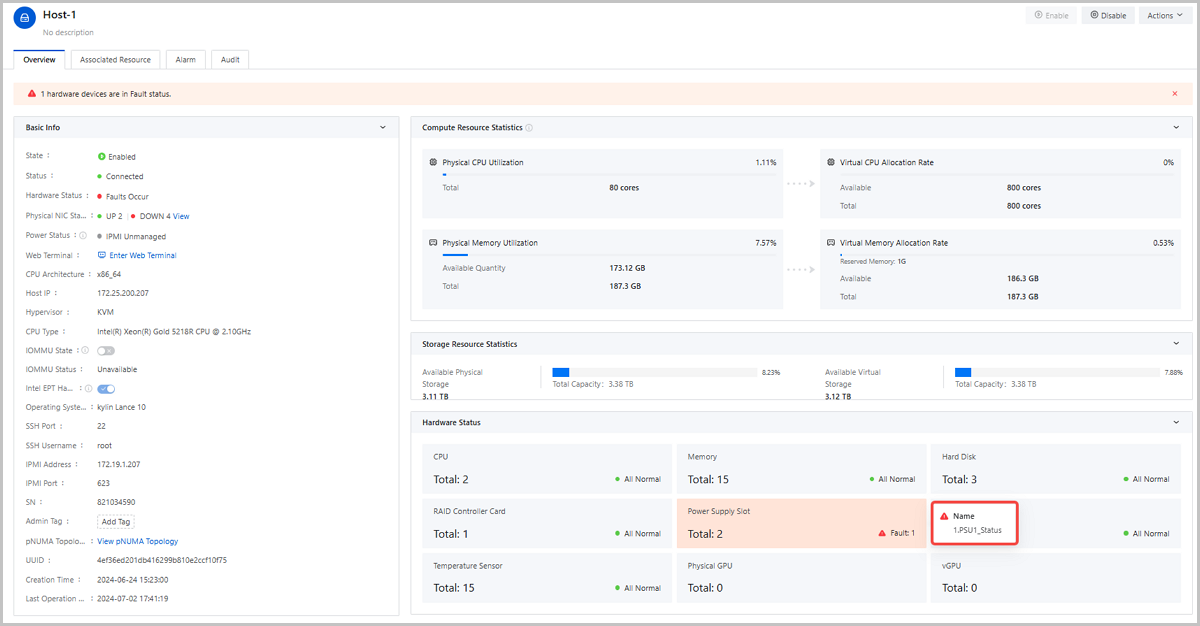
Starting from 5.1.8, ZStack Cloud can obtain host hardware info and health status. Enter the host details page, you can view the host hardware overview, hardware quantity, and hardware health status. The following hardware devices can be detected and monitored: CPU, memory, hard disk, RAID controller card, power supply slot, fan, temperature sensor, physical GPU, and vGPU. If a hardware fault occurs, you can click the corresponding hardware card to view the fault details.
Supports More Host Hardware Alarm Metrics, Sending Alarm Messages Promptly when Abnormalities Occur
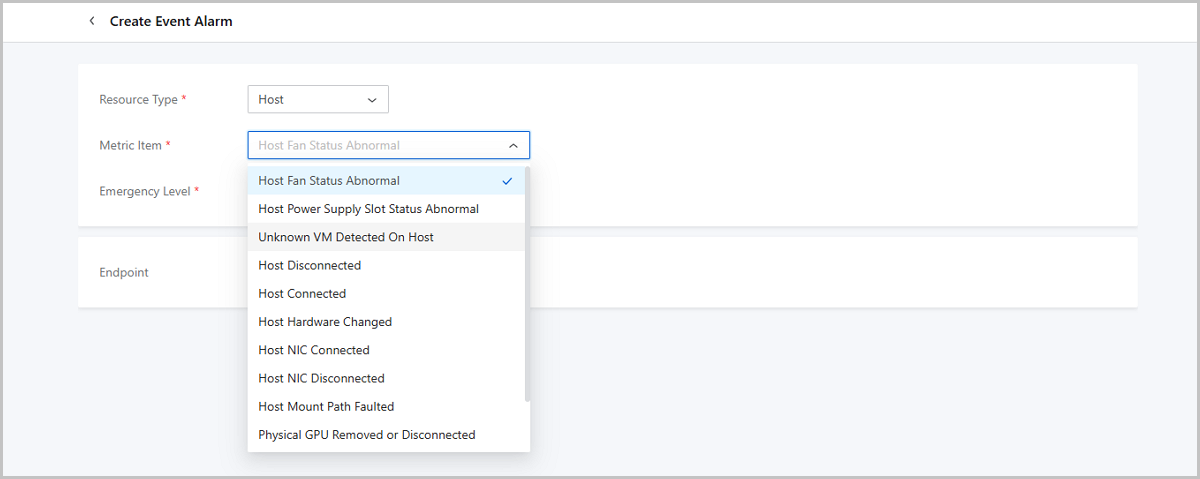
ZStack Cloud 5.1.8 adds a number of new host hardware alarm metrics, such as Host CPU Status Abnormal, Host Memory Status Abnormal, Host Memory ECC Error, Host Disk Status Abnormal, Host Disk is Plugged in/Removed, RAID Card Status Abnormal, GPU/vGPU Atatus Abnormal, GPU is Removed/Disconnected, Power Supply Slot Status Abnormal, Fan Status Abnormal, and more.
These metrics cover a variety of host hardware abnormal scenarios. When errors occur, alarm notifications are pushed to your endpoint promptly, helping O&M staff timely grasp, prevent, or repair hardware problems to avoid causing business impact.
Optimized Message Log
Provides Real Client IP Info in Operation Logs and Audit Logs
Starting from ZStack Cloud 5.1.8, the original Browser filed on the Operation Log and Audit (Login Operation) page is changed to a new field called Client IP. The Audit (Resource Operation) page also has this new field added. The Cloud detects and displays the real client IP that initiate operation requests, including both UI and API/CLI operations, in this field. Combined with the IP blocklists and allowlists you set in Access Control, the Cloud now can perform the access control more accurately and further ensure the platform and resource security.
If you are using load balancing to forward requests to the Cloud platform, ensure
that the X-Forward-For field is correctly configured on your load
balancing device. This allows the Cloud platform to obtain the real client IP
address. If not properly configured, the Cloud platform will mistakenly identify the
load balancer's IP as the client IP, which can affect the accuracy of log
information and access control.
Removes Limit on the Number of Displayed Audit Logs
In previous versions, ZStack Cloud can only display a maximum of 300 audit logs on the UI. Starting from ZStack Cloud 5.1.8, the limit on the number of audit logs is removed. You can view all the platform's audit logs on the UI, even if you have more than 10 million logs. To locate the log you need, you can specify a time range or search it by the event name, operated resource, operator, or client IP
Optimizes Log Severity Level Setting for Log Servers
ZStack Cloud 5.1.8 improves the log severity level settings for log servers. Starting form this version, the log server supports 7 log severity levels, ranging from least to most severe: All, TRACE, DEBUG, INFO, WARN, ERROR, and FATAL.
Log severity levels are decided based on the log content and corresponding influence. You can choose to receive logs of a specific level and above. For example, selecting WARN means receiving logs of WARN, ERROR, and FATAL levels, while selecting ALL means receiving all logs.
The original Log Identifier parameter is renamed to Log Facility. Options available are LOCAL0 to LOCAL7. These options are used to match the device that receives the logs. This selection must be consistent with the settings in the rsyslog.conf file of the log server to ensure that the log server can properly receive log messages from the Cloud platform.
Enhanced Monitoring and Alarm
SMS Endpoint Supports Emay Softcom Gateway; HTTP Application Endpoint is Renamed to Webhook
Emay Softcom SMS Endpoint
HTTP Application Renamed to Webhook
Enhances Availability Checking for Endpoints
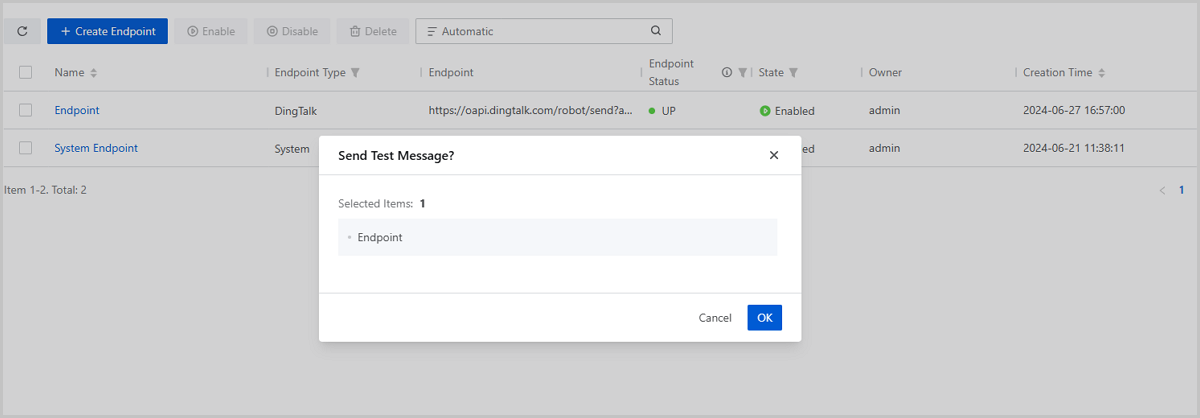
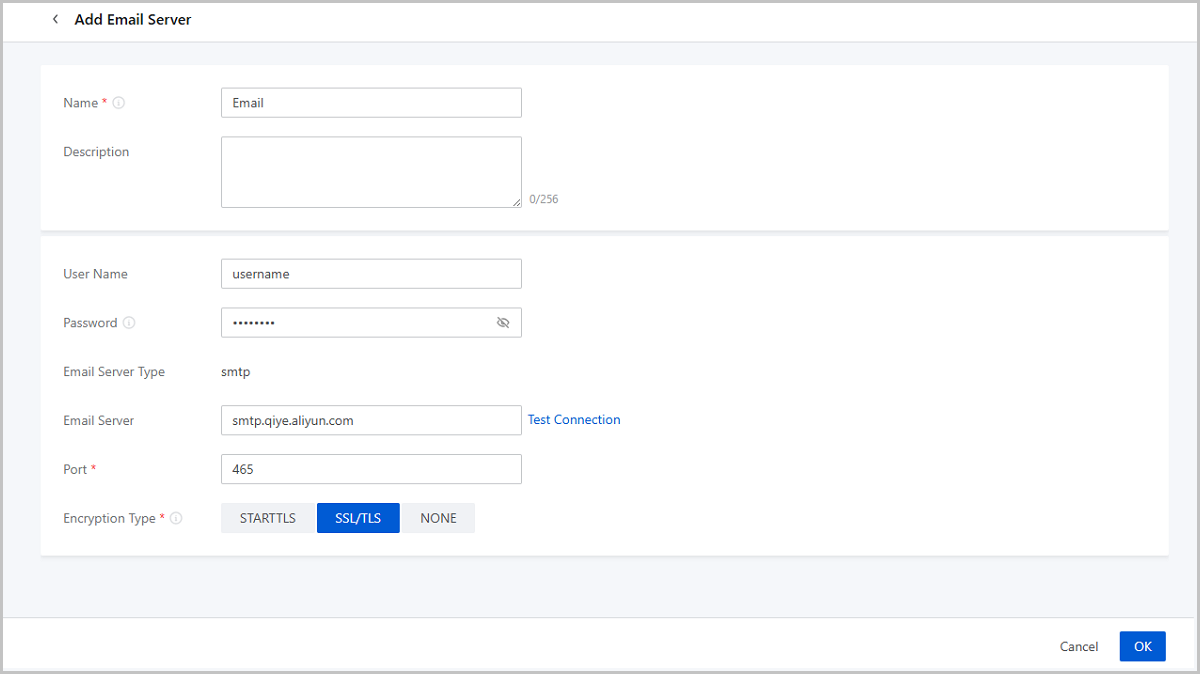
Supports for Sending Test Messages to Email, SMS, and Webhook Endpoints
In previous versions, the platform has already supported for sending test messages to Dingtalk, WeCom, Lark, and Microsoft Teams endpoints.
Starting from ZStack Cloud 5.1.8, the test message feature is compatible with more endpoint types, such as Email, SMS, and Webhook. This allows you to test whether the platform messages can be sent and received properly before starting to use endpoints, which prevents any missed alarm notifications due to messaging issues after deployment.
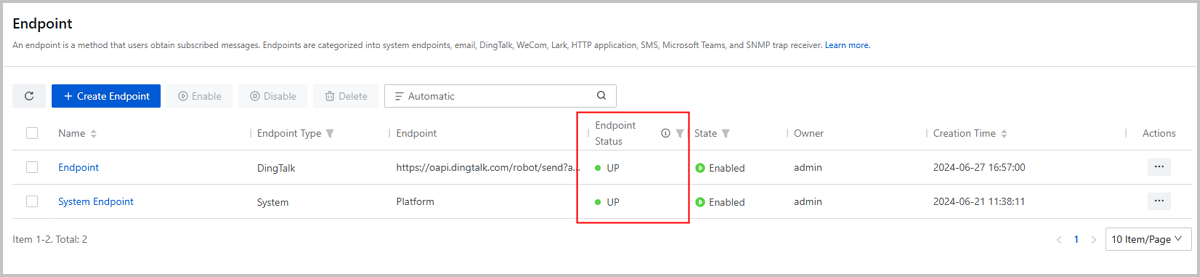
Endpoint Page Now Shows Connectivity Status Between Endpoint and Cloud
Starting from ZStack Cloud 5.1.8, a new endpoint status column is added to the endpoint main list, visually indicating whether the Cloud platform is connected properly with the endpoint.
UP indicates that the endpoint is connected to the Cloud platform. DOWN indicates that the endpoint is not connected to the management node IP, VIP, or UI service port of the Cloud platform and you need to adjust your endpoint network configurations promptly before you use these endpoints.
Supports for Testing Connection When Adding Email Servers
Supports for Modifying More Configurations of Endpoints
Starting from ZStack Cloud 5.1.8, you can enter the endpoint details page to modify a number of configurations to improve alarm O&M flexibility.
- DingTalk: Message Language, Mention Member, Address, and Security Setting.
- WeCom: Message Language, Mention Member, and Address.
- Lark: Message Language, Mention Member, Address, and Security Setting.
- Microsoft Teams: Message Language and Address.
- Email: Message Language, Email Address, Email Server.
- Webhook: Address, Username, and Password.
- Microsoft Teams: Message Lanuage and Address.
- SMS (Alibaba Cloud): AccessKey and Add/Delete Phone Number.
- SMS (Emay Softcom): Appid, SecretKey, and Add/Delete Phone Number.
- SNMP Trap Receiver: SNMP Trap Receiver.
Tenant Management
Single Sign-On (SSO) Enhancements
SSO Rename
Starting from ZStack Cloud 5.1.8, Third-Party Authentication is renamed to Single Sign-On (SSO).Supports Specifying Scope for OIDC or OAuth2 Servers
Supports Integrating with ZFIAM, Alibaba Cloud IDaaS (Private), MaxKey SSO System
Backup Management
Supports Full Backup Policy Backup Mode for Backup Jobs
Cryptography Security Compliance
Supports China Telecom Quantum Technology Service Platform
Supports FiSEC, SanSEC, and FLKSEC Signature Verification Servers
License Management
Support for Uploading and Managing Add-on Licenses: Container Service-CPU and Container Service-vCPU