In previous versions, ZStack Cloud supports two UI languages:
Simplified Chinese and English. You can switch the UI language flexibly according to
your preference.
Starting from version 5.1.30, to better cater to the linguistic preferences of
international users, ZStack Cloud provides more UI language
options, including Traditional Chinese, Russian, Indonesian, Japanese, Korean, Thai,
French, and German, aiming to provide more international users with a smooth and
convenient user experience.
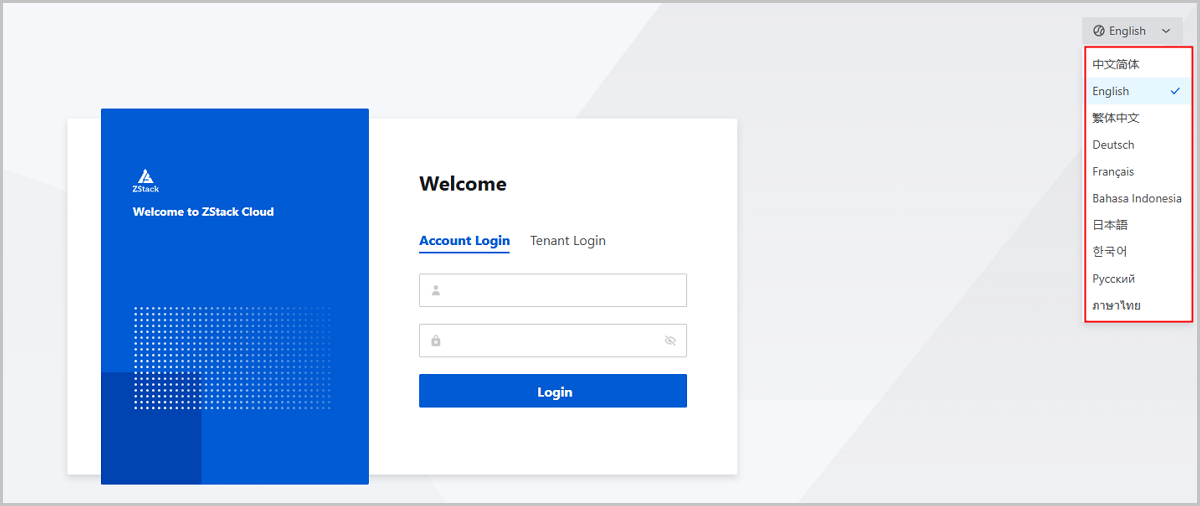
You can switch the UI language on the Login page by clicking the
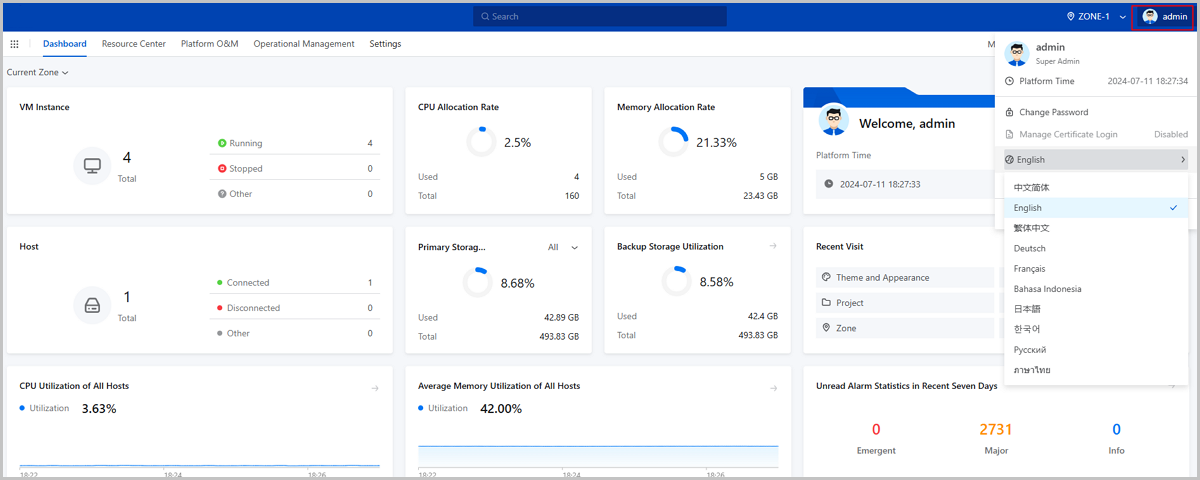
button in the top right corner. If you have already logged in, you can switch the UI
language by clicking the avatar in the top right corner. Currently, the following
languages are supported: Simplified Chinese, Traditional Chinese, English, Russian,
Indonesian, Japanese, Korean, Thai, French, and German.图 1. Switch Language on Login Page 图 2. Switch Language After Logging In