ZStack Cloud 5.3.0
Highlights
- Supports More Storage Combinations in Single Cluster: Supports multiple LocalStoarge + multiple SharedBlock in a cluster and multiple NFS + multiple SharedBlock in a cluster, catering a wider range of business needs.
- FC-HBA Device Details Display and Monitoring Alarms: Displays real-time device information and status and pushes alert notifications when abnormal devices are detected.
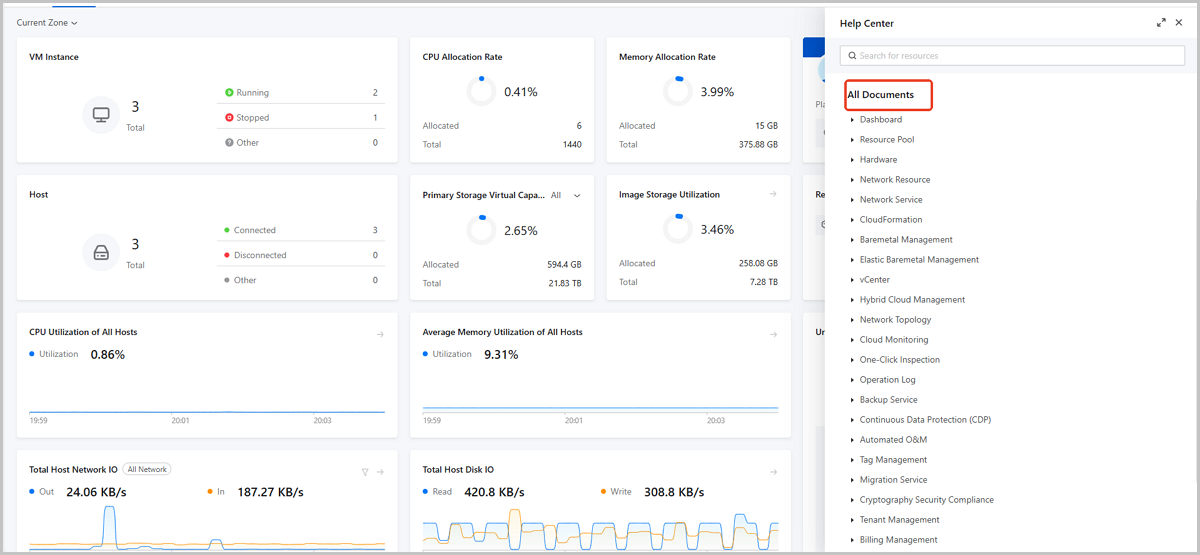
- Provides Document Directory in Help Center: Achieves global preview and quick location of built-in documents through a directory tree.
- VPC vRouter and Load Balancer Performance Optimization: Updates LB components to enhance UDP load balancing performance and stability. Introduces a new vRouter/LB image. Supports attaching SR-IOV NICs to VPC vRouters/LB instances.
Overview
- VPC vRouter and load balancer performance optimization.
- Updates LB components to enhance performance and stability.
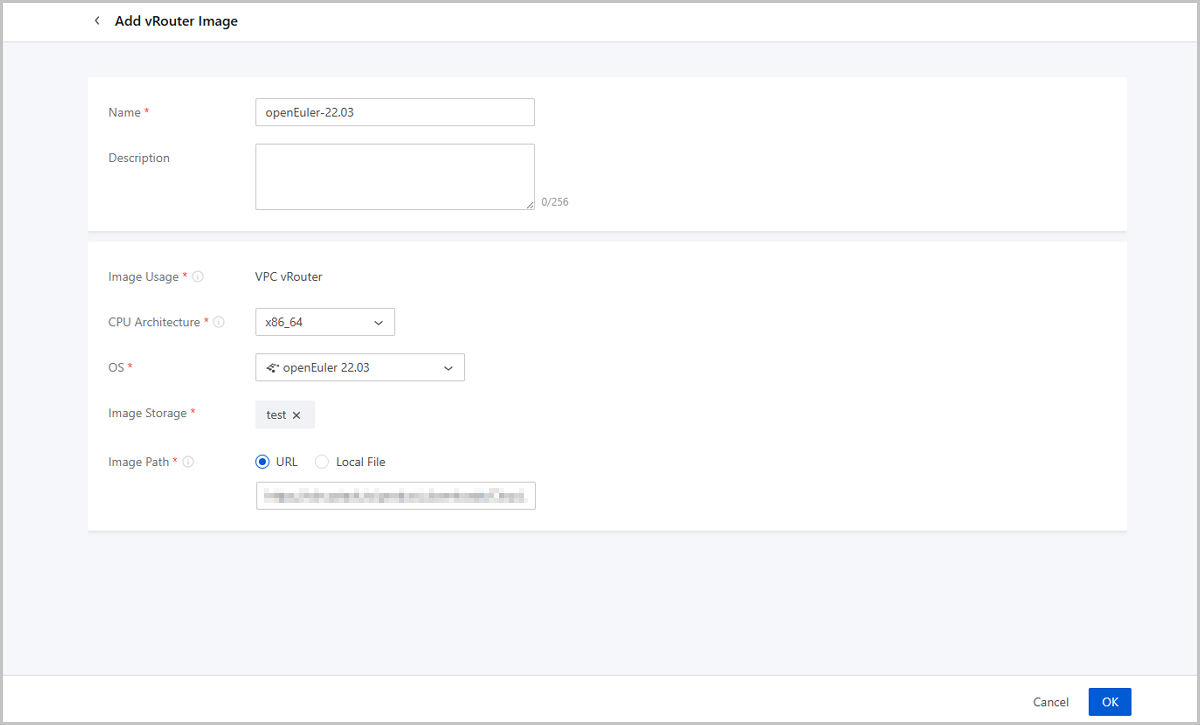
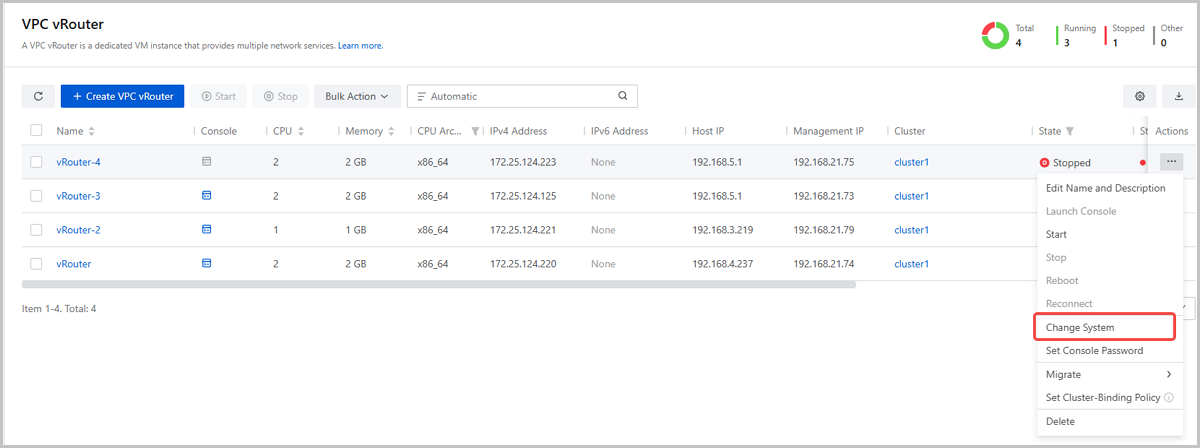
- Provides openEuler vRouter/LB image and supports system changing with one click.
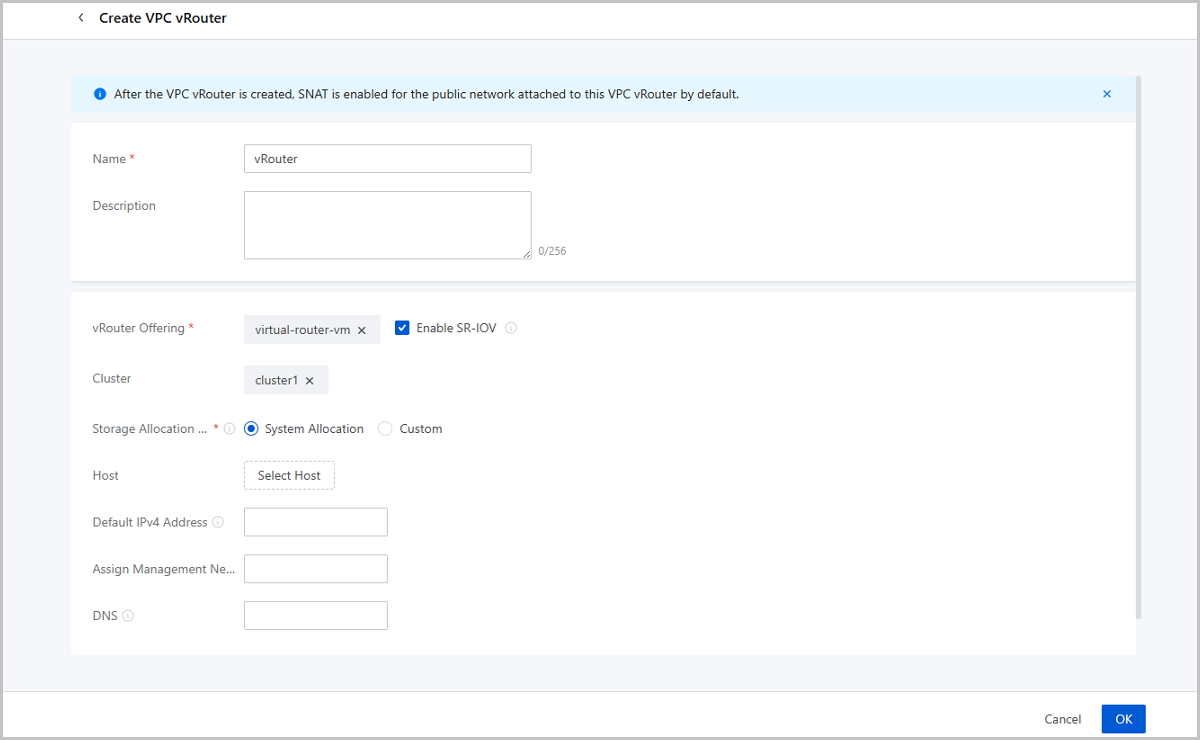
- Supports attaching SR-IOV NICs to VPC vRouters/LBs.
- Supports attaching EIPs to IPv6 NICs on VPC network.
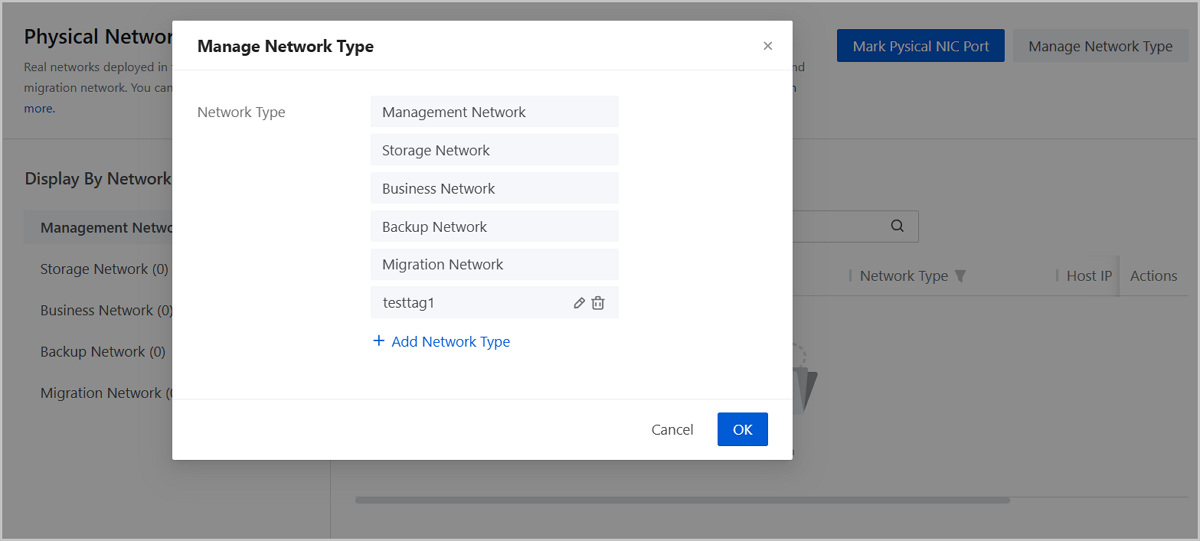
- Supports custom physical network type for precise labeling
- Supports more storage combinations in single cluster.
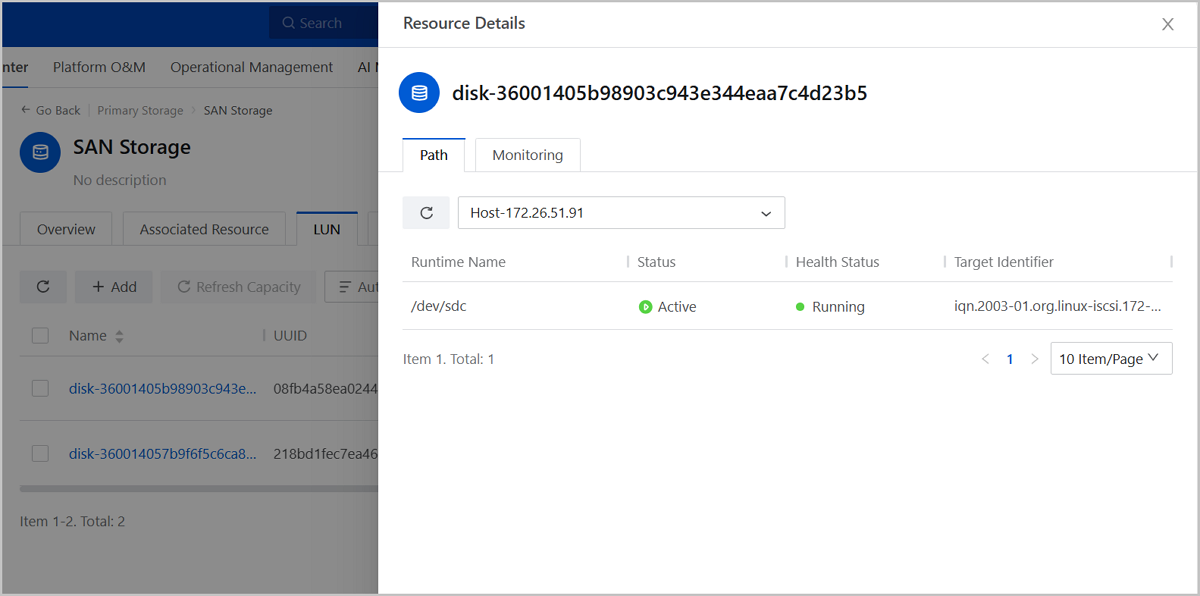
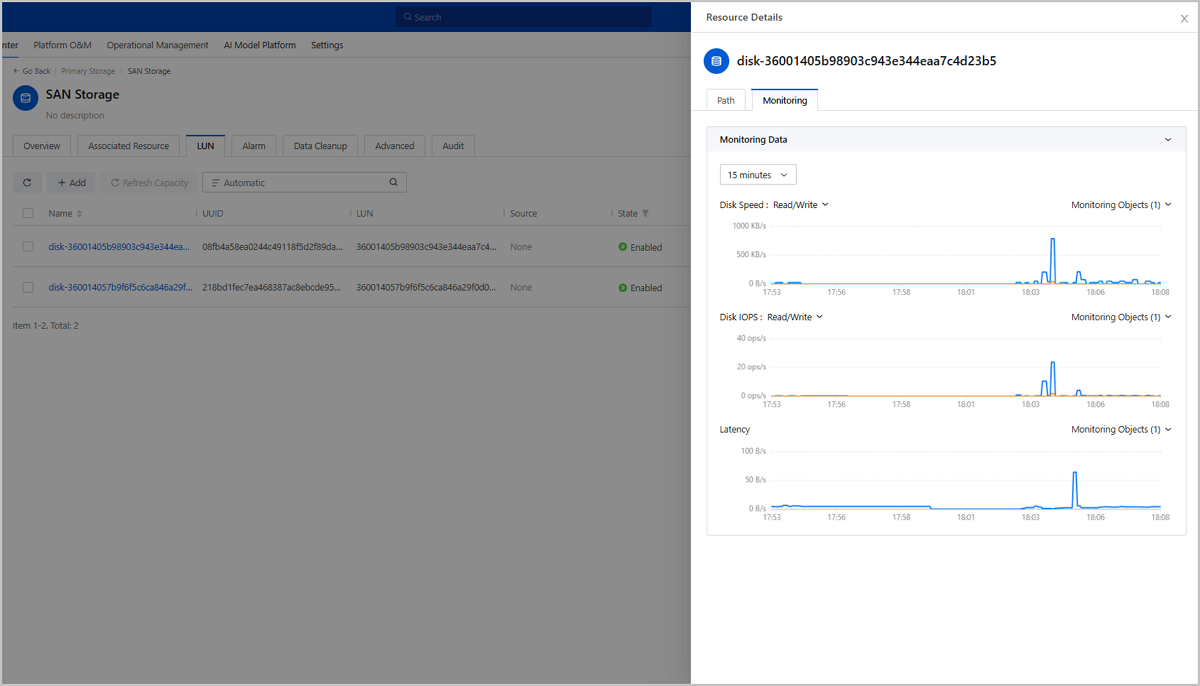
- Supports LUN multipath display and monitoring alarms.
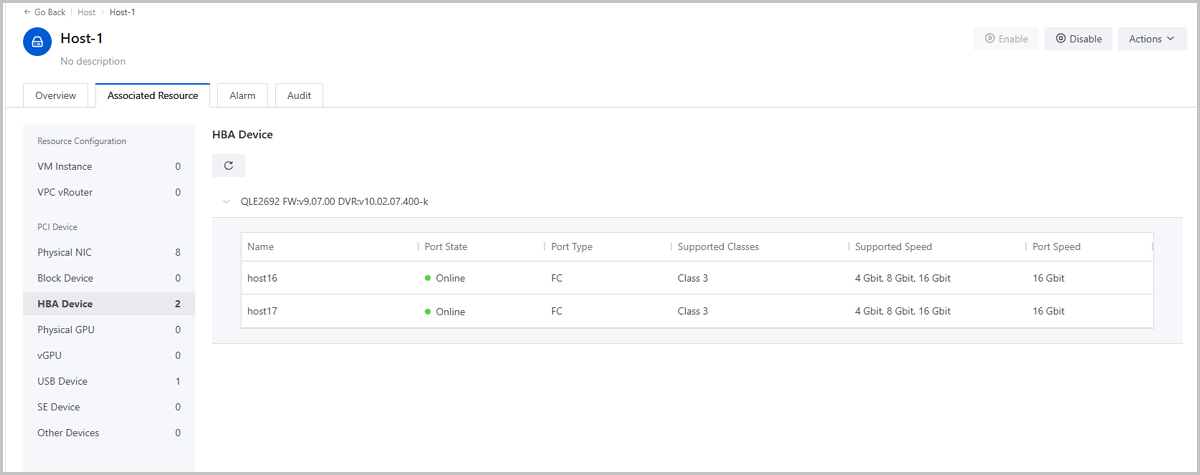
- Supports FC-HBA device details display and monitoring alarms.
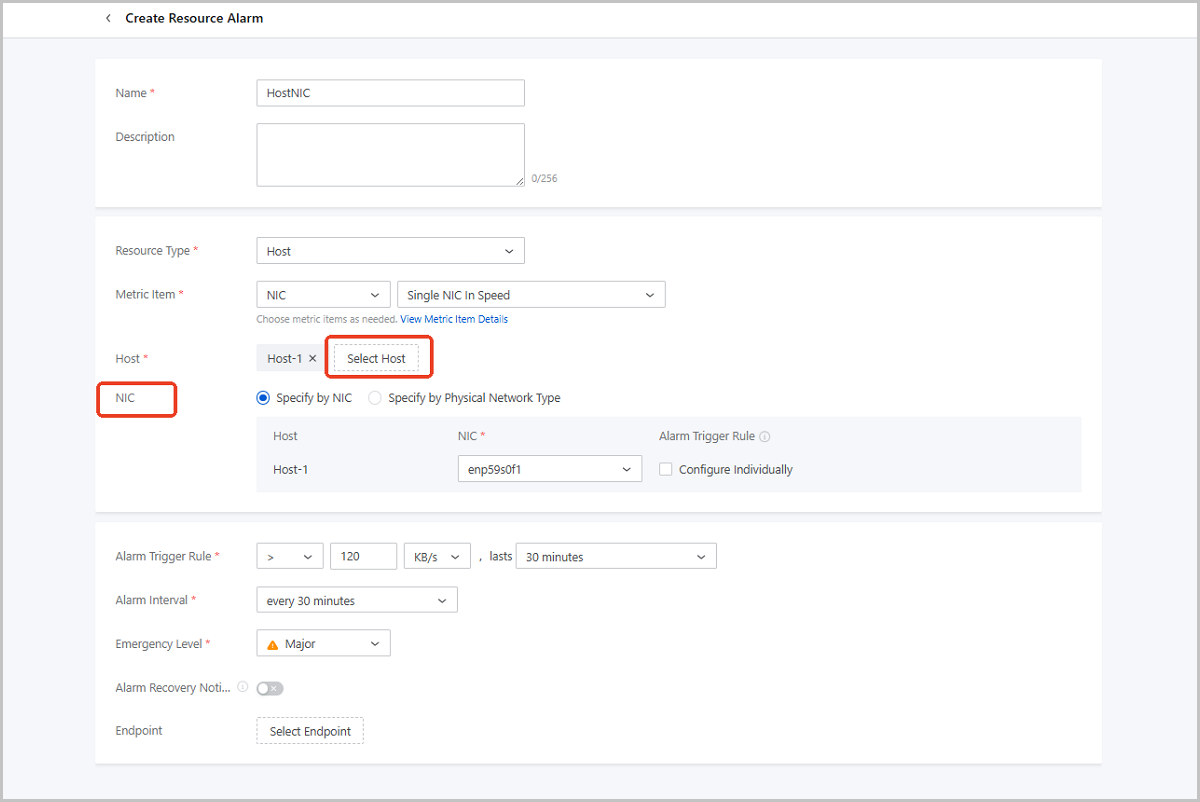
- Supports creating alarms for specified NICs in batch.
- Introduces ZStack Component Service Monitoring Suite in application market.
- Provides document directory in Help Center.
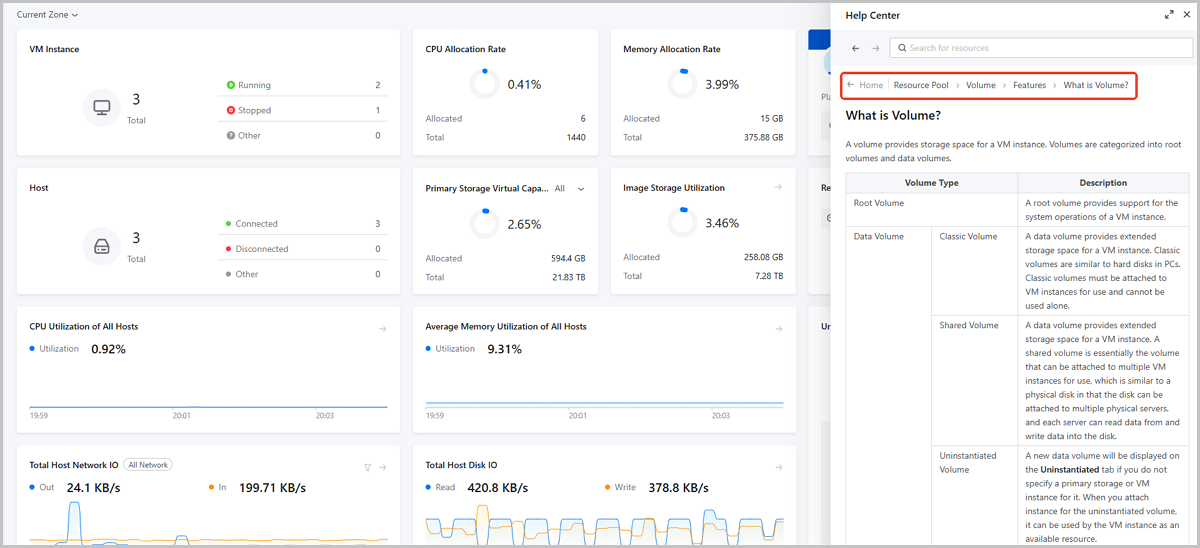
- Documents directory tree and breadcrumb path.
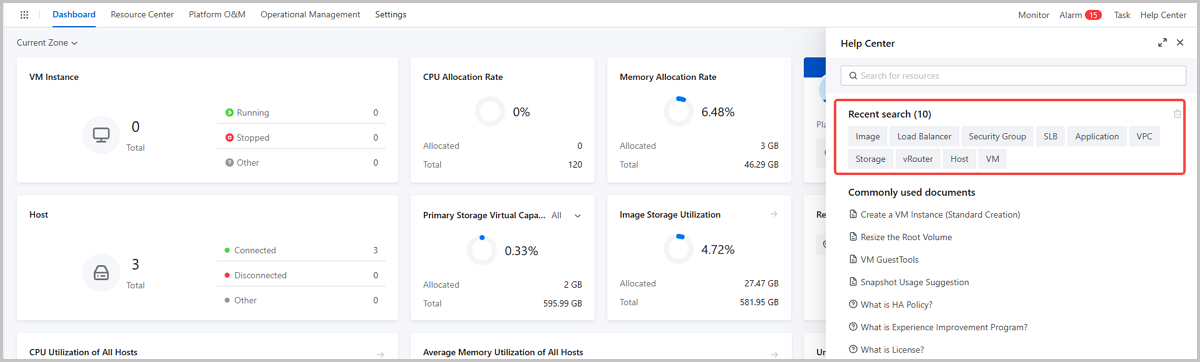
- Recent search history increases to 10 entries.
- Optimizes message notification display to reduce interface occlusion.
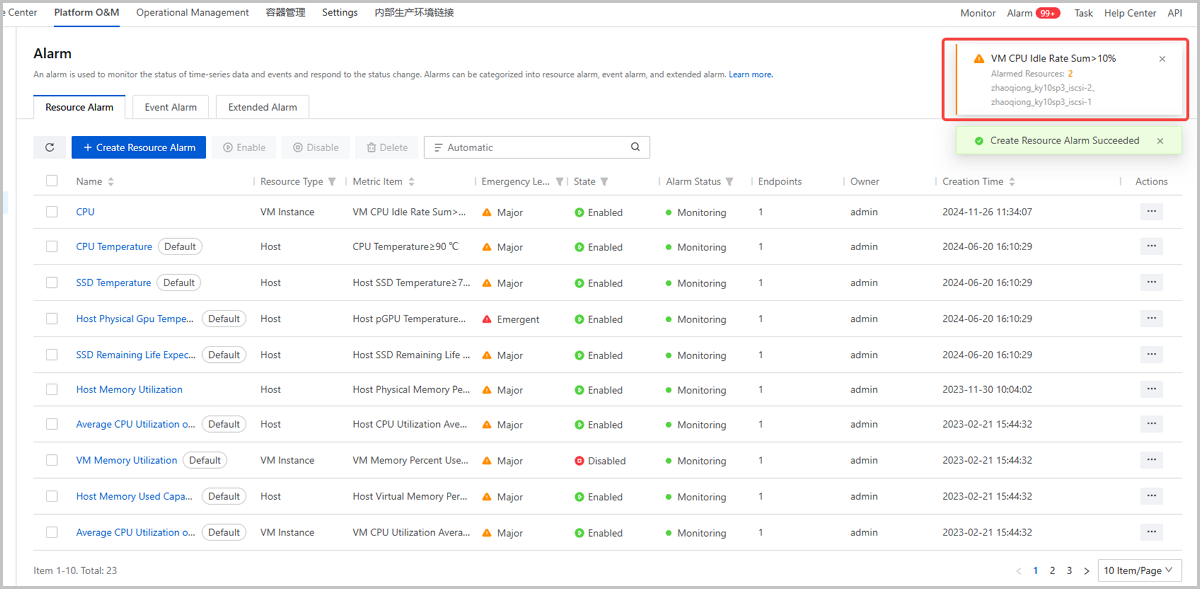
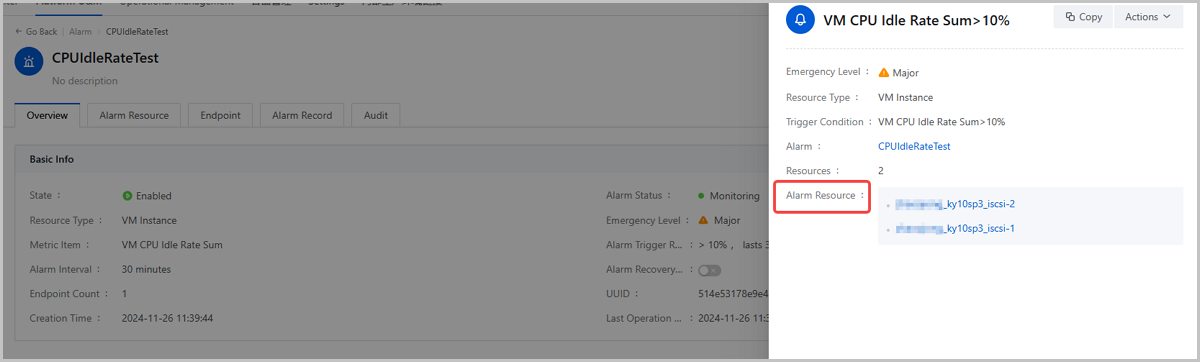
- Supports alarm message convergence.
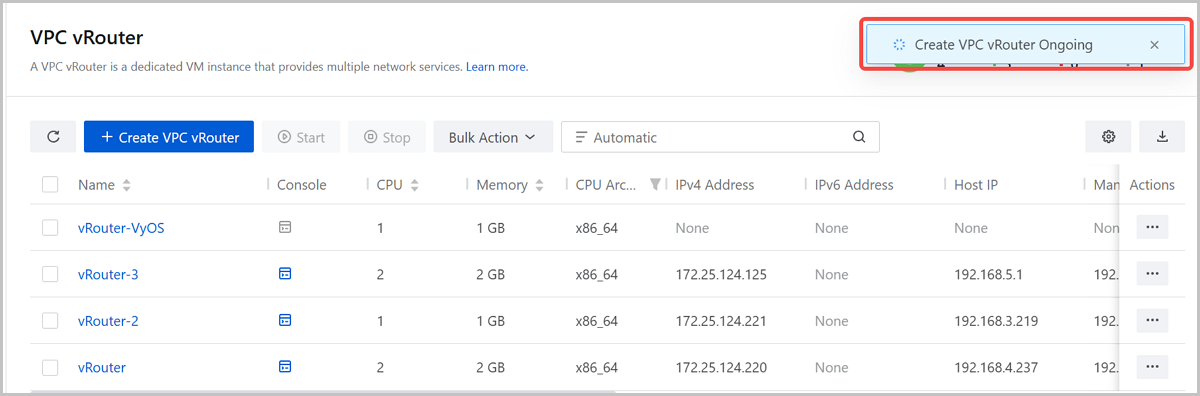
- Auto-collapses progress bar after 5 seconds.
- Resolves overlapping between alarm messages and task progress bar.
Cloud Network
VPC vRouter and Load Balancer Performance Optimization
ZStack Cloud 5.3.0 makes the following optimizations on VPC vRouter and load balancer.
Updates LB Components to Enhance Performance and Stability
ZStack Cloud 5.3.0 updates the UDP load balancer listener component, effectively enhancing UDP load balancing performance and stability.
When creating a new load balancer in ZStack Cloud 5.3.0, you can directly utilize the new component. For those upgrading from previous versions to 5.3.0, you can simply restart existing load balancers to update the component.
Provides openEuler vRouter/LB Image and Supports System Changing with One Click
Supports Attaching SR-IOV NICs to VPC vRouters/LBs
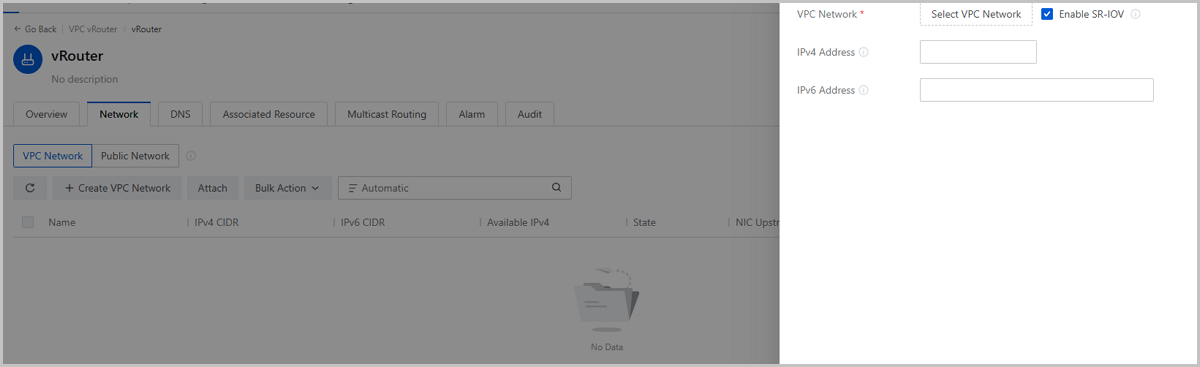
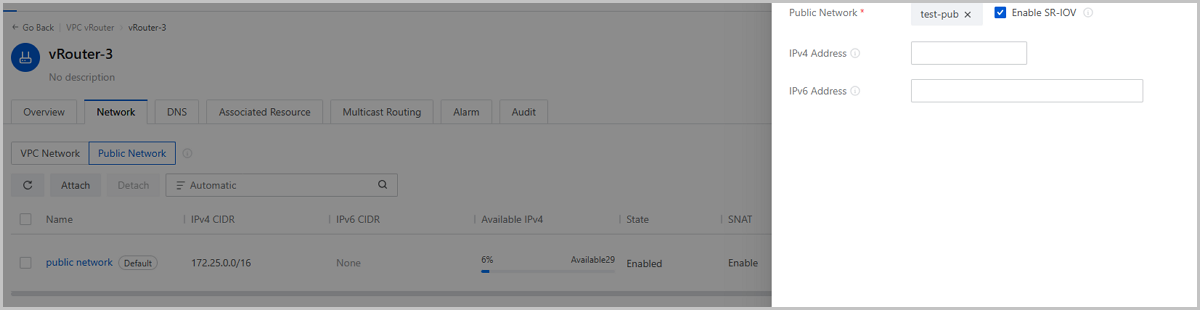
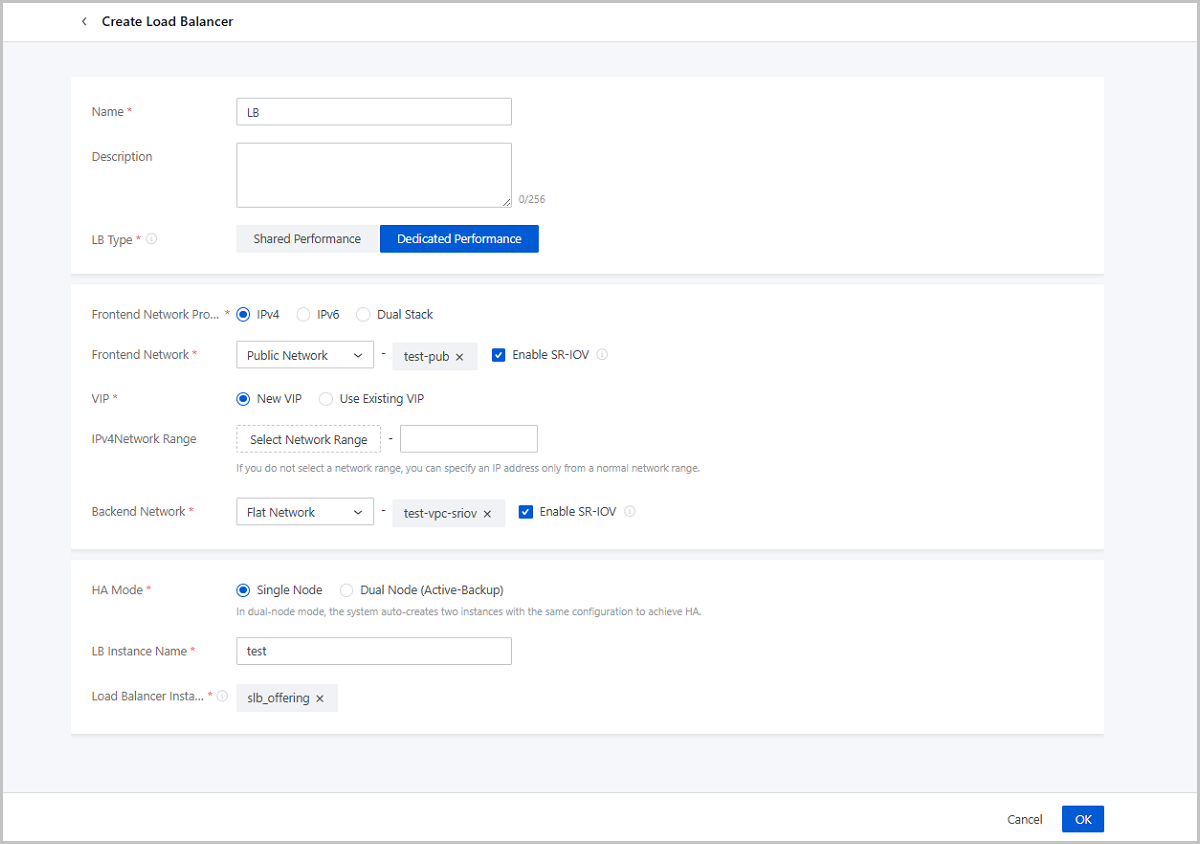
Starting from ZStack Cloud 5.3.0, VPC vRouters and dedicated performance LB instance using the openEuler 22.03 can enable SR-IOV during network attachment. This feature allows the passthrough of VF NICs to improve network bandwidth, PPS, and reduce latency. VPC vRouters and LB instance can be hot-migrated with VF NICs, ensuring business continuity.
- VPC vRouter:
- Supports enabling SR-IOV for the default public network during creation (only supported in scenarios where public and management networks are deployed separately).
- Supports enabling SR-IOV for public and VPC networks when attached.
- Load Balancer: Supports enabling SR-IOV for both frontend and backend networks when creating a dedicated performance load balancer.
- The corresponding L2 network for the L3 network must have SR-IOV network acceleration mode enabled.
- The physical NIC corresponding to the L3 network must have available VF NICs.
Supports Attaching EIPs to IPv6 NICs on VPC Network
Starting from ZStack Cloud 5.3.0, VPC vRouters using the openEuler 22.03 operating system can provide EIP services for IPv6 NICs on their associated VPC networks. You can attach IPv6 EIPs to IPv6 or dual-stack NICs.
Supports Custom Physical Network Type for Precise Labeling
Cloud Storage
Supports More Storage Combinations in Single Cluster
- A cluster can have multiple LocalStorage and multiple SharedBlock attached.
- A cluster can have multiple NFS and SharedBlock attached.
Supports LUN Multipath Display and Monitoring Alarms
Host
Supports FC-HBA Device Details Display and Monitoring Alarms
Starting from ZStack Cloud 5.3.0, a new HBA Device list is added to Associated Resource tab. You can view the FC-HBA devices on the host and their details, including device name, port type, port state, port speed, supported speed, and supported classes.
The platform automatically creates a default alarm Host FC-HBA Port Status Abnormal, which sends an alarm notification when an FC-HBA port is detected to be in a non-Online state.
Additionally, you can add FC-HBA Link Failure Count and FC-HBA Link Signal Loss Occurrence Count alarms to monitor the signal stability.
Supports Creating Alarms for Specified NICs in Batch
- Single NIC In Speed
- Single NIC Out Speed
- Single NIC In Packets
- Single NIC Out Packets
- Single NIC In Errors
- Single NIC Out Errors
On the Create Resource Alarm page, after choosing a metric item, you can select multiple hosts and specify an NIC for each host. Each specified NIC can have its own individual alarm trigger rules configured, or if not individually configured, the NICs can use the uniform trigger rule set at the bottom of the page. This enhancement improves the flexibility and convenience of platform O&M.
O&M Management
Introduces ZStack Component Service Monitoring Suite in Application Market
Starting from ZStack Cloud 5.3.0, the application market introduces a new default application ZStack Component Service Monitoring Suite, which supports one-click deployment. This service helps visualize the status of services on management and compute nodes, such as UI service, monitoring collection service, zsha2 service, database service, host virtualization service, and host agent service. This service help users obtain more intuitive and comprehensive operational information about the Cloud platform, improving the O&M convenience.
User Experience
Provides Document Directory in Help Center
In previous versions, ZStack Cloud already provided the built-in documentation in the help center, offering real-time graphical guidance. ZStack Cloud 5.3.0 makes the following optimizations on the help center documentation.
Document Directory Tree and Breadcrumb Path
Starting from ZStack Cloud 5.3.0, the help center offers a comprehensive document directory tree. You can preview the entire content of the documentation through the directory and quickly locate the required sections.
Once a section is accessed, the page header will display the breadcrumb path for that section, allowing you to easily navigate back to the previous section or return to the homepage.
Recent Search History Increased to 10 Entries
Optimizes Message Notification Display to Reduce Interface Occlusion
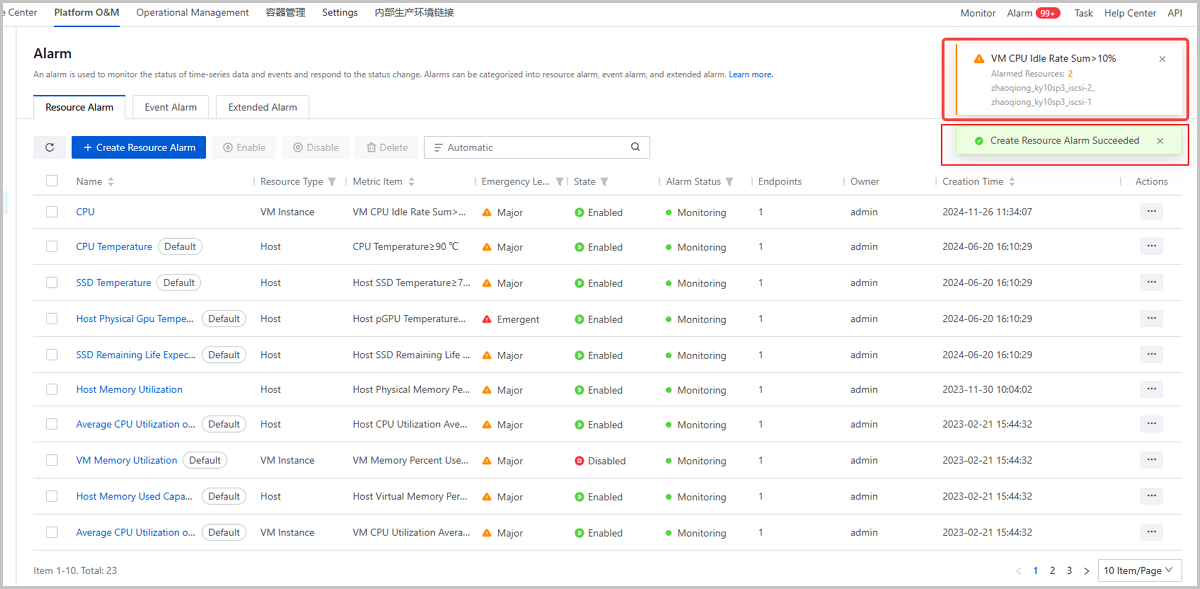
ZStack Cloud 5.3.0 makes the following optimizations on alarm messages and task progress bars.
Supports Alarm Message Convergence
Auto-Collapses Progress Bar After 5 Seconds
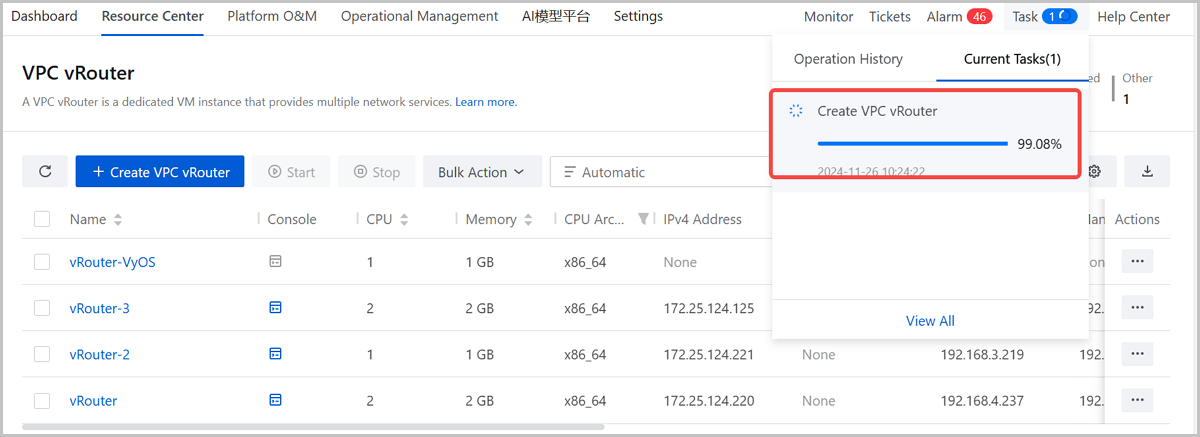
Resolves Overlapping Between Alarm Messages and Task Progress Bars