License Management
What is License?
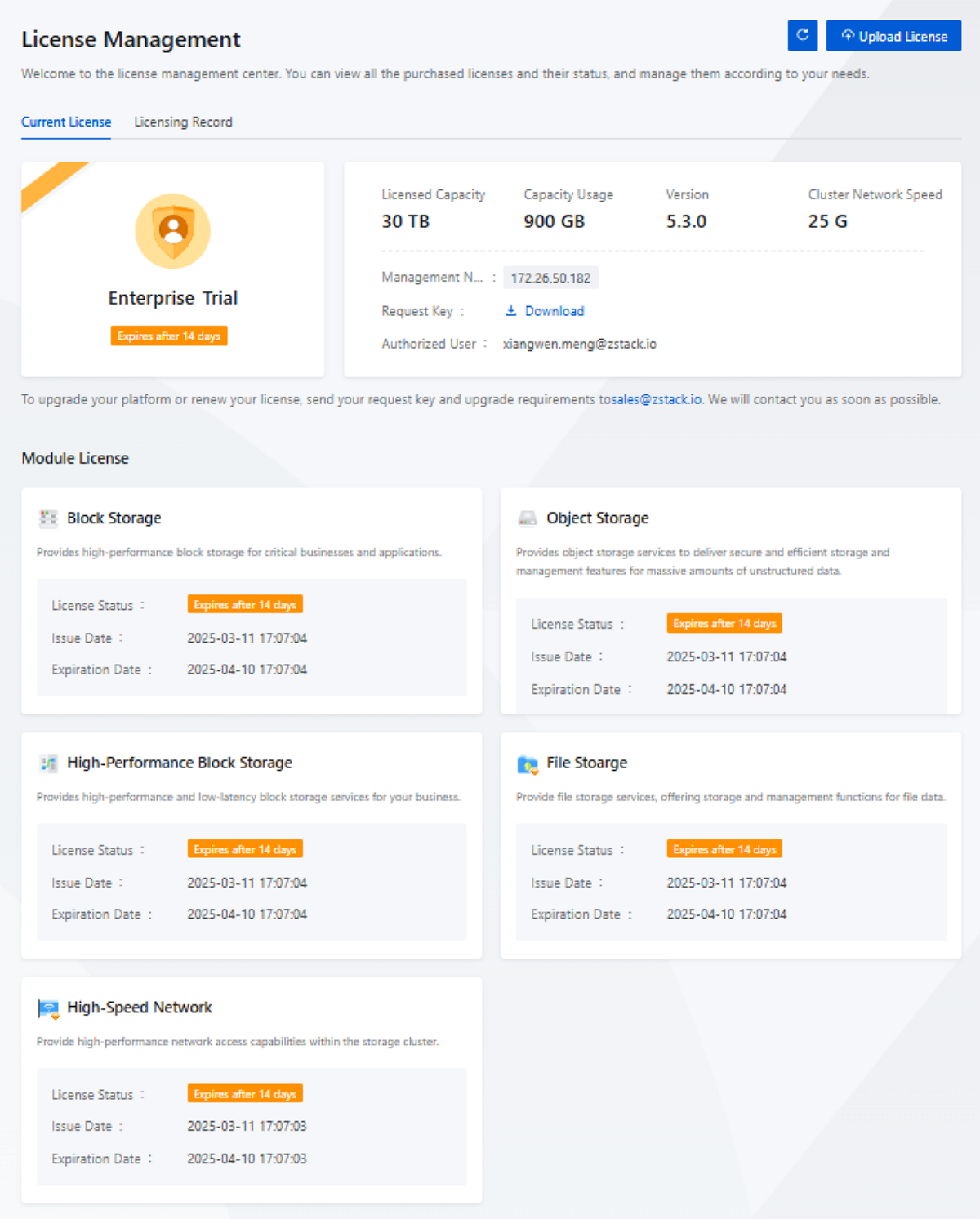
The License Management page displays the licensing information such as the licensing mechanism, platform version, and license status.
On the main menu of ZStack ZStone, choose . Then, the License Management page is displayed.
License Mechanism
- Base License:
- Use the base license together with module licenses to provide full functionality of the distributed storage platform, meeting the mainstream business requirements.
- Covered functionalities: Enterprise Trial and Enterprise Prepaid.
- Module License:
- Use module licenses together with the base license to provide storage features for specific scenarios, addressing specific business needs.
- Currently two module licenses are included: Block Storage and Object Storage.
- The base license includes module licenses by default. You do not need to request module licenses additionally.
| Licensing Mechanism | Functionality Covered | Description |
|---|---|---|
| Base License | Enterprise Trial |
Provides a full set of distributed storage features.
|
| Enterprise Prepaid |
Provides a full set of distributed storage features.
|
|
| Module License | Block Storage | Provides high-performance block storage service for critical businesses and applications when coupled with the base license. |
| Object Storage | Provides object storage service to deliver
secure, efficient storage and management features for massive
amounts of unstructured data when coupled with the base
license.
|
|
| High-Performance Block Storage | Provides high-performance and low-latency block storage services for your business when coupled with the base license. | |
| File Storage | Delivers storage and management services for file data when coupled with the base license. | |
| High-Spped Network | Provides high-performance network access capabilities within the storage cluster when coupled with the base license. |
 Note:
Note:
- For more details, contact us by sending emails to sales@zstack.io.
- To obtain a trial, or to purchase or upgrade your ZStack ZStone license, send your request key and your requirements to sales@zstack.io. To download the request key, click the Download button next to Request Key. We will contact you as soon as possible.
- The ZStack ZStone management services depend on management node services. To use the licensing service, you must ensure the management node services are in proper use.
Licensing Method
- Licensing by USB Key:
- You can obtain authorization by plugging the USB key into the management node.
- If you are using a dual-MN environment, plug in only one USB key.
- Licensing by Request Key:
- You can obtain authorization by uploading the license file to the distributed storage platform.
- You can upload both the base license and module licenses at the same time by using a tar.gz package.
- If you are using a dual-MN environment, ensure that the two management nodes are both running before you upload the license file.
Install a License
The admin can install a license by using a USB key or a request key. These two methods are described in details below.
By Using a Request Key
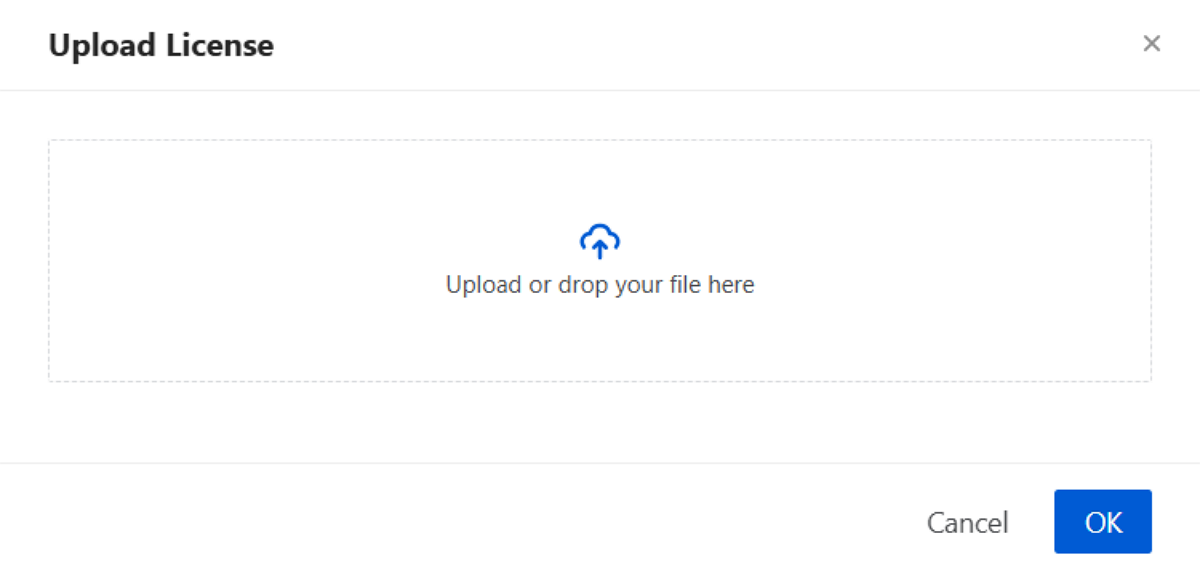
On the License Management page, click Upload License in the upper-right corner. On the displayed Upload License pop-up, upload the obtained license.
By Using a USB Key
- Plug the USB key into the management node.
- On the main menu of ZStack ZStone, choose . Then, the License Management page is displayed.
- On the License Management page, click Load License button next to Upload License in the upper-right corner.
- Once the load succeeds, you can view the complete authorization details.
Manage a License
On the main menu of ZStack ZStone, choose . Then, the License Management page is displayed.
| Action | Description |
|---|---|
| Upload License | Supports adding licenses through the graphical
interface.Note:
|
| Download Request Key | Download the request key required to generate a license. You can update the license by using a request key. |
License Status
| Status | Description |
|---|---|
| Valid | Displays 'Valid' in the field of License Status when you add a valid license. |
| Abnormal | Displays 'Abnormal' in the field of License Status when dual management node licenses are inconsistent or license management services fail to work correctly. In order not to affect your use, we recommend that you contact us as soon as possible for resolution. |
| Expired | Displays 'Expired' in the field of License Status when a license expires. In this case, all the features provided will be unavailable and you cannot log in to the platform. |
| Expires after XX Days | When the remaining license period is less than 15 days, a banner prompt will appear after you log in to the platform. In order not to affect your use of the platform, we recommend that you contact us as soon as possible for authorization update. |
Licensing Record
On the main menu of ZStack ZStone, choose . Then, the Licensing Record page is displayed.
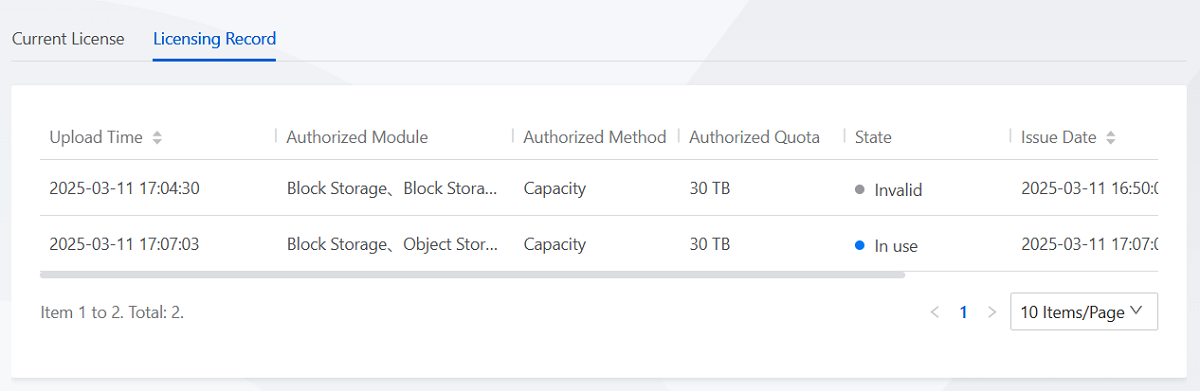
You can view the licensing records of the platform on the UI. Details like upload time, authorized module, authorized method, authorized quota, state, issue date, and expiration date are included.