
AccessKey Management
What is AccessKey Management?
An AccessKey pair is an identity credential that has access to APIs of Alibaba Cloud or Private Alibaba Cloud. It has full access to the Cloud. An AccessKey pair consists of AccessKey ID and AccessKey secret.
 Note: AK is not an Alibaba Cloud account. Owning an AK does not represent
that you own account resources. The resources are owned by the Alibaba Cloud
account.
Note: AK is not an Alibaba Cloud account. Owning an AK does not represent
that you own account resources. The resources are owned by the Alibaba Cloud
account.ZStack Cube Ultimate allows you to view the basic property of an AccessKey, such as its corresponding Alibaba Cloud root account ID and Alibaba Cloud Sub-Username.
Add an AccessKey
On the main menu of ZStack Cube Ultimate Hybrid Cloud Management, choose . On the AccessKey Management page, click Add AccessKey. Then, the Add AccessKey page is displayed.
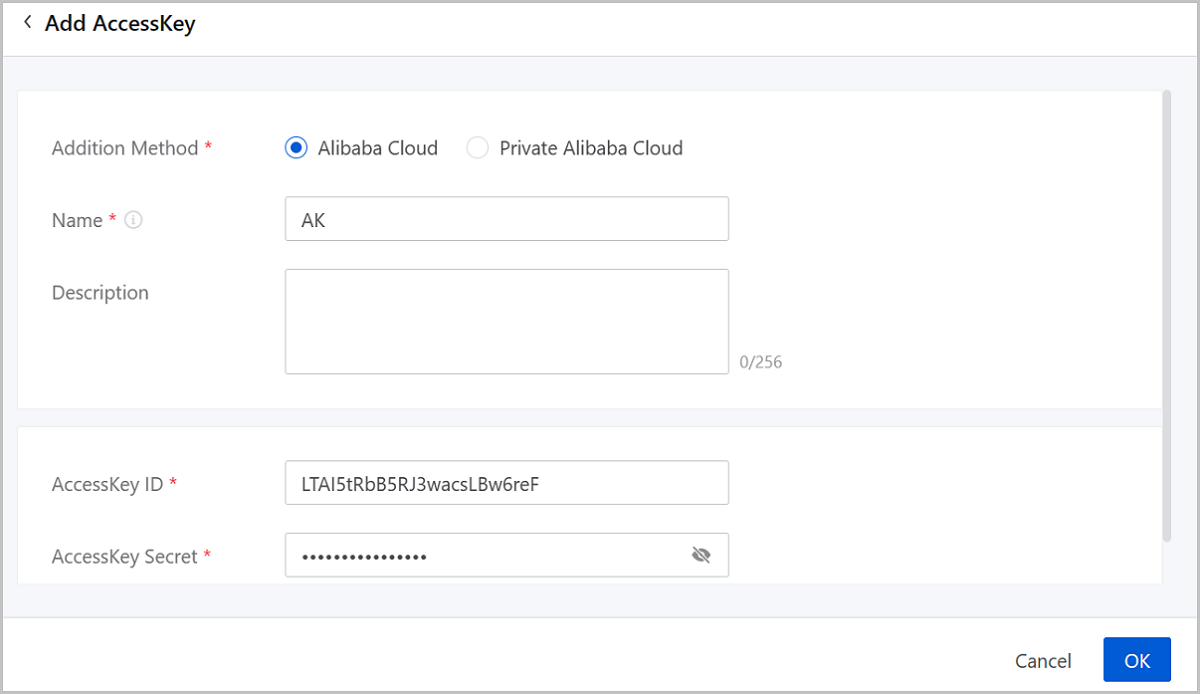
Add Alibaba Cloud AccessKey
- Addition Method: Choose Alibaba Cloud.
- Name: Enter a name for the AccessKey.
- Description: Optional. Enter a description for the AccessKey.
- AccessKey ID: Enter the correct AccessKey ID of the Alibaba Cloud account.
- AccessKey Secret: Enter the correct AccessKey Secret corresponding to the AccessKey ID.
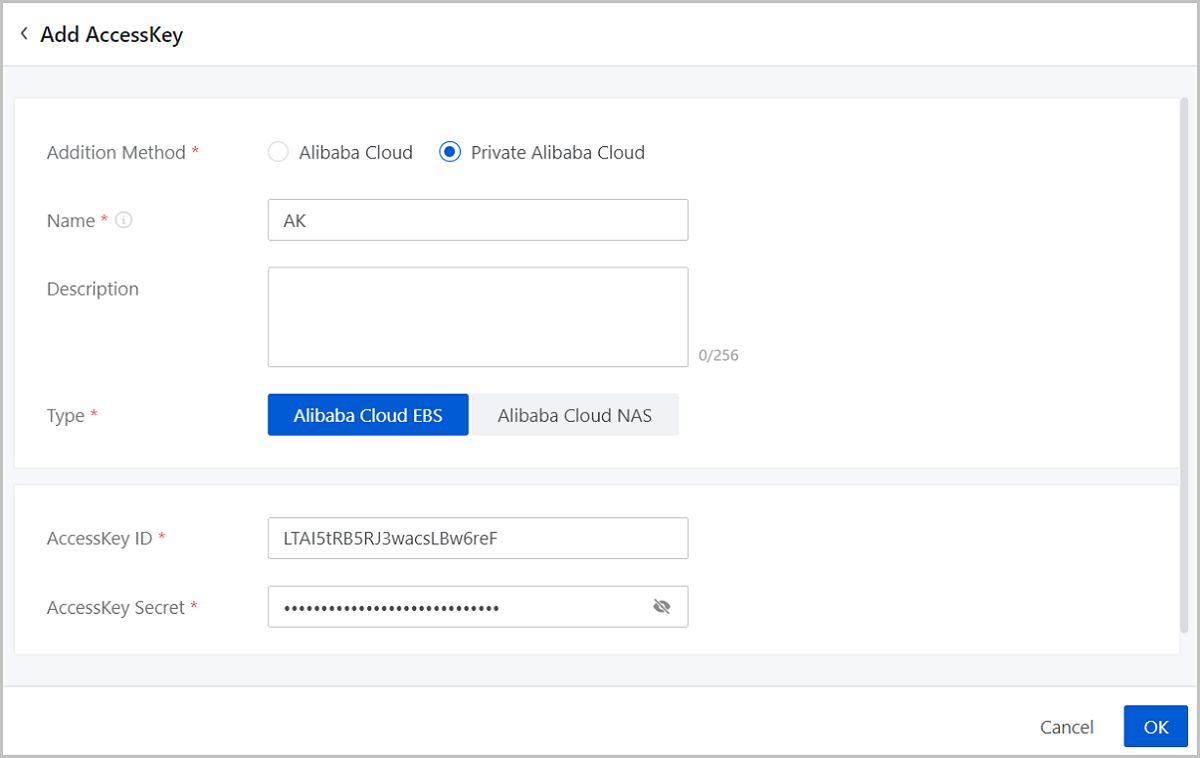
Add Private Alibaba Cloud AccessKey
- Addition Method: Choose Private Alibaba Cloud.
- Name: Enter a name for the AccessKey.
- Description: Optional. Enter a description for the AccessKey.
- Type: Choose a Private Alibaba Cloud AccessKey type. Options: AliyunEBS and AliyunNAS.
- AccessKey ID: Enter the AccessKey ID of a Private Alibaba Cloud account. Ensure the correctness of the AccessKey ID.
- AccessKey Secret: Enter the AccessKey Secret corresponding to the AccessKey ID. Ensure the correctness of the AccessKey Secret.
Manage an AccessKey
On the main menu of ZStack Cube Ultimate Hybrid Cloud Management, choose . Then, the AccessKey Management page is displayed.
| Action | Description |
|---|---|
| Edit AccessKey | Edit the name and description of an AccessKey. |
| Add AccessKey | Add an AccessKey.Note:
|
| Set as Default | Set an AccessKey as the default
AccessKey.Note: You can set only one AccessKey as the default
AccessKey. The default AccessKey is used to call Alibaba
Cloud/Private Alibaba Cloud APIs and control resources of the
corresponding Alibaba Cloud account. |
| Cancel Default Setting | No longer use an AccessKey as the default AccessKey. |
| Delete AccessKey | Delete an AccessKey. |