
Data Center
What is Data Center?
A data center involves regional resources such as Alibaba Cloud regions and availability zones.
Add a Region
On the main menu of ZStack Cube Ultimate Hybrid Cloud Management, choose . On the Region page, click Add Region. Then, the Add Region page is displayed.
Add Alibaba Cloud Region
- Region Type: Choose Alibaba Cloud.
- Region: Select an Alibaba Cloud Region can be accessed with the current AccessKey.
- Description: Enter a description for the region.
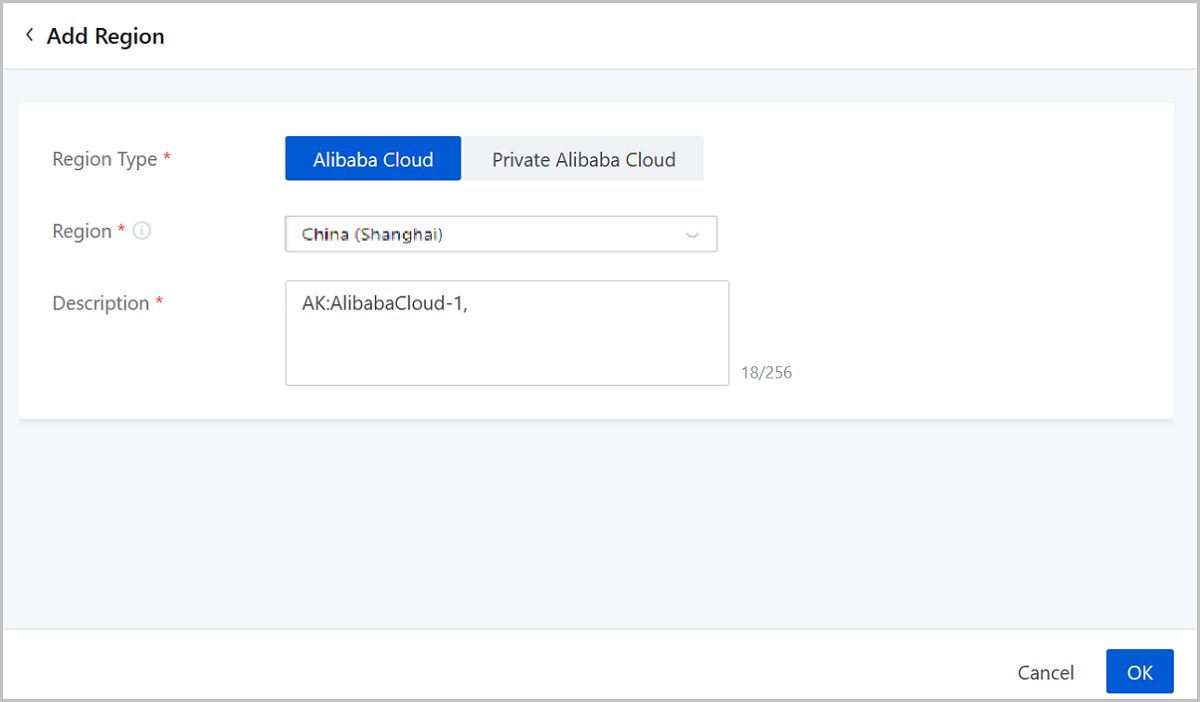
Add Private Alibaba Cloud Region
- Add Private Alibaba Cloud Region (AliyunNAS)On the displayed page, set the following parameter:
- Region Type: Select Private Alibaba Cloud.
- Type: Select AliyunNAS.
- Region: Select a region which can be accessed with the current AccessKey.
- Description: Enter a description for the region.
图 2. Add Private Alibaba Cloud Region (AliyunNAS) 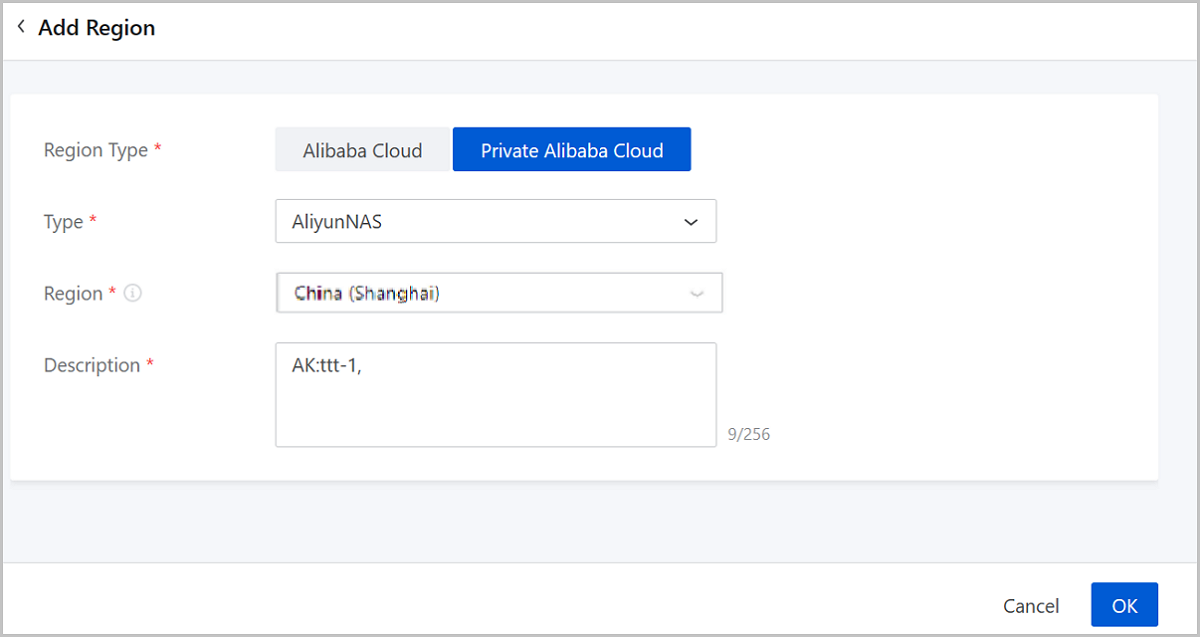
- Add Private Alibaba Cloud Region (AliyunEBS)On the displayed page, set the following parameters:
- Region Type: Choose Private Alibaba Cloud.
- Type: Choose AliyunEBS.
- Endpoint: Enter the
domain name of the Ocean external service.
 Note:
Note:
- Ocean provides an external service with HTTP RESTful APIs.
- Syntax: http://Ocean_Server_Domain:Port/ocean/api;
- Domain names varies according to regions.
- Region: Enter a region can be accessed by the Private Alibaba Cloud AccessKey.
- Description: Optional. Enter a description for the region.
图 3. Add a Private Alibaba Cloud Region (Aliyun EBS) 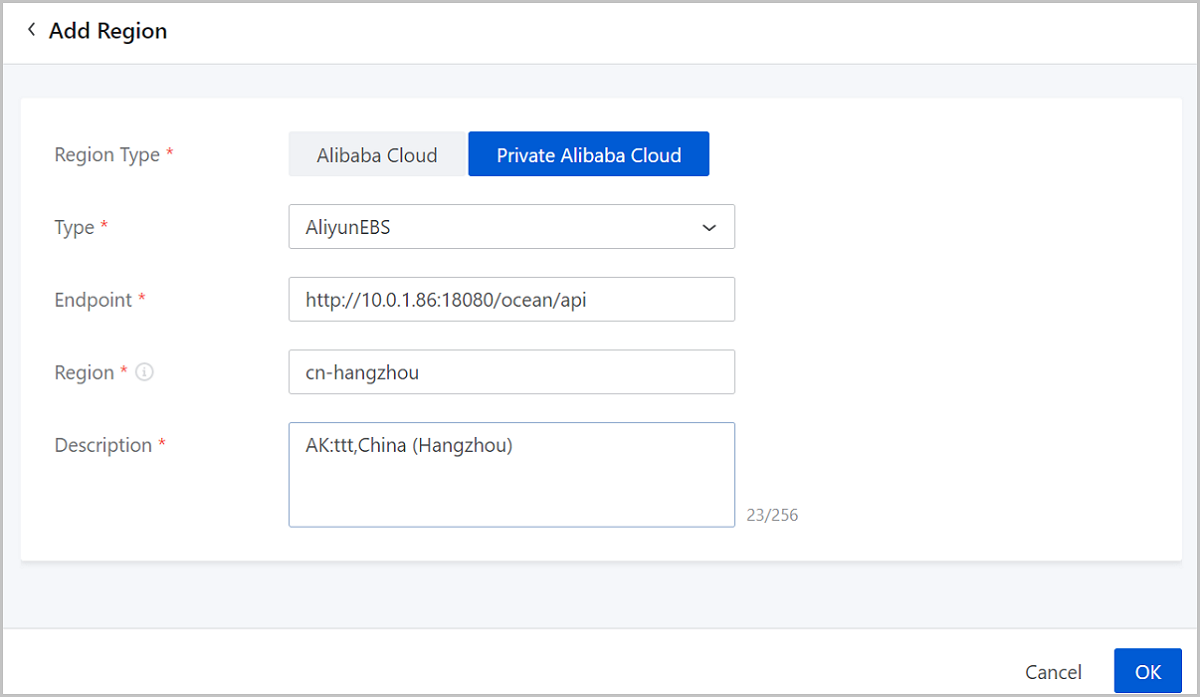
Manage a Region
On the main menu of ZStack Cube Ultimate Hybrid Cloud Management, choose . Then, the Region page is displayed.
| Action | Description |
|---|---|
| Add Region | Add a region to ZStack Cube Ultimate Hybrid Cloud. |
| Delete Region | Delete a region. After the deletion, the region is not managed on ZStack Cube Ultimate and its local record is deleted. You can synchronize the record by re-adding the region to local. |
Add a Bucket
On the main menu of ZStack Cube Ultimate Hybrid Cloud Management, choose . On the Region page, click a region to enter its details page. On the region details page, click . Then, the Add Bucket dialog box is displayed.
- Add Method: Choose Available Bucket or Create
Bucket.If you choose Available Bucket, set these parameters:
- Bucket: Select an available Bucket from the drop-down list.
- Make Default: Set whether to make this Bucket the default Bucket in the region. You need to set one and only one default Bucket for a region. By default, the checkbox is selected.
- Description: Optional. Enter a description for the Bucket.
If you choose Create Bucket, set these parameters:- Bucket Name: Enter a name for the Bucket. The name cannot be used by other Buckets.
- Make Default: Set whether to make the bucket the default Bucket in the region. You need to set one and only on default Bucket for a region. By default, the checkbox is selected.
- Description: Optional. Enter a description for the Bucket.
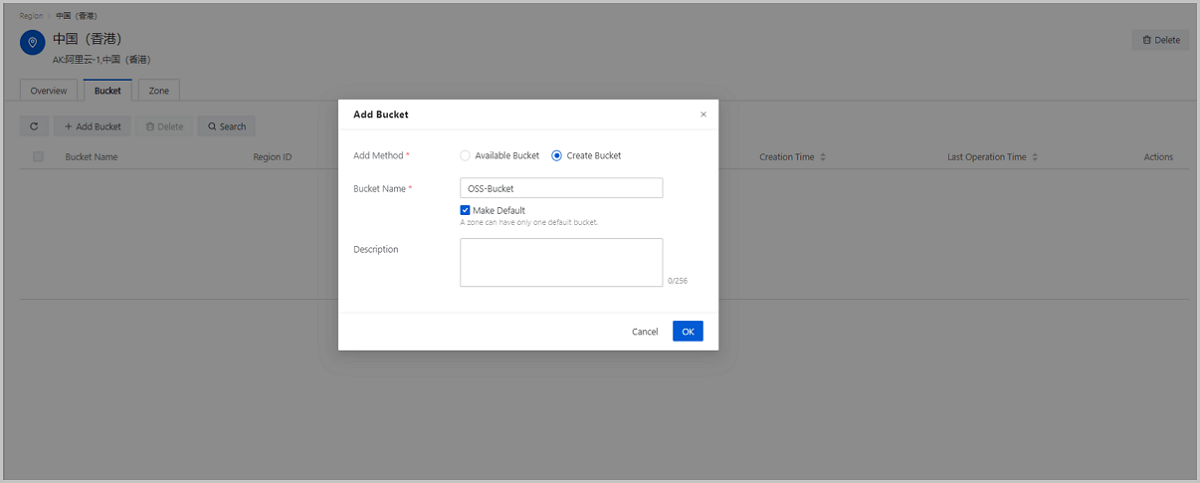
Manage a Bucket
On the Region page, click the name of a region. On the displayed region details page, click Bucket. Then, the Bucket tab page is displayed.
| Action | Description |
|---|---|
| Edit Bucket | Edit the name and description of a Bucket. |
| Add Bucket | Add a Bucket in a region. |
| Make Default | Make a Bucket as the default bucket in a
region.Note: You can set one default Bucket per region. The
default Bucket is used to upload local images to Alibaba
Cloud. |
| Delete Bucket | Delete a Bucket.Note: By default, only the local
record of the Bucket is deleted. If you want to delete the
actual Bucket on OSS, select the checkbox of Delete Actual
Resources on OSS. |
Add Zone
On the main menu of ZStack Cube Ultimate Hybrid Cloud Management, choose . On the Zone page, click Add Zone. Then, the Add Zone page is displayed.
- Region: Select a region can be accessed by the AccessKey.
- Zone: Select an availability zone from the drop-down list.
- Description: Enter a description for the zone. This is a required parameter.
Manage a Zone
On the main menu of ZStack Cube Ultimate Hybrid Cloud Management, choose . Then, the Zone page is displayed.
| Action | Description |
|---|---|
| Add Zone | Add a zone to a region. |
| Delete Zone | Delete a zone. After the deletion, the zone is not managed on ZStack Cube Ultimate and its local record is deleted. You can synchronized the record by re-adding the zone to local. |