Shared Bandwidth
What is Shared Bandwidth
Shared Bandwidth: A shared bandwidth provides bandwidth sharing service and centralized speed control for public network VIPs. You can bind multiple VIPs to a shared bandwidth to allow instances using these VIPs to share the same bandwidth resource, thereby reducing the cost on public network communications.
Fundamental
Shared Bandwidth is a network service provided by a VPC vRouter. A shared bandwidth can be used by multiple public network VIPs. The total network speed of these VIPs is limited below the size of the shared bandwidth.
 Note: Currently, a shared bandwidth can be used by VIPs
residing on the same VPC vRouters. To make a VIP successfully limited by a
shared bandwidth, you must make it provide network services to VM NICs on the
VPC networks attached to the VPC vRouter that the shared bandwidth attaches. If
a VIP is bound to a shared bandwidth but is removed from the specified VPC
vRouter later, the shared bandwidth no longer limit its speed.
Note: Currently, a shared bandwidth can be used by VIPs
residing on the same VPC vRouters. To make a VIP successfully limited by a
shared bandwidth, you must make it provide network services to VM NICs on the
VPC networks attached to the VPC vRouter that the shared bandwidth attaches. If
a VIP is bound to a shared bandwidth but is removed from the specified VPC
vRouter later, the shared bandwidth no longer limit its speed.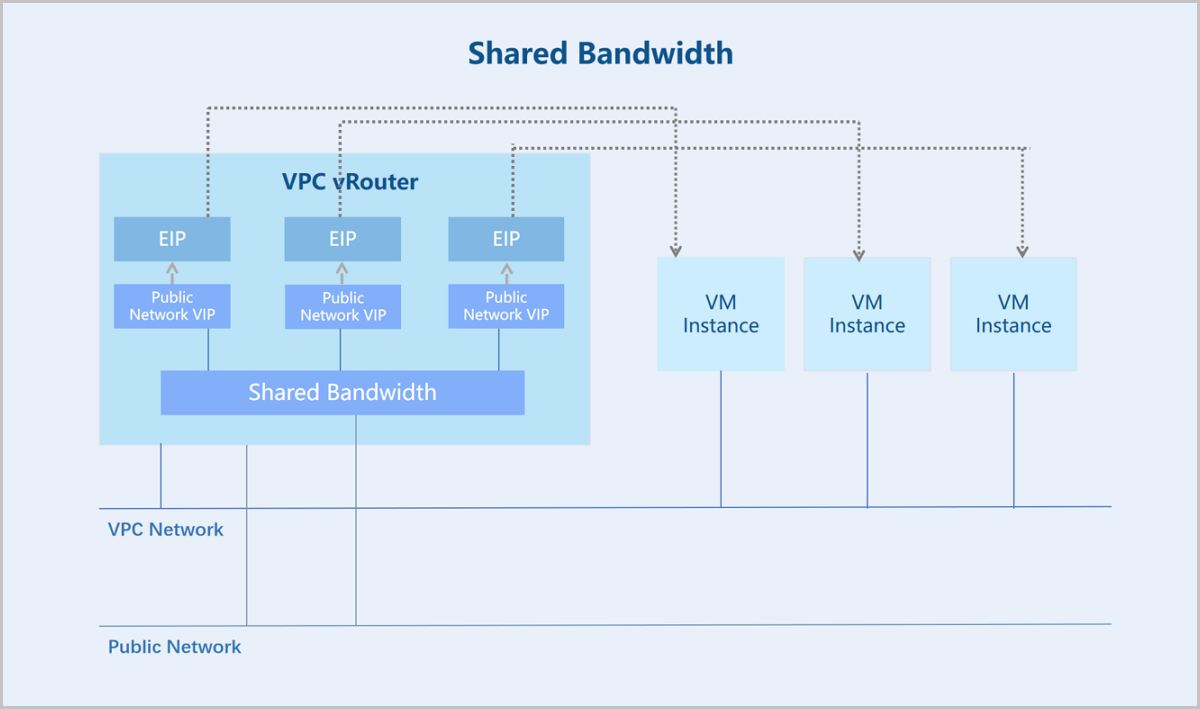
Advantages
- Reduce Network Cost: Allows multiple VM instances to share the same bandwidth resource, increasing the utilization of the bandwidth as well as reducing the bandwidth costs.
- Flexible O&M: You can bind/unbind a VIP to/from a shared
bandwidth whenever you need, flexibly choosing whether to use the bandwidth
sharing and centralized speed limit service. In addition to Shared
Bandwidth, ZStack Cloud provides other methods for
you to meet various requirements on the network speed limit.
- Adding QoS to a VIP individually: You can add a QoS to a VIP individually to provide a dedicated bandwidth and speed limit service for it. Note that if the VIP is bind to a shared bandwidth, the QoS added for it individually does not take effect during it is using the shared bandwidth. After the VIP is unbind from the shared bandwidth, its individual QoS takes effect again.
- Adding QoS to a NIC individually: You can add a QoS to a VM NIC individually from the VM details page to provide a dedicated bandwidth and speed limit service for the NIC. If the NIC has an individual QoS added as well as uses a VIP with QoS, its speed is limited by the lower one among its own QoS and the VIP QoS.
- Good Performance Guarantee: Shared bandwidth and other QoS services provided by ZStack Cloud guarantee a necessary bandwidth for core business during network congestion to ensure the stable running of these businesses.
Quick Start
- Create a shared bandwidth and associate a VPC vRouter.
- Bind public network VIPs on the VPC vRouter to the shared bandwidth.
- Create network services, such as EIPs, based on the VIPs.
- Bind EIPs to VM NICs.
- The VM NICs share this shared bandwidth and are centrally limited on the network speed.
Create Shared Bandwidth
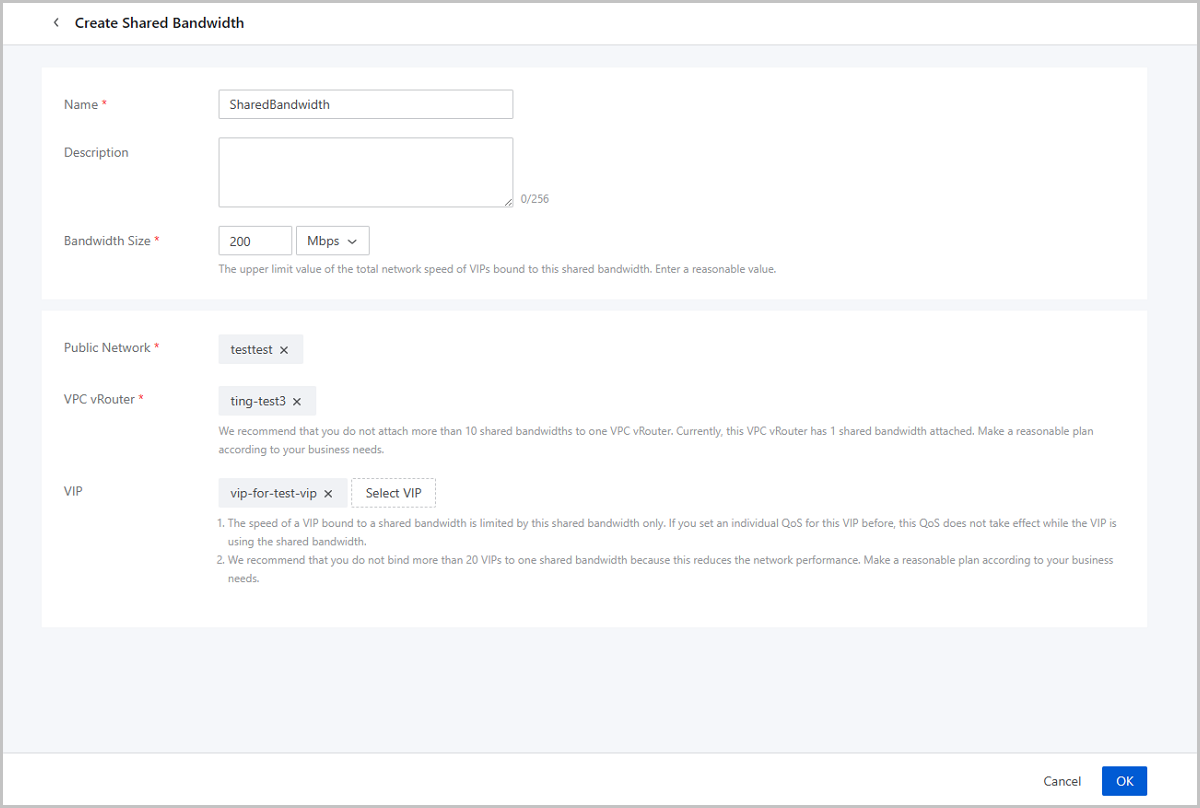
On the main menu of ZStack Cloud, choose . On the Shared Bandwidth page, click Create Shared Bandwidth. Then, the Create Shared Bandwidth page is displayed.
- Name: Enter a name for the shared bandwidth. The name must be 1 to 128 characters in length and can contain Chinese characters, letters, digits, spaces, hyphens (-), underscores (_), periods (.), parenthesis (), colons (:), and plus signs (+) and cannot begin or end with spaces.
- Description: Optional. Enter a description for the shared bandwidth.
- Size: Set the upper limit value of the total network speed of VIPs bound to this shared bandwidth. Unit: Kbps/Mbps/Gbps. Valid valued: 128Kbps~30Gbps. Enter an integer.
- Public Network: Select a public network.
- VPC vRouter: Select a VPC vRouter. A shared bandwidth can
attach a VPC vRouter. A VPC vRouter can attach multiple shared
bandwidth.Note: We recommend that you do not attach more than 10 shared
bandwidths to one VPC vRouter. Otherwise, the network performance may be
reduced. Make a reasonable plan according to your business
needs.
- VIP: Select VIPs. You can select public network VIPs on
the selected VPC vRouter.Note:
- We recommend that you do not bind more than 20 VIPs to one shared bandwidth because this reduces the network performance. Make a reasonable plan according to your business needs.
- The speed of a VIP bound to a shared bandwidth is limited by this shared bandwidth only. If you set an individual QoS for this VIP before, this QoS does not take effect while the VIP is using the shared bandwidth.
Manage Shared Bandwidth
On the main menu of ZStack Cloud, click . Then, the Shared Bandwidth page is displayed.
| Action | Description |
|---|---|
| Create Shared Bandwidth | Creates a shared bandwidth. |
| Edit Shared Bandwidth | Modifies the name or description of a shared bandwidth. |
| Bind VIP | Bind VIPs to a shared bandwidth.Note:
|
| Unbind VIP | Unbind VIPs from a shared bandwidthNote: After
the unbinding, the VIP is no longer limited by the shared
bandwidth. If you have set a QoS individually for the VIP
before, this QoS takes effect again. |
| Delete | Deletes a shared bandwidth.Note: After the
deletion, VIPs bound to this shared bandwidth are no longer
limited by the shared bandwidth. If you have set QoS
individually for these VIPs before, these QoS take effect
again. |
Shared Bandwidth Monitoring
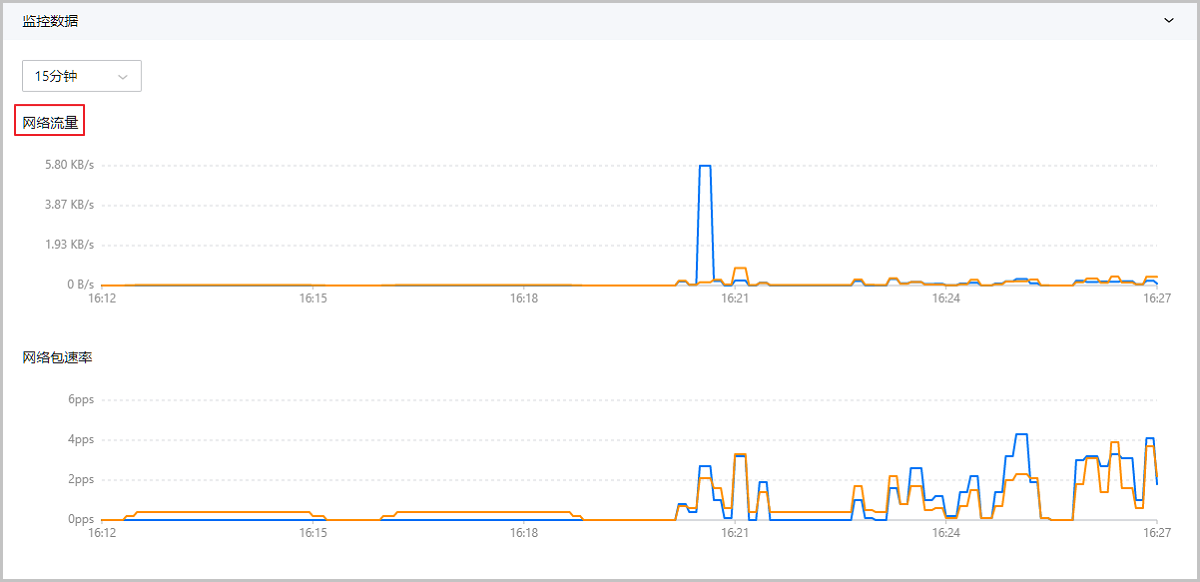
ZStack Cloud支持对共享带宽下的虚拟IP进行集中实时监控,通过曲线图实时动态展示虚拟IP的性能数据,包括:网络流量、网络包速率。
Note: 网络流量和网络包速率统一使用一个时间跨度,支持用户按需自定义时间跨度进行查询。网络流量
- 支持选择不同的时间跨度监控虚拟IP的实时网络流量情况,可选择的时间跨度:15分钟、1小时、6小时、1天、1周、1月、1年、自定义。Note: 系统默认显示最近15分钟内虚拟IP网络流量使用情况的监控图像。
- 支持查看当前共享带宽下全部虚拟IP产生的网络流量情况,也可以只查看其中一个虚拟IP的网络流量数据。
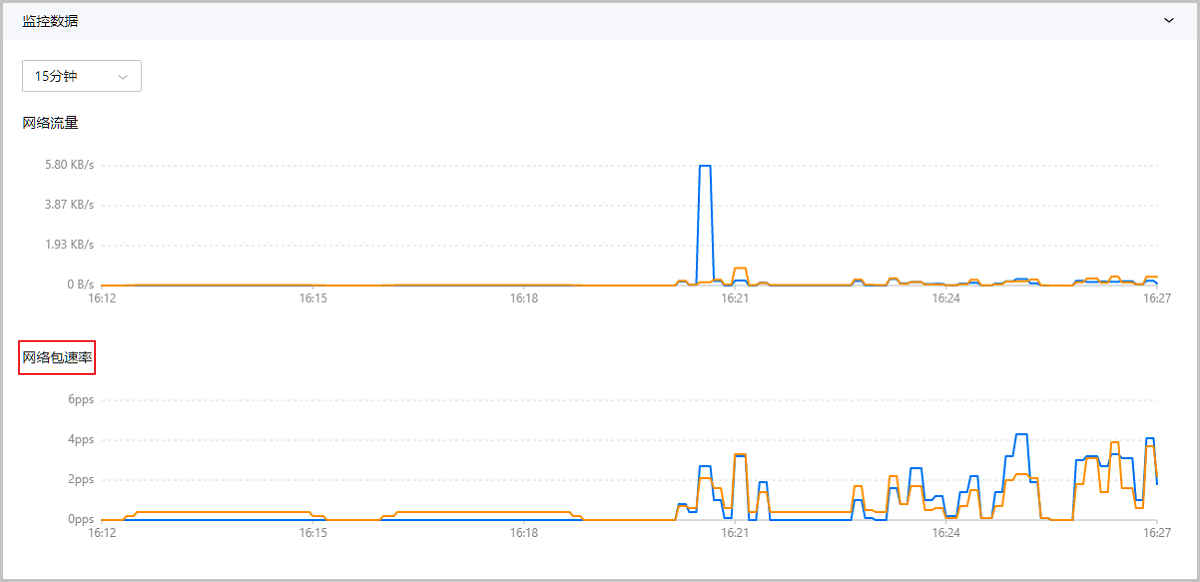
网络包速率
- 支持选择不同的时间跨度监控虚拟IP的实时网络包速率情况,可选择的时间跨度:15分钟、1小时、6小时、1天、1周、1月、1年、自定义。Note: 系统默认显示最近15分钟内虚拟IP网络包速率的监控图像。
- 支持查看当前共享带宽下全部虚拟IP产生的网络包速率情况,也可以只查看其中一个虚拟IP的网络包速率数据。