
Route Table
What is Route Table?
A route table contains information about various routes that you configure. Route entries in a route table must include the destination network, next hop, and route priority.
Create a Route Table
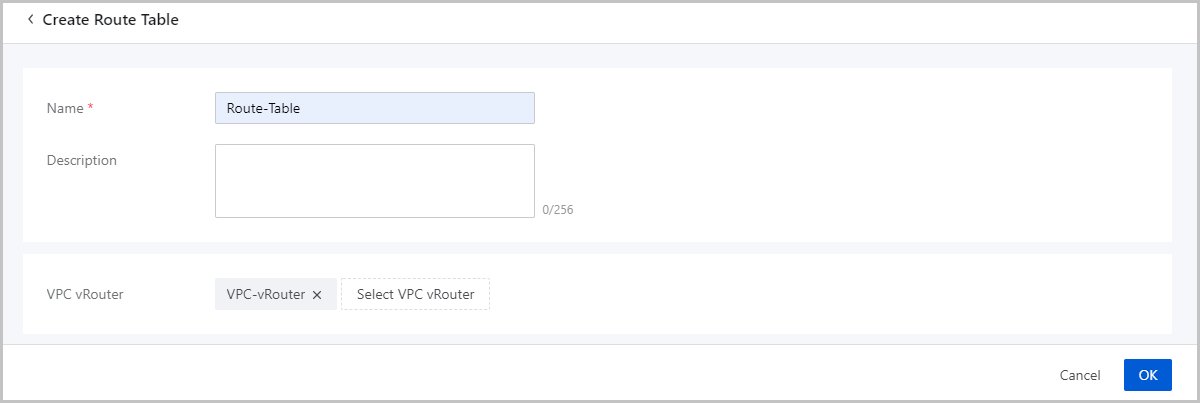
On the main menu of ZStack Cloud, choose . On the Route Table page, click Create Route Table. Then, the Create Route Table page is displayed.
On the displayed page, set the following parameters:
- Name: Enter a name for the route table.
- Description: Optional. Enter a description for the route table.
- VPC vRouter: Optional. Select a VPC vRouter to which the route table is attached.
Manage a Route Table
On the main menu of ZStack Cloud, choose . Then, the Route Table page appears.
The following table lists the actions that you can perform on a route table.
| Action | Description |
|---|---|
| Create Route Table | Create a route table. |
| Edit Route Table | Edit the name and description of a route table. |
| Add Route Entry | Add a route entry to a route table. |
| Attach VPC vRouter | Attach a route table to a VPC vRouter. |
| Detach VPC vRouter | Detach a route table from a VPC vRouter. |
| Delete Route Table | Delete a route table. |