
Plugin Management
What is Plugin Management?
You can package extended resources or tools into standardized plugins for quick installation and integration, expanding the Cloud capabilities.
Upload a Plugin
On the main menu of ZStack Cloud, choose . Then, the Plugin Management page is displayed.
- Upload a server-side plugin
- Upload a client-side plugin
Upload Server-Side Plugin
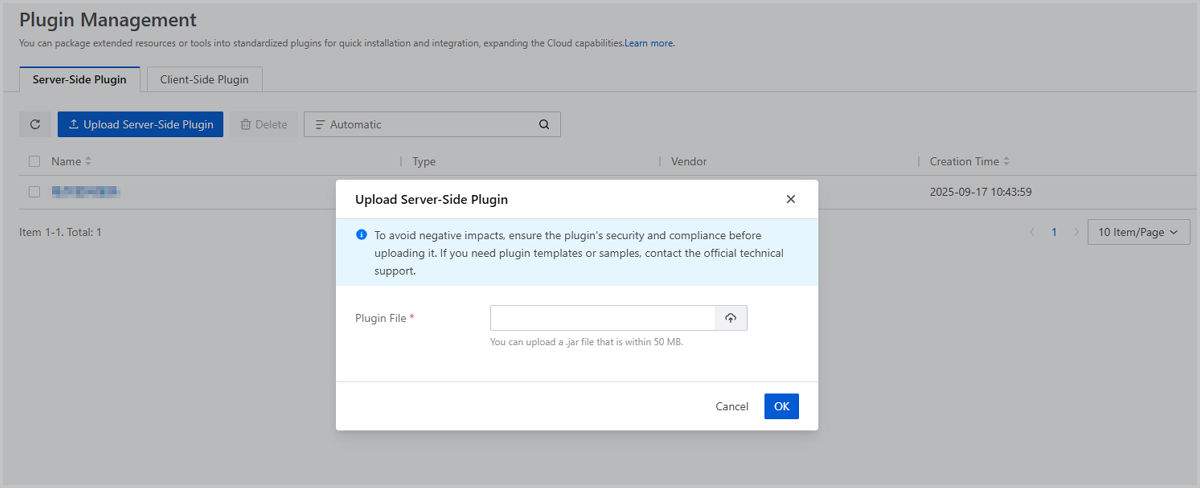
On the Plugin Management page, choose . On the Server-Side Plugin page, click Upload Server-Side Plugin. Then, the Upload Server-Side Plugin page is displayed.
- Plugin File: Upload a plugin file.
 Note:
Note:
- You can upload a .jar file that is within 50 MB.
- To avoid negative impacts, ensure the plugin's security and compliance before uploading it. If you need plugin templates or samples, contact the official technical support.
Upload Client-Side Plugin
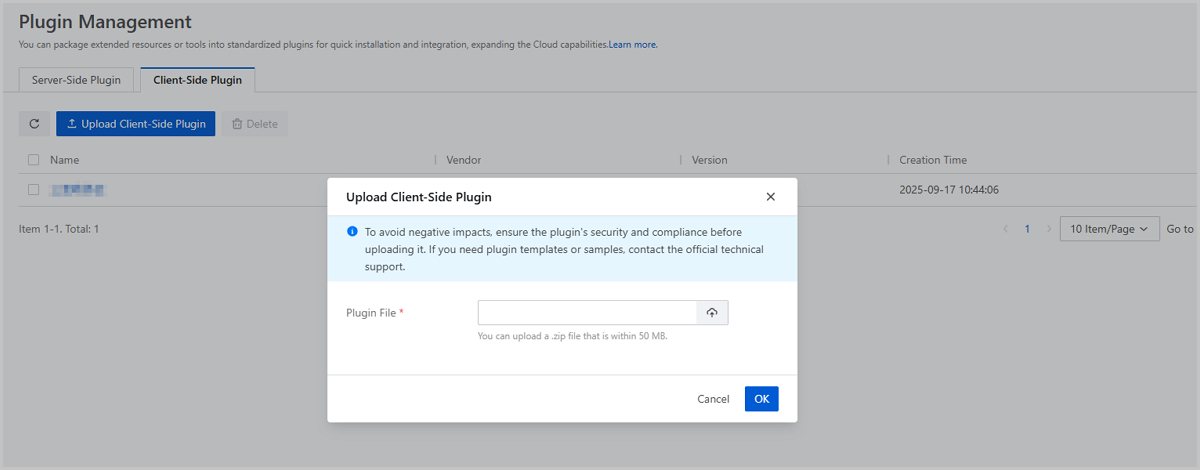
On the Plugin Management page, choose . On the Client-Side Plugin page, click Upload Client-Side Plugin. Then, the Upload Client-Side Plugin page is displayed.
- Plugin File: Upload a plugin file.Note:
- You can upload a .zip file that is within 50 MB.
- To avoid negative impacts, ensure the plugin's security and compliance before uploading it. If you need plugin templates or samples, contact the official technical support.
Manage a Plugin
On the main menu of ZStack Cloud, choose . Then, the Plugin Management page is displayed.
| Action | Description |
|---|---|
| Upload Plugin | Upload a plugin. |
| Delete Plugin | Delete a plugin.Note: If the plugin is in use for
the platform cryptography security compliance or SSO, you cannot
delete it. |